


Starting your Salesforce journey can quickly become overwhelming, especially when you are trying to grow across both the Admin and Developer sides of the platform. At first, you may be learning objects, relationships, permissions, reports, and Flow. Soon after, you discover Apex, SOQL, integrations, APIs, Agentforce, and an ecosystem that seems to grow every time you learn something new.
In my own Salesforce learning journey, AI has been most useful when I treat it as a tutor rather than an answer machine. I use it to ask follow-up questions, challenge my understanding, break down errors, and move faster between Admin and Developer concepts. I have also used Salesforce MCP capabilities directly, which changed my view of AI from something that only explains Salesforce to something that can work with Salesforce context and tools.
The key is knowing how to use it. Asking AI to solve every problem may help you finish one task. Asking it to explain why something works can help you solve the next problem on your own.
Table of Contents
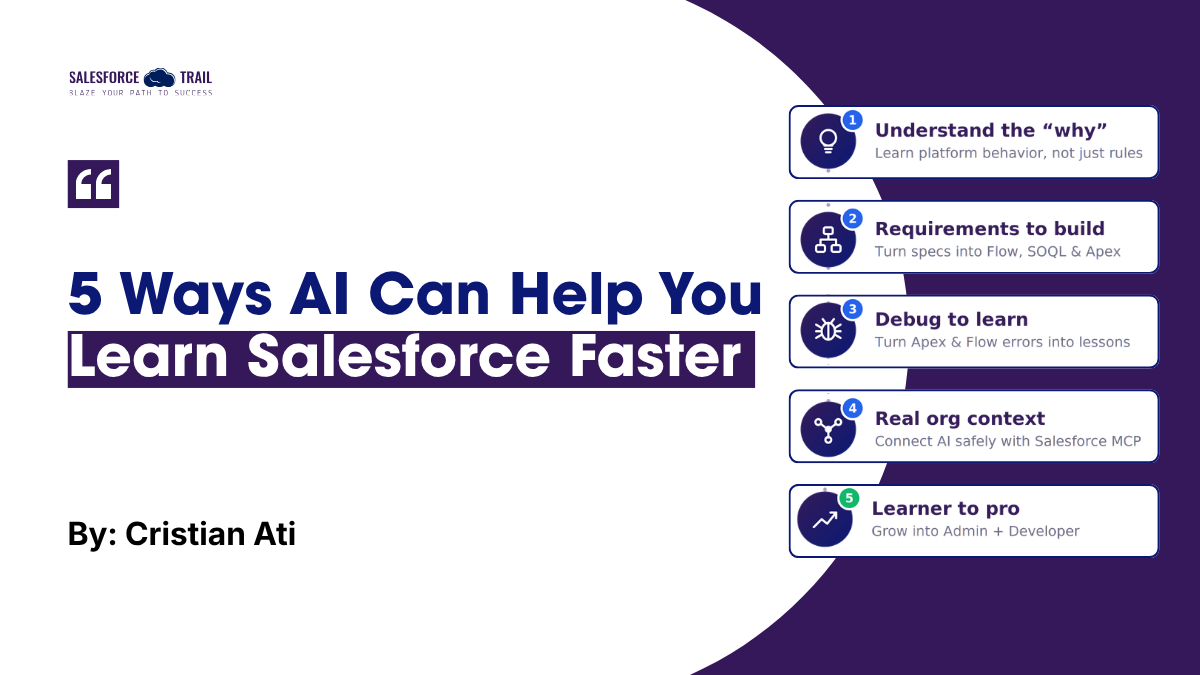
1. Learn the “why” behind Admin and Developer Concepts
When you start learning Salesforce, it is easy to memorize rules without fully understanding why they exist. You may hear things like “don’t put SOQL queries inside loops,” “bulkify your Apex,” or “choose the right asynchronous processing pattern.” Those rules are useful, but memorizing them is different from understanding the platform behavior behind them.
One of the most useful ways I have used AI as a tutor is to keep asking “questions” until I understand the reason behind a concept. For example, imagine that someone tells you: “Never put a SOQL query inside a loop.” Instead of simply memorizing that sentence, I can ask AI to explain why it is a problem in Salesforce, which governor limit is involved, why that limit exists, and how collections change the design.
“Why is putting SOQL inside a loop a problem in Salesforce? Explain it as if I am a junior developer and use a simple Account example.”
Then I can continue with questions such as: What governor limit could I reach? Why does Salesforce have that limit? How would I rewrite this using a List, Set, or Map? Why does the new approach scale better?
That sequence changes the learning process. Instead of remembering that SOQL-in-a-loop is simply “bad,” you begin to understand multitenancy, governor limits, bulk processing, and scalable Apex design.
The same technique works across both sides of Salesforce. On the Admin side, AI can help you reason through profiles, permission sets, validation rules, record-triggered Flows, and data modeling. On the Developer side, it can compare before and after triggers, explain the order of execution, break down SOQL, or clarify when an asynchronous pattern makes sense. The value is not choosing Admin or Developer learning – it is seeing how both sides connect.
Actionable takeaway: When learning a Salesforce concept, ask AI at least one “why,” one “when,” and one “show me an example” question before moving on.
2. Move faster from Requirements to Flows, SOQL, and Apex
Understanding a concept is important, but Salesforce starts making much more sense when you build something with it. For beginners, the difficult part is often knowing where to start. You may understand what Flow is, but an empty Flow Builder canvas can still make a business requirement feel much harder than the definition you just learned.
Generative AI can reduce that blank-page problem. Salesforce has explored this idea with Einstein for Flow: an admin can describe an automation in natural language and use AI to create a starter flow. The important lesson is not that AI should finish the job for you. Salesforce’s own guidance emphasizes reviewing, testing, and validating the generated automation before activation.
That is the same approach I recommend for learning. Imagine a requirement such as: “When a high-priority Case is created, assign a follow-up Task to the Case owner.” Instead of asking AI to build everything and copying the result, ask it to help you reason through the design.
“What type of Flow would you use and why?”
“What should trigger the Flow?”
“Which elements would be required?”
“What could go wrong with this automation?”
Then build it yourself. This teaches something more valuable than a single feature: how to translate a business requirement into technical steps.
The quality of your prompt matters too. A vague requirement usually produces a vague answer. A requirement that clearly explains the object, condition, action, and expected result gives AI better context and forces you to think more clearly about the solution.
Actionable takeaway: For your next Flow, Apex, or SOQL exercise, ask AI to break the requirement into steps, then implement those steps yourself rather than copying a finished solution.
3. Turn Flow and Apex Errors into Learning Opportunities
Errors are frustrating when you are learning Salesforce, but they are also some of the best learning opportunities you have. A message such as “Too many SOQL queries: 101” can either become a quick copy-and-paste fix or a lesson about the platform.
When I use AI as a tutor, I try not to begin with “fix this.” I ask it to explain the error, identify the Salesforce concept involved, and guide me through the debugging path before showing a final solution.
“Explain what this Salesforce error means, which governor limit I reached, what coding pattern probably caused it, and help me identify the problem before giving me corrected code.”
From there, you can ask to see the inefficient pattern, understand why it works for one record but fails when many records are processed, and explore how collections or bulk processing change the design.
A single error can connect multiple Salesforce concepts at the same time: SOQL, collections, bulkification, trigger execution, testing, and governor limits. The same method works with Flow errors, validation rules, permissions, integrations, and failed Apex tests.
There is also an important security habit to learn early: do not paste customer data, credentials, production records, or proprietary code into an AI tool unless your organization explicitly allows that tool and use case.
Actionable takeaway: When you hit an error, ask AI for the cause, the Salesforce concept, the debugging path, and possible solutions – in that order. Treat the final code as the last step, not the first.
4. Give AI Real Salesforce Context with MCP
A general-purpose AI assistant may know Salesforce concepts, but it does not automatically know what exists inside your org. You normally have to describe objects, paste metadata, explain field names, or manually provide the context it needs.
Model Context Protocol (MCP) changes that model. Salesforce provides Hosted MCP Servers that expose platform capabilities as tools for compatible AI clients. Depending on the server and configuration, those tools can work with Salesforce data and platform capabilities while operating in an authenticated user context.
This part became especially interesting to me after using MCP myself. It is very different from only asking an AI model a generic Salesforce question. Once an assistant can use specifically exposed Salesforce tools, you start thinking about the org, permissions, available operations, and context as part of the AI interaction.
Salesforce documents how clients such as Claude can connect to Salesforce Hosted MCP Servers. Salesforce also states that tool calls continue to respect the authenticated user’s object permissions, field-level security, and sharing rules. That is an important learning point: giving AI more context does not remove Salesforce security. It makes understanding security even more important.
For someone learning Salesforce, this creates a natural progression. At first you ask, “What is an Account?” Later you ask, “Why does this Account query behave this way?” Eventually, in an appropriate development or test environment, you can explore how AI uses exposed Salesforce tools and why certain actions are available – or blocked.
MCP is therefore not only an AI feature to learn. It is a practical way to understand authentication, permissions, data models, integrations, and how modern AI applications interact with enterprise platforms.
Actionable takeaway: Once you are comfortable with Salesforce fundamentals, explore MCP in a sandbox or development environment. Pay attention not only to what the AI can do, but also to authentication, permissions, and tool boundaries.
5. Grow from Salesforce learner to Admin + Developer with AI
Eventually, the question changes from “How can AI help me learn Salesforce?” to “How can I use what I know about Salesforce to build useful AI solutions?”
Salesforce supports exposing Agentforce agents and Prompt Builder templates through MCP so external AI assistants can delegate specialized tasks to capabilities configured in Salesforce. This is where many concepts that beginners learn separately start to connect: data models, permissions, APIs, automation, prompts, agents, and business processes.
For me, this is one of the most exciting parts of learning Salesforce with AI. The same technology that can act as a tutor at the beginning can later become part of the architecture you are building.
The progression can look like this: first, AI explains Salesforce concepts to you. Then it helps you debug Salesforce. Next, it helps you reason through solutions. Later, you work with AI connected to Salesforce tools. Eventually, you understand the platform well enough to decide how AI should interact with Salesforce securely and usefully.
That is why AI does not reduce the value of Salesforce fundamentals. It increases the value of understanding them. If an agent can query records, invoke tools, or work with Salesforce data, the person designing that solution needs to understand exactly what the AI should be allowed to do and why.
Actionable takeaway: Use AI to accelerate the beginning of your Salesforce journey, but keep increasing the difficulty of what you ask it to help you understand. The goal is to move from consuming AI answers to designing AI-powered Salesforce solutions yourself.
Final Thoughts
Pick the next Salesforce problem you’re stuck on. Before you ask AI to solve it, ask it to teach you what you’d need to understand to solve it yourself. Then build the fix in a Developer Edition org or Trailhead Playground and see if the explanation holds up. Do that a few times, and you’ll notice the shift: you’re not collecting answers anymore; you’re getting better at the questions.
Salesforce Resources
Frequently Asked Questions (FAQ)
It can accelerate the start, but it works best as a tutor alongside hands-on practice. Use it to explain concepts and errors, then build in a Trailhead Playground or Developer Edition org so the knowledge sticks. AI fills gaps; the reps come from you.
Only with tools your organization has approved, and never with customer data, credentials, or production records in a general-purpose chatbot. When you use Salesforce Hosted MCP Servers, tool calls run under the authenticated user and respect object permissions, field-level security, and sharing rules, so AI sees only what that user can see.
MCP (Model Context Protocol) lets compatible AI clients use Salesforce capabilities as tools, so the assistant can work with real org context instead of guessing. You don’t need it to start learning. It’s a strong next step once you’re comfortable with objects, permissions, and basic automation.
It’s more useful to think of AI as a copilot. It speeds up learning and routine work, but someone still has to understand the platform well enough to decide what an agent should be allowed to do, review generated automation, and own the outcome. That judgment is the part worth building.

Cristian Ati
Cristian Ati is a Salesforce Developer with around two years of hands-on experience in the Salesforce ecosystem. His learning journey combines Salesforce administration and development, using AI as a tutor to understand platform concepts, debug problems, and move faster from business requirements to technical solutions. He also has hands-on experience exploring Salesforce MCP capabilities and is especially interested in how AI can help new professionals become stronger Admins and Developers without skipping the fundamentals.
- This author does not have any more posts.