



In any large-scale data migration, partial failures are not edge cases; they are expected events. Network timeouts, governor limit exhaustion, validation rule rejections, and downstream system unavailability all contribute to scenarios where individual records or entire batches fail to process. A migration framework without a hardened retry-and-recovery mechanism will inevitably produce data gaps that are expensive and time-consuming to detect and remediate.
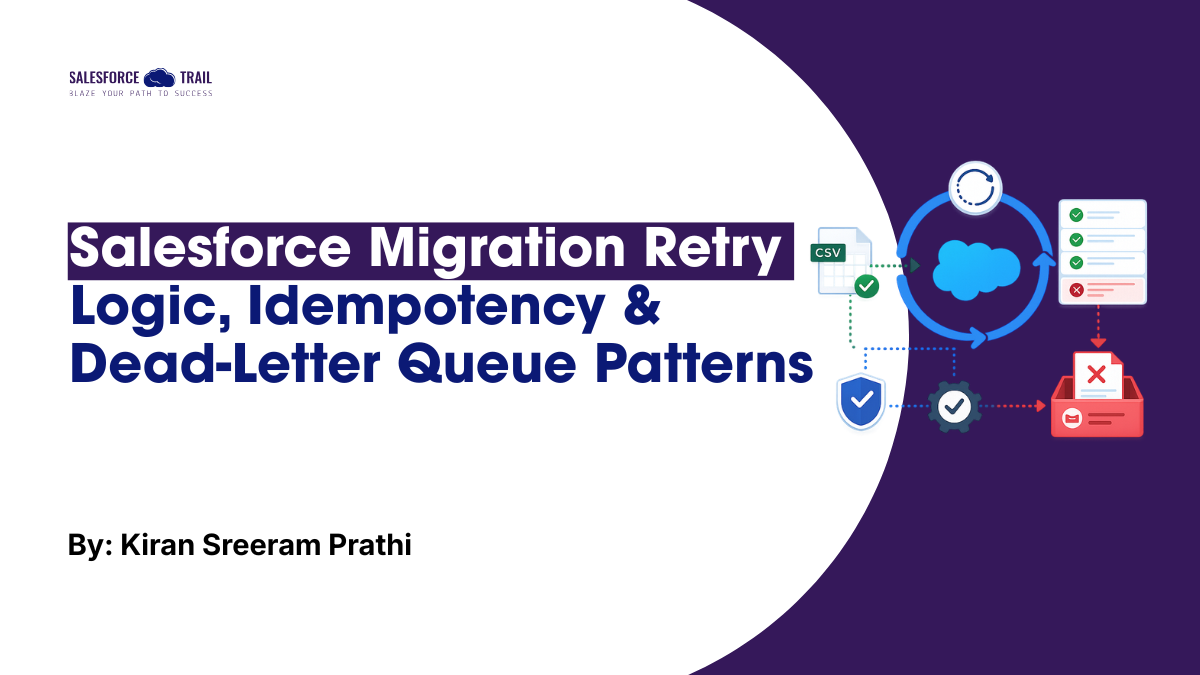
This article walks through four patterns that, together, form the resilience layer of a migration: a failure taxonomy that tells you what you’re dealing with, exponential back-off with jitter for retrying transient errors, External ID upsert for idempotency, and the Dead-Letter Queue plus checkpoint-and-resume combination that makes sure nothing gets silently lost.
The Anatomy of Migration Failures
| Failure Category | Root Cause | Detection Signal | Recovery Strategy |
|---|---|---|---|
| HTTP 400 (Bad Request) | Invalid field value, missing required field | failedResults CSV: sf__Error column | Data cleansing + re-submit corrected rows |
| HTTP 401 (Unauthorized) | Expired or revoked access token | 401 response on any API call | Re-authenticate via OAuth, retry the request |
| HTTP 403 (Forbidden) | Insufficient field/object permissions | 403 response body: errorCode | Adjust integration user profile/permissions |
| HTTP 429 (Too Many Reqs) | API limit exhausted | 429 + Retry-After header | Honour Retry-After, implement back-off |
| HTTP 503 (Service Unavail) | Concurrent request limit exceeded | 503 response body | Exponential back-off, reduce concurrency |
| Partial Job Success | Some records failed within a job | numberRecordsFailed > 0 | Extract failedResults, fix, re-submit as new job |
| Duplicate Records | Missing idempotency key (upsert) | Duplicate Alert in org | Use External ID upsert instead of insert |
Exponential Back-off with Jitter
The cornerstone of any resilient retry mechanism is exponential back-off with jitter. Pure exponential back-off (where the wait time doubles with each attempt) can cause thundering herd problems when many parallel jobs retry simultaneously. Adding randomised jitter distributes retry attempts across time, reducing the likelihood that all retrying clients hit the server at the same time.
					// Exponential Back-off with Full Jitter: Production Implementation
class RetryEngine {
  constructor(options = {}) {
    this.maxAttempts     = options.maxAttempts  ?? 7;
    this.baseDelayMs     = options.baseDelayMs  ?? 1000;   // 1s base
    this.maxDelayMs      = options.maxDelayMs   ?? 120000; // 2-minute ceiling
    this.retryableStatus = new Set([408, 429, 500, 502, 503, 504]);
  }

  // Full-jitter delay: random(0, min(cap, base * 2^attempt))
  computeDelay(attempt) {
    const exponential = this.baseDelayMs * Math.pow(2, attempt);
    const capped = Math.min(this.maxDelayMs, exponential);
    return Math.floor(Math.random() * capped);
  }

  async execute(fn, label = 'operation') {
    let lastError;
    for (let attempt = 0; attempt < this.maxAttempts; attempt++) {
      try {
        return await fn();
      } catch (err) {
        lastError = err;
        const status = err.response?.status;
        if (status && !this.retryableStatus.has(status)) throw err; // Non-retryable
        if (attempt === this.maxAttempts - 1) break;

        const delay = this.computeDelay(attempt);
        const retryAfter = err.response?.headers?.['retry-after'];
        const waitMs = retryAfter ? parseInt(retryAfter) * 1000 : delay;
        console.warn(`[Retry] ${label} attempt ${attempt + 1} failed (${status}).`,
                     `Retrying in ${waitMs}ms...`);
        await new Promise(r => setTimeout(r, waitMs));
      }
    }
    throw new Error(`[Retry] ${label} exhausted all ${this.maxAttempts} attempts.`);
  }
}
Idempotency: Preventing Duplicate Records via External ID Upsert
Idempotency guarantees that repeating the same operation multiple times produces the same outcome as performing it once. In the context of Salesforce data migration, the primary mechanism for achieving idempotency is the Upsert operation using an External ID field. An External ID is a custom field on a Salesforce object that is indexed, unique, and flagged as an external ID in the org schema, enabling Salesforce to match an incoming record to an existing one and update it rather than creating a duplicate.
					Upsert Idempotency Flow: External ID Matching Logic

  CSV Row: External_ID__c=EXT-00123, Name='Acme Corp', Industry='Technology'
                       |
                       v
       +----------------------------------+
       |   Salesforce Bulk API 2.0        |
       |   Operation: upsert              |
       |   externalIdFieldName:           |
       |       External_ID__c             |
       +---------------+------------------+
                       |
      Does a record with External_ID__c = 'EXT-00123' exist?
                       |
          +------------+-----------+
          |  YES                   |  NO
          v                        v
    UPDATE existing           INSERT new record
    record in-place           with External_ID__c
    (no duplicate created)    = 'EXT-00123'
          |                        |
          +------------+-----------+
                       v
       sf__Id, sf__Created in successfulResults.csv
       (sf__Created = true  --> new insert performed)
       (sf__Created = false --> existing record updated)
Dead-Letter Queue Pattern for Failed Records
Records that fail repeatedly despite retry attempts must be captured in a Dead-Letter Queue (DLQ), a persistent store of unprocessed records along with their failure reasons. The DLQ serves as both a recovery mechanism and an audit artefact. Operations teams can inspect DLQ contents to identify systemic data quality issues, perform manual corrections, and re-inject corrected records into the migration pipeline.
					// Dead-Letter Queue Implementation
class DeadLetterQueue {
  constructor(dlqPath) {
    this.dlqPath = dlqPath;
    if (!fs.existsSync(dlqPath)) fs.mkdirSync(dlqPath, { recursive: true });
  }

  async enqueue(jobId, failedRecords) {
    const timestamp = new Date().toISOString().replace(/[:.]/g, '-');
    const filename  = `dlq_${jobId}_${timestamp}.json`;
    const entry = {
      enqueuedAt  : new Date().toISOString(),
      sourceJobId : jobId,
      recordCount : failedRecords.length,
      records     : failedRecords.map(r => ({
        externalId : r['External_ID__c'],
        errorCode  : r['sf__Error'],
        rawRow     : r,
        retryCount : 0,
        status     : 'PENDING_REVIEW',
      })),
    };
    fs.writeFileSync(`${this.dlqPath}/${filename}`, JSON.stringify(entry, null, 2));
    console.log(`[DLQ] Enqueued ${failedRecords.length} records to ${filename}`);
  }
}
Checkpoint and Resume Pattern
For migrations spanning multiple hours, a checkpoint-and-resume pattern is essential. The migration engine should periodically persist its progress state so that a crash or planned maintenance window does not require restarting from the beginning. This pattern, combined with the DLQ, ensures that no record is ever silently lost.
					// Migration Checkpoint Manager
class CheckpointManager {
  constructor(checkpointFile) {
    this.file  = checkpointFile;
    this.state = this._load();
  }

  _load() {
    try { return JSON.parse(fs.readFileSync(this.file, 'utf8')); }
    catch { return { completedChunks: [], lastUpdated: null }; }
  }

  markChunkComplete(chunkIndex, jobId, recordCount) {
    this.state.completedChunks.push({ chunkIndex, jobId, recordCount,
      completedAt: new Date().toISOString() });
    this._persist();
  }

  isChunkComplete(chunkIndex) {
    return this.state.completedChunks.some(c => c.chunkIndex === chunkIndex);
  }

  _persist() {
    this.state.lastUpdated = new Date().toISOString();
    fs.writeFileSync(this.file, JSON.stringify(this.state, null, 2));
  }
}

// Usage in migration loop:
for (let i = 0; i < chunks.length; i++) {
  if (checkpoint.isChunkComplete(i)) {
    console.log(`[Skip] Chunk ${i} already completed: resuming from next`);
    continue;
  }
  const job = await processChunk(chunks[i]);
  checkpoint.markChunkComplete(i, job.id, chunks[i].length);
}
How These Four Patterns Fit Together
It’s worth being explicit about why all four of these need to exist together, because each one only covers part of the failure surface:
- The failure taxonomy tells you whether a failure is worth retrying at all.
- Exponential back-off with jitter handles the retryable failures without overwhelming the API.
- External ID upsert makes every retry safe — no duplicates, regardless of what partially succeeded before.
- The DLQ and checkpoint-and-resume combination ensures that records that can’t be fixed automatically are never lost, and that a process failure doesn’t mean starting over.
Remove any one of these, and a gap opens. Retries without idempotency create duplicates. Idempotency without a DLQ means permanently failing records vanish without anyone noticing. A DLQ without checkpointing means a crash mid-migration still forces a full restart. They’re a set, not a menu.
What’s Next
With resilience covered, the next article in this series turns to a different concern entirely: ensuring the migration itself meets the regulatory and governance requirements that enterprise Salesforce orgs operate under. That means GDPR and CCPA data handling obligations, where Salesforce Shield’s Platform Encryption and Event Monitoring fit into a migration project, and how to set up the audit trail that proves to auditors, not just to your own team, that the migration was handled correctly.
Continue Reading: Salesforce Data Migration Mastery Series
The resilience patterns in this article assume the rest of the migration pipeline is already in place. If you’re building that pipeline from scratch or want to see how the pieces connect, here’s where each part fits:
| Part | Article | How it connects to this one |
|---|---|---|
| 1 | Salesforce Data Migration: Org Readiness Assessment & What Most Teams Get Wrong | Where External ID fields get created — the foundation the upsert idempotency pattern in §5.3 depends on |
| 2 | OAuth 2.0, Named Credentials & Connected Apps: Building a Secure Salesforce Migration Architecture | Why a properly configured auth stack means 401 errors rarely need special handling in your retry engine |
| 3 | Salesforce Bulk API 2.0: A Complete Developer Guide to High-Volume Data Migration | The job lifecycle and parallelisation strategy that the RetryEngine and CheckpointManager in this article wrap around |
| 4 | Salesforce REST API Integration Patterns for Data Migration: Composite API, SObject Tree & SOQL | The SOQL validation queries that catch anything a DLQ entry didn't get to before go-live |

Kiran Sreeram Prathi
I’m Kiran Sreeram Prathi, a Salesforce Developer dedicated to building scalable, intelligent, and user-focused CRM solutions. Over the past five years, I’ve delivered Salesforce implementations across healthcare, finance, and service industries—focusing on both technical precision and user experience. My expertise spans Lightning Web Components (LWC), Apex, OmniStudio, and Experience Cloud, along with CI/CD automation using GitHub Actions and integrations with platforms such as DocuSign, Conga, and Zpaper. I take pride in transforming complex workflows into seamless digital journeys and implementing clean DevOps strategies that reduce downtime and accelerate delivery. Recognized by organizations like Novartis, WILCO, and Deloitte, I enjoy solving problems that make Salesforce work smarter and scale better. I’m always open to connecting with professionals who are passionate about process transformation, architecture design, and continuous innovation in the Salesforce ecosystem.
- This author does not have any more posts.