Close Menu

    Subscribe to Updates

    Get the latest creative news from FooBar about art, design and business.

    What's Hot

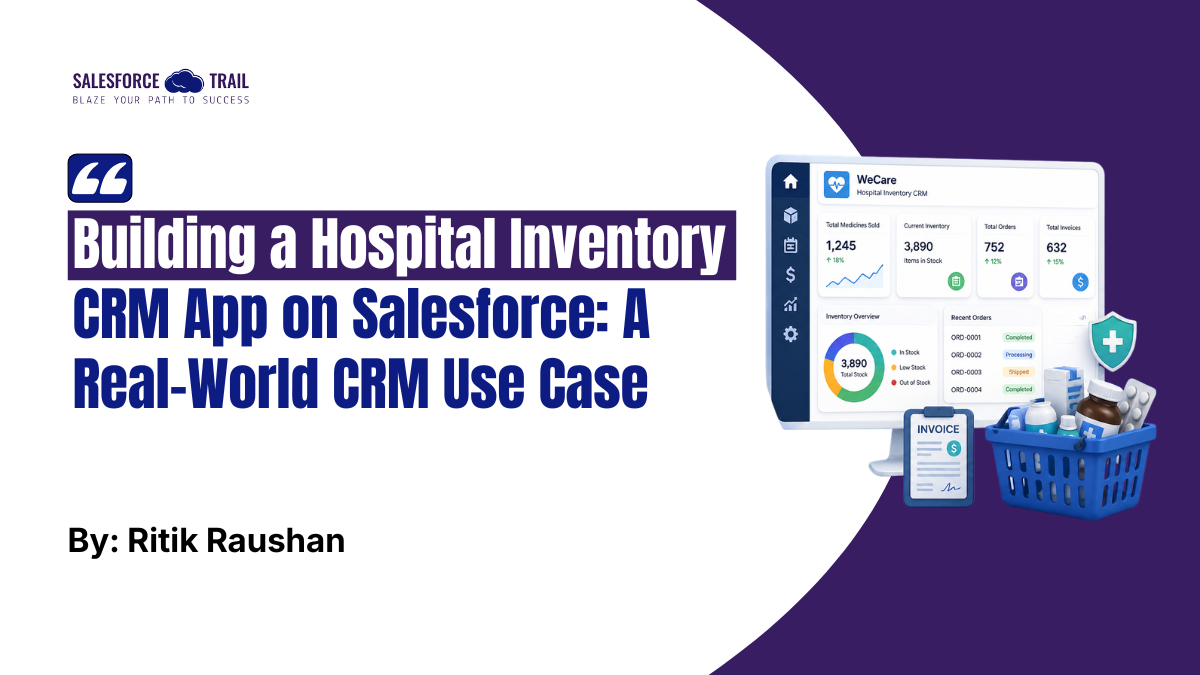
    WeCare: Building a Hospital Inventory CRM App on Salesforce, A Real-World CRM Use Case

    April 27, 2026

    From Admin to Orchestrator: How TDX 2026 Redefines the Salesforce Admin Role

    April 24, 2026

    Salesforce Access Security: 10 Controls to Secure Your Org Perimeter

    April 22, 2026
    Facebook X (Twitter) Instagram
    Facebook Instagram LinkedIn WhatsApp Telegram
    Salesforce TrailSalesforce Trail
    • Home
    • Insights & Trends
    • Salesforce News
    • Specialized Career Content
      • Salesforce
      • Administrator
      • Salesforce AI
      • Developer
      • Consultant
      • Architect
      • Designer
    • About Us
    • Contact Us
    Salesforce TrailSalesforce Trail
    Home - Salesforce Tutorials - WeCare: Building a Hospital Inventory CRM App on Salesforce, A Real-World CRM Use Case
    Salesforce Tutorials

    WeCare: Building a Hospital Inventory CRM App on Salesforce, A Real-World CRM Use Case

    RITIK RAUSHAN and Salesforce Trail Editorial TeamBy RITIK RAUSHAN and Salesforce Trail Editorial TeamApril 27, 20266 Mins Read
    Facebook LinkedIn Telegram WhatsApp
    Building a Hospital Inventory CRM App on Salesforce, A Real-World CRM Use Case
    Share
    Facebook LinkedIn Email Telegram WhatsApp Copy Link Twitter

    Anyone who has worked closely with a hospital or pharmacy knows just how many moving parts there are. Medicines need to be tracked. Orders need to go out on time. Invoices can’t have mistakes. Appointments need to be logged somewhere central. When all of this happens in separate places, somewhere in a spreadsheet, somewhere in a local tool, or somewhere in someone’s notebook, things fall apart very quickly.

    That’s the problem I set out to solve. I built WeCare, a hospital inventory CRM application on the Salesforce Lightning Platform, to consolidate these processes into one place. This post walks through what I built, how I built it, and a few things I’d recommend to anyone building something similar.

    Table of Contents

    Problem Statement

    Before writing a single line of Apex, I spent time talking to the people dealing with this mess day-to-day. What kept coming up was frustratingly consistent: pharmacy staff had no reliable way of knowing when a medicine was about to run out. Billing was done manually and was often wrong. And when something did go wrong, nobody could trace it back because the data lived in three different places.

    None of these is an exotic problem. They’re the kind of thing Salesforce was practically made for. What I needed to figure out was how to wire it all together properly.

    Solution: WeCare CRM Application

    WeCare connects inventory management, billing, and reporting inside a single Salesforce application. Rather than replacing one tool with another, it creates a shared source of truth: stock updates happen in real time, invoices are generated automatically after orders, and dashboards give management an immediate read on how things are running.

    The three things the system handles well:

    • Live inventory tracking that updates the moment an order is placed or changed
    • Invoice generation that runs without anyone touching it
    • Centralized data that anyone with the right permissions can access

    🔍 Also Read: From Admin to Orchestrator: How TDX 2026 Redefines the Salesforce Admin Role

    Key Features & Implementation of the Hospital Inventory CRM App

    Let’s break down how this Salesforce application works in practice.

    Inventory Management (Salesforce + Apex)

    The data model uses four custom objects: Doctor, Appointment, Orders, and Invoices. Each connects to the others through lookup and master-detail relationships, so pulling a full patient or order history is straightforward.

    The inventory logic runs on an Apex trigger on the Orders object. When an order is created, updated, or deleted, the trigger automatically recalculates the related medicine stock. No one has to remember to update a spreadsheet. The moment an order goes in, the stock count reflects it.

    Inventory Management

    One thing worth calling out: the trigger is bulkified. It doesn’t query inside a loop, and it handles collections rather than single records. That matters because Governor Limits will catch up with you fast if you’re not thinking about bulk operations from the start.

    Real time Update

    🔍 Also Read: How to Get Your First Agentforce Project on Your Resume Before Anyone Else Does

    Billing & Invoice Automation

    After an order is created, an Invoice record is generated automatically through Apex logic that maps the order details onto the invoice fields. The accuracy here comes from removing the manual step entirely; if the order data is correct, the invoice will be too.

    Email notifications go out using SingleEmailMessage from the Messaging namespace. The email fires after the invoice is created, so the right people are notified without anyone having to do it manually.

    Billing and Invoice
    Invoice

    Dashboard and Reporting

    Salesforce Reports and Dashboards handle the analytics layer. The dashboards in WeCare show total medicines sold, current stock levels, and overall business performance. These updates are real-time as records change, something a weekly exported spreadsheet can never provide.

    For management teams that have relied on IT for reports, having a live dashboard available on demand represents a significant change in decision-making. 

    Dashboard and Reporting

    🔍 Also Read: Salesforce Introduces Headless 360, Agentforce Vibes 2.0, and AgentExchange at TDX 2026

    Salesforce Features Used

    Here’s a quick breakdown of what the application actually relies on:

    • Custom Objects and Relationships — the data model backbone
    • Apex Triggers — for inventory updates and invoice creation logic
    • SOQL and SOSL — for querying records across the data model
    • SingleEmailMessage — for automated email notifications
    • Reports and Dashboards — for live analytics
    • Governor Limits-aware design — bulkified triggers, no queries inside loops

    Business Impact: What Changes After Implementation?

    Implementing a healthcare CRM on Salesforce, like WeCare, leads to measurable improvements:

    1. Staff get time back. The repetitive tasks, such as manually updating stock counts, generating invoices, and chasing confirmations, are gone. That time goes back to patient-facing work.

    2. Billing errors drop significantly. When the invoice is automatically generated from the order data, the main source of human error in billing disappears.

    3. Everyone is working from the same data. No more ‘which version of the spreadsheet is current?’ There’s one system, and it’s always up to date.

    4. Operations speed up. Order processing and billing that used to take hours now happen in minutes, because the system handles the handoffs automatically.

    5. Decisions are based on current data. Management can see live numbers whenever they need them, without waiting for a report to be compiled.

    In simple terms, the system transforms fragmented operations into a connected digital workflow.

    Best Practices to Consider (Beyond the Implementation)

    A working solution and an enterprise-ready solution are not the same thing. A few things I’d recommend building in from the start, rather than retrofitting later:

    • Use Flows alongside Apex, not instead of it. Flows are easier for admins to maintain and adjust without a developer. Reserve Apex for logic that’s genuinely complex.
    • Build security early. Profiles and permission sets should be designed before you go live, not after. Healthcare data is sensitive, and who sees what matters.
    • Add validation rules. Data quality problems are much harder to fix after the fact. A validation rule that takes 10 minutes to write can save hours of data cleanup later.
    • Write test classes for everything. Salesforce requires 75% code coverage to deploy, but the real reason to write tests is so you can make changes confidently later without breaking things.
    • Design for bulk from day one. If your trigger can’t handle 200 records at once, it’s not production-ready. Bulkification isn’t an optimization; it’s a requirement.

    Conclusion

    WeCare started as a way to solve a specific, practical problem: too many disconnected systems, too much manual work, too little visibility. It turned out to be a good proof of what Salesforce can do when you combine the data model, automation, and reporting layers effectively.

    If you’re building something similar, the platform handles more than you’d expect. The hard part isn’t learning the tools; it’s thinking carefully about your data model before you start building, because changing object relationships after the fact is painful.

    Ritik Raushan
    RITIK RAUSHAN
    Analyst and Research – ritikraushan9534@gmail.com

    Ritik Raushan is a Salesforce enthusiast with hands-on experience in building real world CRM solutions. As a Trailblazer with multiple super badges, he specializes in Apex, automation, and full-stack development. Ritik is also a Smart India Hackathon 2024 winner, passionate about solving practical problems through technology and sharing his learnings with the community.

    03cfc652b72977437f4a155fae658300
    Salesforce Trail Editorial Team

    Salesforce Trail Editorial Team is a group of Salesforce professionals and content specialists dedicated to creating high-quality, practical, and easy-to-understand content for the Salesforce community. The team focuses on refining insights, ensuring clarity, and delivering value-driven content that helps professionals learn, grow, and stay ahead in the ecosystem.

    • Salesforce Trail Editorial Team
      #molongui-disabled-link
      Building a Hospital Inventory CRM App on Salesforce, A Real-World CRM Use Case
      April 27, 2026
      WeCare: Building a Hospital Inventory CRM App on Salesforce, A Real-World CRM Use Case
    Inventory CRM App on Salesforce inventory management salesforce salesforce apps salesforce crm Salesforce healthcare solution
    Share. Facebook LinkedIn Email Telegram WhatsApp Copy Link

    Related Posts

    From Admin to Orchestrator: How TDX 2026 Redefines the Salesforce Admin Role

    April 24, 2026

    Salesforce Access Security: 10 Controls to Secure Your Org Perimeter

    April 22, 2026

    How to Get Your First Agentforce Project on Your Resume Before Anyone Else Does

    April 20, 2026
    Add A Comment
    Leave A Reply Cancel Reply

    Advertise with Salesforce Trail
    Connect with Salesforce Trail Community
    Latest Post

    Salesforce Consultant Career Path: From Junior Consultant to Practice Lead

    March 25, 2026

    How to Hire Salesforce Consultants: Practical Tips Every Business Should Know

    February 19, 2026

    6 Proven Principles to Drive Faster Salesforce CRM Adoption

    November 3, 2025

    Driving Revenue Efficiency with Sales Cloud in Product Companies

    October 30, 2025
    Top Review
    Designer

    Customizing Salesforce: Tailor the CRM to Fit Your Business Needs

    By adminAugust 6, 20240

    Salesforce is an adaptable, powerful customer relationship management (CRM) software that businesses can customize, and…

    Sales Professional

    Unlock 10 Powerful Sales Pitches to Boost Your Revenue by 30X

    By Mayank SahuJuly 4, 20240

    Sales is a very competitive arena, and it is followed by one must have a…

    Salesforce Trail
    Facebook X (Twitter) Instagram LinkedIn WhatsApp Telegram
    • Home
    • About Us
    • Write For Us
    • Privacy Policy
    • Advertise With Us
    • Contact Us
    © 2026 SalesforceTrail.com All Right Reserved by SalesforceTrail

    Type above and press Enter to search. Press Esc to cancel.