


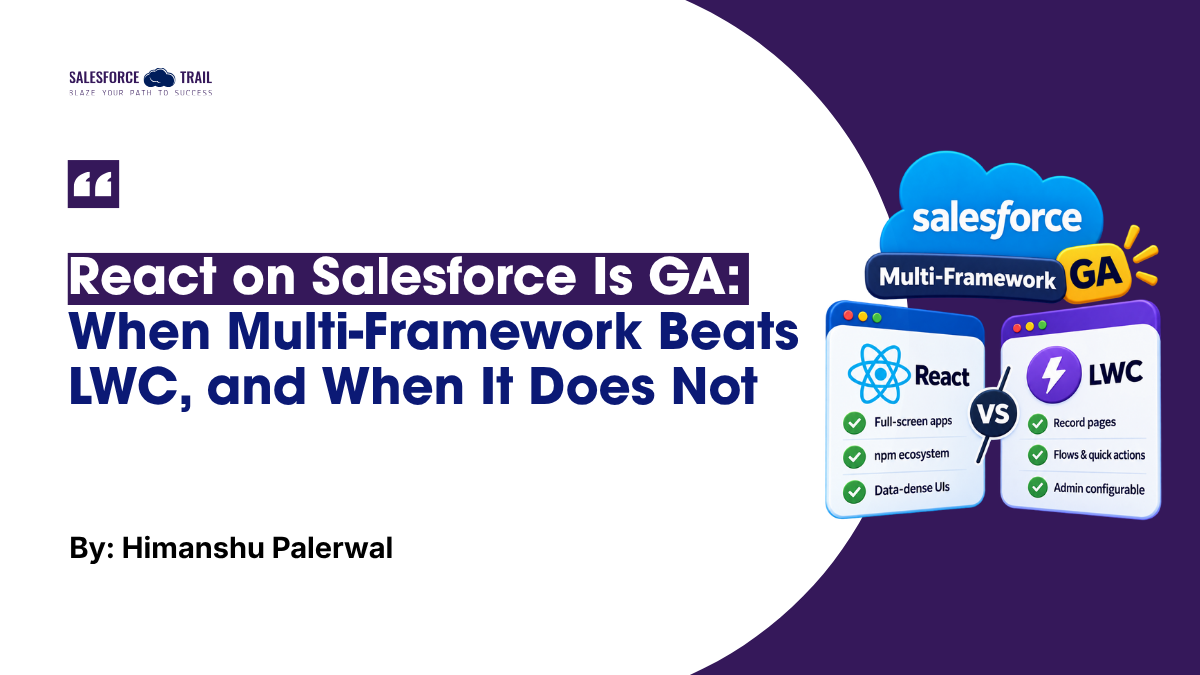
For seven years, custom UI on Salesforce had one answer: Lightning Web Components. If your team knew React, they learned LWC. If you needed a library from npm, you zipped it into a static resource and hoped Lightning Web Security would let it run.
That changed on July 16, 2026, when Salesforce Multi-Framework went generally available. You can now write a React app, deploy it with the Salesforce CLI, and run it inside your org with Salesforce login, sharing, and permissions already handled.
Since then, I have heard the same question from developers, admins, and hiring managers: “So do we build in React now?”
The honest answer is “sometimes.” I have written Apex for 15 years and LWC since it launched in 2019. This is the decision guide I wish I had in July. No hype. Just where each option wins.
Multi-Framework does not replace LWC. It gives you a second option. The skill is knowing which one to reach for.
Table of Contents
Key Takeaways
- A Multi-Framework app is a standalone React app on the
salesforce.appdomain, not a component you drop onto a Lightning page. - LWC still wins for anything on a record page, in a Flow or quick action, on an existing Experience Cloud site, or configured by admins.
- React wins for full-screen, data-dense apps and for anything built around an npm library.
- Managed packages and Translation Workbench support are on the Multi-Framework roadmap, not in GA. If you need them today, choose LWC.
What Salesforce Multi-Framework Actually Is
Multi-Framework is a framework-agnostic runtime on what Salesforce calls the Headless 360 Platform. You build a React app locally with Vite and TypeScript, then deploy it as a UIBundle, a metadata type that sits in your DX project right next to your Apex classes. Your users open it from the App Launcher or the Salesforce mobile app.
Inside the app, you get:
- Data through GraphQL. The Data SDK (
@salesforce/platform-sdk) queries and mutates records through the UI API, the same API Lightning Experience uses. Sharing rules and field-level security apply. - Apex and Connect API. You call Apex REST endpoints through the SDK’s
sdk.fetch, not the@AuraEnabledpattern you know from LWC. - User context. Who is logged in and what they can see, with no tokens to manage.
Three things changed at GA, and they matter for your decision:
- Production is supported. GA works in Hyperforce orgs, including production and Developer Editions, not just scratch orgs and sandboxes.
- Your app runs on its own domain. Employee-facing apps live on
salesforce.app, a separate origin from yourmy.salesforce.comdomain. That domain is a different origin, so the browser’s Same Origin Policy isolates these apps from Lightning Experience. In practice, apps that share a namespace sit on the same host, told apart by path, so the hard boundary is between the app domain and Lightning, not between one app and the next. - It is wired in through Custom Application metadata. The beta’s
AppLaunchertarget was retired in favor ofCustomApplication. You create a Custom Application that points at the bundle, then grant access with a permission set.
There is also an external flavor: a customer or partner portal backed by an Experience Cloud site, with pages, navigation, login, and object search built in, which you manage from code rather than Experience Builder. Scaffold it as a whole project with sf template generate project –template reactexternalapp (or angularexternalapp); to add an app to an existing project, use the bundle-only reactbasic or angularbasic template.

Five Questions to Ask Before You Choose
These five questions settle most decisions in minutes.
1. Must It Live Inside a Lightning Container?
Record page. App page. Utility bar. Quick action. Flow screen. Experience Cloud site. Field Service mobile app.
If the answer is any of those, LWC is still the default: a Multi-Framework app does not run inside Lightning containers.
There’s one exception worth knowing about. The lightning-ui-embedding base component graduated to GA alongside Multi-Framework, and it lets you embed an app you host elsewhere (or a deployed UIBundle on salesforce.app) inside a Lightning page. You write a thin LWC wrapper, point it at the app’s URL in App Builder, and events pass both ways. One caveat: the micro-frontend sample recipes are still Developer Preview, so treat them as patterns to learn from rather than production-ready code. I reach for this when I already run an app outside Salesforce and want it on a Lightning page. It’s not my first move for a brand-new component.
If the answer is “it’s its own screen that people open and stay in,” Multi-Framework is on the table.
2. Is Most of the Screen Standard Salesforce?
LWC wins when the screen is mostly Salesforce. Record forms. Related lists. Lookups. Base components give you all of that with the right look, accessibility, and field-level security for free. A lightning-record-edit-form is a few lines of markup. Rebuilding it in React is a project.
React wins when the screen is mostly yours. A capacity planning board. A pipeline view with drag-and-drop. A grid with 40 columns and client-side grouping. You can build these in LWC. You end up spending more time fighting the framework than building the feature.
Here is the React build from the companion repository, a full-screen pipeline workspace:

React does not have to look foreign, either. Multi-Framework apps can be styled with the Lightning Design System, Tailwind, or shadcn/ui, so a full-screen React app can still feel like Salesforce.
Mostly Salesforce: LWC. Mostly yours: React.
3. Do You Need Packaging or Translation Today?
If yes, my answer is LWC, for now.
Managed packages and Translation Workbench localization are on the roadmap, not in the GA release. If you are an ISV, run a multi-language org, or push the same app to many orgs, wait for those features.
4. Is It a Full App, or Built Around an npm Library?
This is the biggest practical difference between the two.
In LWC, third-party libraries go through static resources: they must survive Lightning Web Security, cannot be tree-shaken, and need a rebuild and redeploy for every upgrade.
In Multi-Framework, you npm install. Grids like AG Grid, charts like Recharts, form libraries, date pickers, rich text editors, state management: all of it works the way it works everywhere else.
The flip side is that you now own a package.json. Someone has to approve, scan, and update dependencies. That is routine for a React team and new for many Salesforce teams.
If the library is the feature, I choose React.
5. Who Builds It, and Who Maintains It in Three Years?
Be honest about your bench. In my view, this question decides more projects than any technical detail does.
If your Salesforce developers are strong in LWC and your admins configure pages in App Builder, LWC keeps everything in one toolchain, one test framework (Jest), and one deployment pipeline.
If you have React developers who have never touched Salesforce, Multi-Framework removes most of the learning curve. They keep their hooks, their component library, and their test stack. They still need to learn the UI API’s GraphQL, Apex REST basics, and permission sets. That is days, not months.
Then ask who maintains it. A React app in Salesforce is still a React app. It needs dependency updates and framework upgrades that an LWC component never asks for.
Pick the option your team can maintain for three years, not the one that demos best.
Where Each Option Fits
On a typical roadmap:
LWC
- An opportunity summary card on the Account page
- A screen Flow step that captures a case escalation
- A form on an existing Experience Cloud site page
- Anything an admin needs to place, reorder, or configure in App Builder
Multi-Framework
- A sales operations workspace that shows every open opportunity in a filterable, sortable grid with inline edits
- A field service capacity planner with drag-and-drop scheduling
- A data-dense executive dashboard where you need a real charting library
- A branded customer portal where design control matters more than Experience Builder
- An employee app with the Agentforce Conversation Client embedded, so people can ask an agent without leaving the screen
The pattern is clear. Small and record-centric goes to LWC. Large, custom, and app-like goes to React.
At a Glance
| Lightning Web Components | Multi-Framework (React) | |
|---|---|---|
| Where it runs | Lightning pages, Flow screens, quick actions, Experience Cloud sites | Its own app on salesforce.app; portals via an Experience Cloud site |
| Data access | Lightning Data Service and wire adapters | Data SDK: GraphQL query and mutate via the UI API |
| Server logic | @AuraEnabled Apex | Apex REST and Connect API via sdk.fetch |
| Third-party libraries | Static resources under Lightning Web Security | npm packages, bundled with Vite |
| Security boundary | Lightning Web Security | Browser Same Origin Policy on the salesforce.app domain |
| Testing | Jest | Vitest, React Testing Library, Playwright |
| Packaging and translation | Managed packages, Translation Workbench | On the roadmap |
Same Data, Different Runtime

The data layer is shared: the same UI API, the same GraphQL endpoint, the same Apex. Sharing, field-level security, and validation rules do not care which framework sent the request.
I built the same feature twice to check that claim rather than assert it. In the companion repository, one account rendered by both runtimes returns the same fifteen opportunities, the same total, and the same order — and the same Apex service returns identical numbers overits @AuraEnabled and REST entry points. Neither codebase contains a line about sharing rules.


What differs is everything around the data:
- Caching. Lightning Data Service caches records and refreshes the page’s components when a record changes. In React, you bring your own cache and decide what to refresh.
- Security model. LWC runs inside Lightning Web Security; React runs on the salesforce.app domain and leans on the browser. Both are secure, just different.
- Server logic. LWC calls
@AuraEnabledMulti-Framework calls Apex REST. Plan to expose shared logic through REST rather than reusing your controllers as-is. - An LWC is part of the page it lives on. A Multi-Framework app is its own URL. Plan the round trip from a record to the app and back.
Here is the same request in both worlds. First, the LWC, reactive and cached:
					lwc/accountCard/accountCard.js
import { LightningElement, api, wire } from 'lwc';
import { getRecord } from 'lightning/uiRecordApi';

const FIELDS = ['Account.Name', 'Account.Industry'];

export default class AccountCard extends LightningElement {
  @api recordId;

  @wire(getRecord, { recordId: '$recordId', fields: FIELDS })
  account;  // LDS caches it and keeps it fresh
}
Then React, imperative, with the cache left to you:
					uiBundles/accountInsights/src/hooks/useAccounts.ts
import { createDataSDK, gql } from '@salesforce/platform-sdk';

const ACCOUNTS = gql`
  query { uiapi { query {
    Account(first: 25) {
      edges { node { Id Name { value } } }
    } } } }`;

const sdk = await createDataSDK();
const result = await sdk.graphql?.query<AccountsResponse>({
  query: ACCOUNTS,
});
const rows = result?.data?.uiapi?.query?.Account?.edges ?? [];
// Caching and refresh are yours to manage
Five Things to Check Before You Commit
- Your org must be on Hyperforce and Summer ’26 or later. Look for “React Development with Salesforce Multi-Framework” in Setup. If the page is missing, you are not there yet.
- Access is a three-step setup. Bundle, Custom Application, permission set. Miss the permission set and the app is invisible.
The UI Bundle declares the app:
					uiBundles/accountInsights/accountInsights.uibundle-meta.xml
<UIBundle xmlns="http://soap.sforce.com/2006/04/metadata">
  <masterLabel>Account Insights</masterLabel>
  <isActive>true</isActive>
  <version>1</version>
  <target>CustomApplication</target>
</UIBundle>
The Custom Application names the bundle as c__<apiName>:
					applications/accountInsights.app-meta.xml
<CustomApplication xmlns="http://soap.sforce.com/2006/04/metadata">
  <label>Account Insights</label>
  <navType>Standard</navType>
  <uiBundle>c__accountInsights</uiBundle>
  <uiType>Lightning</uiType>
  <formFactors>Large</formFactors>
</CustomApplication>
The permission set makes the application visible. Assign it, or the App Launcher stays empty:
					permissionsets/Account_Insights_Access.permissionset-meta.xml
<PermissionSet xmlns="http://soap.sforce.com/2006/04/metadata">
  <applicationVisibilities>
    <application>accountInsights</application>
    <visible>true</visible>
  </applicationVisibilities>
  <label>Account Insights Access</label>
  <hasActivationRequired>false</hasActivationRequired>
</PermissionSet>
- Governance is yours now. Decide who approves npm dependencies, how you scan them, and how the React app fits your code review and deployment pipeline. Agentforce Vibes can scaffold a React app for you, which makes review more important, not less.
- Beta code needs five changes. The diagram below lists them: the package rename, the .query() and .mutate() split, optional chaining through result.data, the CustomApplication target, and the deprecated UiBundleSettings setting. Budget a day.

- Do not rewrite LWC for the sake of it. Salesforce’s own guidance keeps LWC as the right choice for integrated, reusable components. Your existing components are not legacy.
| TRY IT IN A SCRATCH ORG Install Salesforce CLI 2.130.7 or later (scaffolding is built in, and the sf ui-bundle dev plugin installs itself the first time you run it) and Node.js 22 or later. Clone Salesforce’s multiframework-recipes repository (20-plus samples), run npm install and npm run build in the React bundle folder, then sf project deploy start. Assign the Recipes (All Frameworks) permission set group and open React Recipes from the App Launcher. For the LWC-versus-React comparison specifically, github.com/himanshupalerwal/salesforce-react-vs-lwc builds one feature both ways over the same query, an LWC card on the Account page and a full-screen Multi-Framework app, with scripts that measure the difference (122 lines and no dependencies for the card; 1,325 lines and 20 direct dependencies for the app) and check that the two runtimes agree row for row. |
Final Thoughts
Choose LWC when the UI lives inside Lightning, most of the screen is standard Salesforce, admins need to configure it, or you need packaging and translation today.
Choose Multi-Framework when the UI is a full app of its own, when the screen is mostly custom, when an npm library is the heart of the feature, or when a React team will build and maintain it.
Revisit question 3 when managed packages and localization ship, because that answer will change.
Default to LWC. Reach for React when the app is big enough to deserve it.
Salesforce Resources
- Salesforce Multi-Framework Developer Guide — setup, metadata, the Data SDK, templates, and the external-app flow.
- Build with React on Salesforce: Multi-Framework Is Now GA — the GA announcement, the beta-to-GA changes, and the roadmap.
- Get Started with UI Embedding — the GA
lightning-ui-embeddingcomponent for micro-frontends. - Lightning Web Components Developer Guide — everything the LWC side of this article relies on.
- salesforce-react-vs-lwc — the companion repository: both builds, the shared Apex service, and the checks behind the comparison.
Frequently Asked Questions
No, Salesforce has said it runs alongside LWC, and most new record-page work still belongs in LWC. Multi-Framework gives you a second option for full-screen apps, not a replacement.
Not as a standalone Multi-Framework app, since those run on the salesforce.app domain. You can use UI Embedding with the lightning-ui-embedding component to embed an app you host elsewhere (or a deployed UIBundle) inside a Lightning page, but that fits an app you already run, not a brand-new component.
A Hyperforce org on Summer ’26 or later with React Development for Multi-Framework enabled, Salesforce CLI 2.130.7 or later, and Node.js 22 or later. You build locally with Vite and TypeScript and deploy the app as a UIBundle.
Only if you have full-screen apps to build. Most Salesforce UI work is still record pages, Flow screens, and admin-configurable components, so LWC skills aren’t going anywhere.
Through the Data SDK (@salesforce/platform-sdk), which queries and mutates records with GraphQL over the UI API. Sharing rules and field-level security apply automatically, and there are no tokens to manage.

Himanshu Palerwal
Himanshu Palerwal is Senior Manager of Post-Sales Technical Architecture at ServiceTitan (NASDAQ: TTAN), where he's spent the last four years building a post-sales Salesforce practice from the ground up. Before that, he held app owner roles at JPMorgan Chase and Bank of America. With ~15 years across the ecosystem, from Classic to Lightning to Agentforce, and 18 Salesforce certifications, he now focuses on AI agents, Model Context Protocol (MCP), and agentic architecture at enterprise scale.
- This author does not have any more posts.