


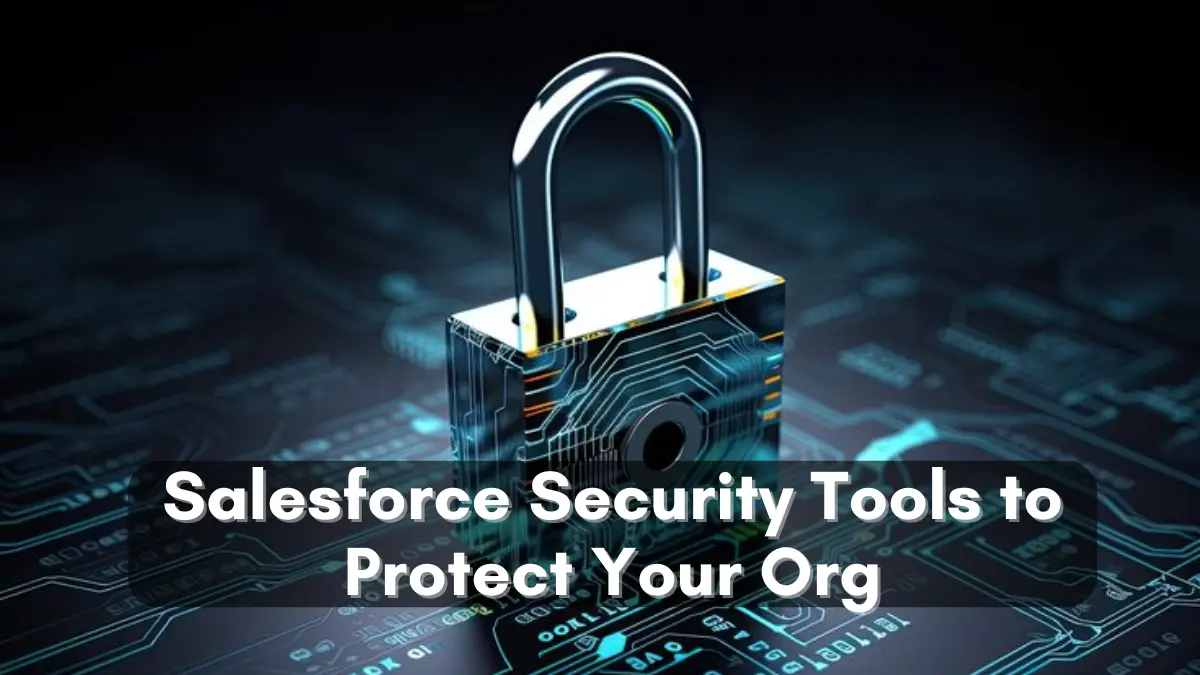
In today’s digital world, securing your data and ensuring the safety of your Salesforce org is more important than ever. With businesses relying on Salesforce for everything from customer relationship management to sales and marketing automation, safeguarding your sensitive data is a top priority. In this blog, we’ll dive into the top Salesforce security tools that can help you protect your organization and its valuable data. Whether you’re a beginner or a seasoned Salesforce user, this guide will introduce you to tools that will keep your org secure and compliant.
Why Salesforce Security Matters?
Salesforce contains a wealth of sensitive business data, from customer information to sales leads and financial records. Without the right security measures in place, this data can be vulnerable to cyber-attacks, internal threats, or accidental leaks. That’s where Salesforce security tools come into play. These tools help protect your org from data breaches, unauthorized access, and even human error. Salesforce provides several robust security tools to ensure your org stays safe and compliant.

Salesforce Shield
Salesforce Shield is an all-in-one security solution designed specifically for organizations that require high levels of security and compliance. It offers three key features:
- Platform Encryption: This encrypts your data both at rest and in transit, meaning your sensitive data remains secure, even if it’s stolen or intercepted.
- Event Monitoring: With Event Monitoring, you can track user activity within your Salesforce org. This helps detect unusual behavior and take immediate action to prevent potential security breaches.
- Field Audit Trail: Field Audit Trail allows you to track changes to your data, which is especially useful for compliance with regulations such as GDPR or HIPAA.
Salesforce Shield is an excellent tool for organizations that require a higher level of security and auditing capabilities, especially in regulated industries like finance and healthcare.
Salesforce Identity and Access Management (IAM)
Salesforce IAM tools help ensure that only the right people have access to your Salesforce org, based on their roles and responsibilities. Some of the key features include:
- Single Sign-On (SSO): This feature enables users to access Salesforce with a single set of login credentials, reducing the number of passwords they need to remember. SSO improves security by lowering the chances of password-related vulnerabilities.
- Multi-Factor Authentication (MFA): MFA adds an extra layer of security by requiring users to provide two or more forms of authentication (such as a password and a mobile device) before accessing Salesforce.
- User Permissions and Profiles: Salesforce provides the ability to define granular user permissions. You can control who has access to what data, ensuring that only authorized users can see or modify sensitive information.
By using IAM tools, you can manage who has access to your Salesforce org and ensure that only the right users can access the data they need.
Salesforce Shield Health Check
The Health Check tool provides a quick and comprehensive overview of your Salesforce org’s security health. It evaluates your org’s settings against Salesforce’s best practices and security recommendations. If any settings are less secure than recommended, the tool will highlight them so that you can take corrective action.
Health Check also provides a scoring system, giving you a clear picture of how secure your org is and where improvements can be made. This tool is perfect for regularly monitoring and enhancing the security of your Salesforce environment.

Salesforce Security Center
Salesforce Security Center is a centralized platform that gives you visibility into the security health of all your Salesforce environments. This tool is helpful for larger organizations with multiple Salesforce instances. It allows you to monitor security metrics, track vulnerabilities, and even respond to potential threats in real-time.
The Security Center includes reports on password policies, login attempts, and other key security indicators. It’s an invaluable tool for security administrators who need to manage and maintain the security of multiple Salesforce environments.
Salesforce Data Loss Prevention (DLP)
Data loss prevention tools are designed to help organizations protect sensitive information from being exposed or accidentally shared. Salesforce offers DLP capabilities that allow you to define policies for how sensitive data should be handled within the platform. This includes preventing unauthorized sharing of customer information, such as credit card numbers or personal identifiers.
Salesforce’s DLP tool helps ensure that sensitive data remains confidential and complies with industry regulations, providing peace of mind for organizations in highly regulated sectors.
Two-factor authentication (2FA)
Two-factor authentication is an additional layer of security that requires users to verify their identity using two forms of identification. It helps prevent unauthorized access even if a user’s password is compromised. Salesforce offers 2FA as a built-in feature to ensure only authorized individuals can access your org.
This tool is especially important in today’s cyber threat landscape, where password theft is a common risk. By implementing 2FA, you ensure that even if passwords are leaked, attackers cannot gain access to your Salesforce environment without the second factor of authentication.
Final Thoughts: Secure Your Salesforce Org
Salesforce security tools are crucial for protecting your organization’s data and ensuring compliance with industry regulations. Whether you’re using Salesforce Shield for advanced encryption and monitoring, or leveraging Salesforce Identity and Access Management tools for role-based access control, these security features provide essential protection against data breaches and unauthorized access.
Remember, securing your Salesforce org is not a one-time task but an ongoing process. By regularly reviewing and updating your security settings and implementing the right tools, you can safeguard your organization from the evolving security threats of the digital world.
Invest in these Salesforce Security Tools today and protect your valuable data tomorrow!
If you have any questions about Salesforce security or want to learn more about these tools, feel free to reach out. Stay secure and keep your org safe!



Must Visit Links:
- Are Salesforce Certifications Worth It for Beginners? Insights from Experts
- Integration Developer-Dell Boomi / MuleSoft | Salesforce Job Opening Apply Now
- LWC Platform Developer | Salesforce Jobs Opening Join Salesforce Today!
Resources
- [Salesforce Developer] (https://developer.salesforce.com/)
- [Salesforce Success Community] (https://success.salesforce.com/)
For more insights, trends, and news related to Salesforce, stay tuned with Salesforce Trail

Mark Jacobes is a seasoned Salesforce expert, passionate about empowering businesses through innovative CRM solutions. With over 6 years of experience in the Salesforce ecosystem, Mark specializes in Salesforce development, integrations, and digital transformation strategies.
- Mark Jacobes


