You’ve heard it. Maybe you’ve said it.

“Can you just create one field?”

It’s the most common request in any Salesforce organization, which sounds harmless on a Monday morning. A stakeholder needs to track something new. A report needs one more column. A campaign team wants a checkbox. So the admin opens Setup, clicks New Field, picks a data type, names it, and saves it.

Done in ninety seconds. Right?

Not quite. After more than a decade working across Salesforce implementations from scrappy startups to enterprise orgs with thousands of users, I’ve seen this exact pattern play out the same way, every time. A field gets created. Then another. Then ten more. Then someone asks why the org is slow, why automation breaks on deployment, and why no one knows which field is the source of truth for a critical business metric.

The answer usually traces back to small decisions nobody questioned.

This post is about why that happens, what it actually costs, and what a better process looks like, whether you’re an admin handling daily requests or an architect thinking about long-term platform health.

Table of Contents

A Field Is Not a Configuration Task. It’s an Architectural Decision.

This sounds overstated. It isn’t.

A field in Salesforce does not exist in isolation. The moment you create it, it becomes part of a living system. It can be referenced by flows, picked up in Apex triggers, pulled into report types, mapped by integrations, filtered in validation rules, displayed in page layouts, and consumed via the API.

Here’s a simple way to think about it: imagine your Salesforce org as a city. Fields are not just houses; they are intersections. Every time you add one, you’re adding a new crossing point that affects traffic in all directions.

These are the areas a single field touches:

  • Flows and Process Builder: Any automation referencing the object may need to account for the new field.
  • Validation rules: Existing logic may conflict with new values or blank states.
  • Reports and dashboards: New fields need to be consciously added or excluded from report types.
  • Integrations: External systems mapping to your Salesforce data may break or behave unexpectedly.
  • Field-Level Security: Who can see this field? Who should be able to edit it?
  • Page layouts: Where does this field appear? Does it clutter existing views?
  • API consumption: Every field adds to the API response payload. At scale, this matters.

None of these impacts is dramatic in isolation. But they compound.

How Orgs Accumulate Field Debt (Without Anyone Noticing)

Nobody builds a chaotic Salesforce org on purpose. Field debt accumulates gradually, decision by decision, each one defensible at the time.

Here’s what typically drives it:

Stakeholder Urgency

A sales leader needs to track a new qualification criterion before next week’s QBR. There’s no time for a discovery session or architecture review. The admin creates the field. The QBR happens. The qualification criterion changes next quarter. The field stays.

Workarounds That Become Permanent

A team wants to run a campaign for 60 days, but the data isn’t in the right format. Someone creates a temporary field to hold it. The campaign ends. The field doesn’t. A year later, it’s being referenced in a flow nobody remembers building.

Report Requests With No Underlying Analysis

“We need a column in the report for X.” A field gets created specifically to support one report. No one asks whether that data should live somewhere else, whether it already exists, or whether the report itself is the right solution.

The ‘It’ll Take Two Minutes’ Mentality

Some requests get fast-tracked simply because creating a field is fast. Speed becomes the justification. The cost isn’t felt until months later, when impact analysis for a deployment takes three hours instead of thirty minutes, because nobody knows what touches what.

And cleaning it up is expensive. Not because the technical work is complex, but because you have to understand the full dependency chain before you can safely touch anything.

The Questions You Should Ask Before Creating Any Field in Salesforce

I’ve developed a four-part framework that I use and recommend before any field creation. It takes five minutes. It saves hours.

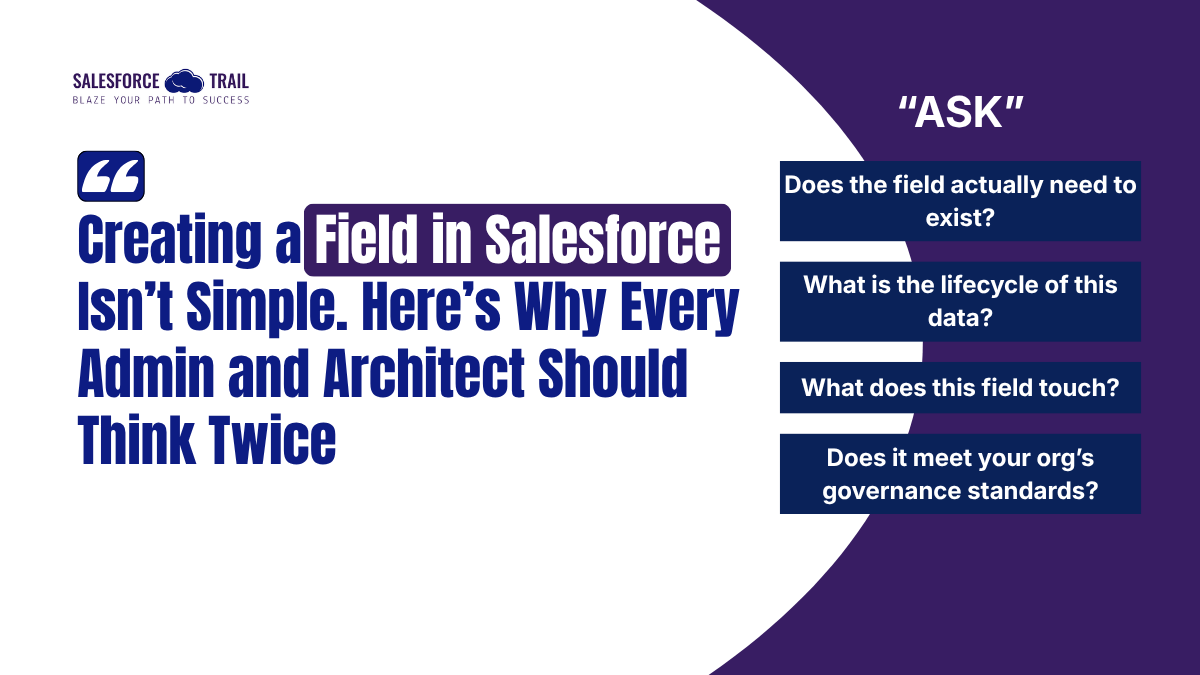
1. Does the field actually need to exist?

This is the first question, and most people skip it entirely.

Before building something new, check what already exists. Can an existing field be repurposed? Can a formula field derive the value instead? Is the request actually asking for data, or for a visibility or process problem that has a better solution?

I’ve seen orgs where three different fields all stored some version of “customer segment.” Nobody knew which one to use. Each had been created by a different team, in a different year, for a different purpose. A ten-minute conversation upfront would have avoided all three.

Ask: “Does this data already live somewhere in the org? If not, should it?”

2. What is the lifecycle of this data?

Not all fields serve the same purpose, and not all data should be treated the same way. I find it useful to think in three categories:

  • Strategic data: Used in long-term reporting, forecasting, and performance analysis. These fields are permanent and need careful naming and documentation.
  • Operational data: Drives business logic and automation. Changes to these fields cascade quickly and need thorough impact analysis before any modification.
  • Temporary data: Needed for a specific campaign, migration, or short-term use case. These should be documented from day one with a planned retirement date.

Treating all fields the same way regardless of their lifecycle is one of the main drivers of metadata bloat. A field built for a one-time data migration has no business sitting in your org two years later.

Ask: “Is this data permanent, operational, or temporary, and have we documented it accordingly?”

3. What does this field touch?

Before creating any new field on a heavily used object, Account, Contact, Opportunity, or Case, do a quick impact scan. Look at:

  • Existing flows that reference the object
  • Validation rules that might interact with the new field
  • Integration field mappings
  • Report types and how the field would need to be exposed
  • Field-Level Security for relevant profiles and permission sets

This doesn’t need to be a formal process every time. But for objects with complex automation, a five-minute check can prevent a deployment incident.

Ask: “What existing components reference this object, and could they be affected by adding this field?”

4. Does it meet your org’s governance standards?

If your org doesn’t have governance standards, this is a sign that it needs them. Mature Salesforce teams define:

  • Naming conventions: Is the field name consistent with how similar fields are named across the org?
  • Data type standards: Are you using the correct type for the intended use case?
  • Help text: Does the field have clear help text so users understand what it’s for?
  • Field ownership: Is there a named team or person responsible for maintaining this field?
  • Deployment path: Will this be deployed through a change set, scratch org, or CI/CD pipeline?

Governance isn’t about slowing things down. It’s about making sure that the tenth person to touch a field in two years, after two team reorganizations, still knows exactly what it’s for and why it exists.

Ask: “Does this field follow our org’s naming, documentation, and deployment standards?”
What Technical Debt Actually Costs in Salesforce

When we talk about technical debt in Salesforce, it’s tempting to think of it as an abstract future problem. It isn’t.

Here’s what poor metadata management looks like in practice:

Slower Deployments

The more fields, flows, and validation rules your org has, especially poorly named or undocumented ones, the longer it takes to analyze the impact of any change. What should be a routine deployment becomes an investigation.

Broken CI/CD Pipelines

If you’re using Salesforce DX or any pipeline-based deployment approach, metadata conflicts and dependency issues multiply with every unmanaged field. Orphaned fields that nobody owns but can’t be safely deleted become blockers.

Reporting You Can’t Trust

When multiple fields store similar data or when field names are ambiguous, users stop trusting reports. Executives make decisions based on one field while operations run off another. Data integrity becomes political, not technical.

Loss of Developer Productivity

New developers and admins onboarding to an org with hundreds of unexplained custom fields spend weeks just mapping the landscape. Knowledge that should be documented sits in the heads of people who may have already left the company.

What High-Performing Salesforce Teams Do Differently

I’ve worked with orgs at both ends of this spectrum. The teams with the cleanest, most scalable orgs have one thing in common: they treat metadata with the same rigor they apply to code.

Their field creation process typically looks like this:

  1. Validate the requirement. Is a new field actually the right solution? Who asked for it, and why?
  2. Architecture review. Does this field fit the existing data model? Does it follow naming conventions?
  3. Impact assessment. What existing components could this affect? Has that been documented?
  4. Naming and documentation. Label, API name, help text, and field owner — all defined before creation.
  5. Controlled deployment. Deployed through a sandbox, tested, reviewed, and moved to production via a defined pipeline.
  6. Documentation update. The data dictionary and org documentation are updated to reflect the change.

Yes, creating the field itself still takes two minutes. The value of this process is the thinking that surrounds it.

The Broader Point: Flexibility Needs Structure

Salesforce is one of the most configurable platforms in enterprise software. That’s its greatest strength and its greatest risk.

Flexibility without structure produces complexity. And complexity, over time, produces an org that people are afraid to touch. Deployments become risky. Automation becomes unpredictable. Users lose confidence in the data.

So the next time someone sends a message that says, “Can you just create one field?” — pause. Not because the task is technically difficult, but because the question deserves more than a two-minute answer.

Ask what it’s for. Ask what it touches. Ask whether it already exists. Ask how it should be named. Ask who owns it.

In Salesforce architecture, the word “just” is rarely accurate.

Surendra Kumar Khatik
AVP - Salesforce Practice/ Salesforce Technical Architect  myexpertiseforyou@gmail.com

Surendra Kumar Khatik With 11+ years in IT and over a decade in the Salesforce ecosystem, Surendra specializes in designing and scaling secure, high-performing CRM solutions across multiple Salesforce clouds. Having grown through every stage of the journey — from writing Apex and debugging Flows to leading architecture and mentoring teams — he brings a deep, hands-on understanding of the platform. His expertise spans Apex, Lightning Web Components, Flows, AppExchange Packaging, CI/CD, Git Strategy, Integration Architecture, and Generative AI on Salesforce. Passionate about simplifying complexity and transforming ideas into scalable, future-ready solutions, Surendra is committed to helping the Salesforce community build smarter every day.

03cfc652b72977437f4a155fae658300
Salesforce Trail Editorial Team

Salesforce Trail Editorial Team is a group of Salesforce professionals and content specialists dedicated to creating high-quality, practical, and easy-to-understand content for the Salesforce community. The team focuses on refining insights, ensuring clarity, and delivering value-driven content that helps professionals learn, grow, and stay ahead in the ecosystem.

Share.
Leave A Reply

Exit mobile version