


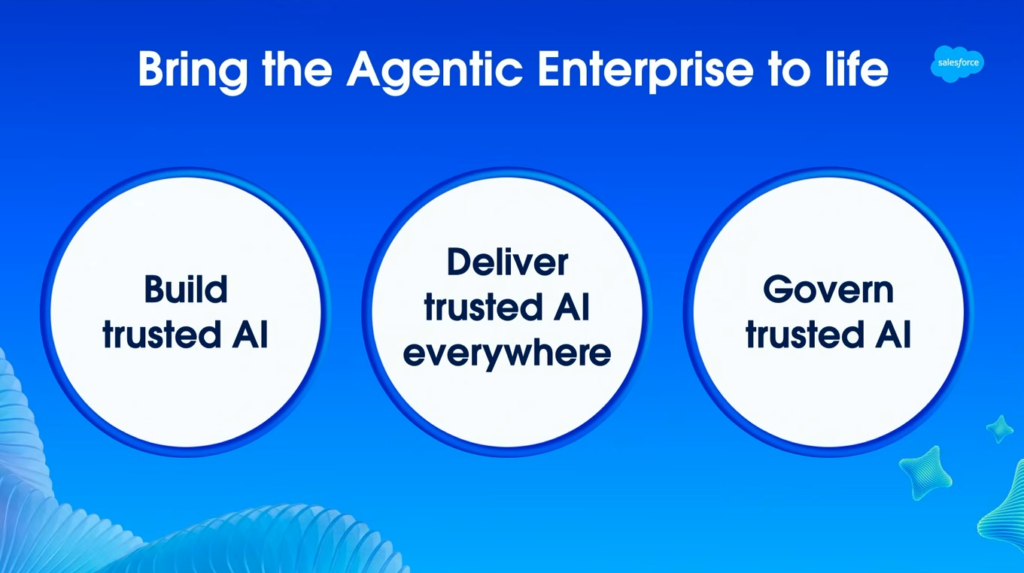

The Dreamforce 2026 Admin Keynote centered on the “Agentic Enterprise,” with admins positioned to build, deliver, and govern AI across the org. The headline launches were Builder Central, Quick Pages, Agentforce Coworker, expanded MCP support, and a free Security Center Essentials dashboard. Most arrive as beta or pilot through late 2026, so check current availability before you plan a rollout.
The framing was straightforward, and after a few of these I could tell it was built to be used rather than admired. Every time an agent shows up to do a piece of work, someone has to decide what it can touch and whether it acted safely. Host Ella Marks kept circling back to the same answer: you.
What follows is my recap, grouped the way the keynote was, by the three pillars of build, deliver, and govern. I’ve checked availability and sources against Salesforce’s own posts and flagged what’s still beta, pilot, or roadmap, because those dates move.
Key Takeaways
- The admin role is being promoted, not automated. The skills that matter most here, understanding data, permissions, and process, are the ones you already have.
- Builder Central and Quick Pages change how you build. Coworker, HXL, and MCP change where your work appears. Security Center, the Compliance Agent, and the TSP Accelerator change how you keep it safe.
- Three things are usable today with low risk: Security Center Essentials, the Transaction Security Policy Accelerator (in a sandbox), and the Compliance Agent scan.
Table of Contents
A Community Moment Worth Pausing On
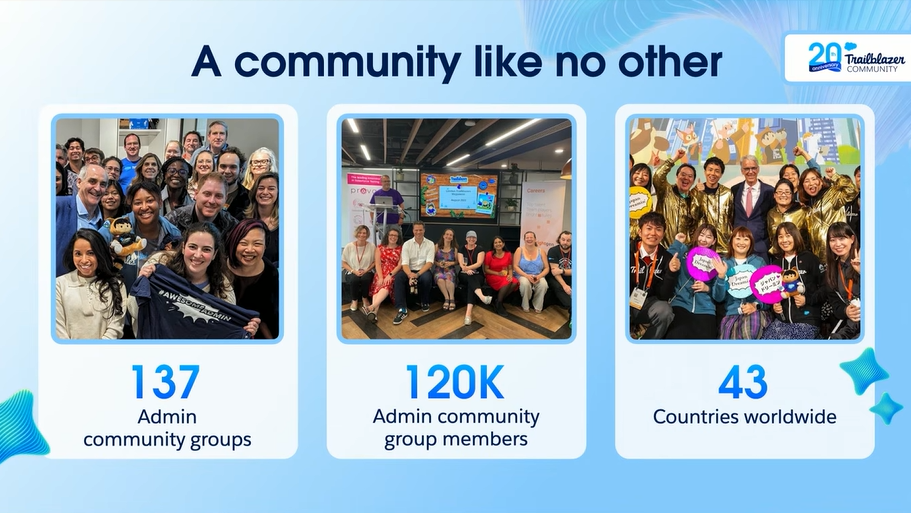
Before any product slide, the keynote marked 20 years of the Trailblazer Community. Salesforce puts the community at 11 million members across more than 1,300 groups in over 90 countries. Numbers aside, that’s two decades of admins answering each other’s questions at 11 pm.
The ‘Golden Hoodie’ was awarded to Gordon Lee, Managing Director of Technology at ‘Co-op Careers’, who has 20 years of experience in the field and made this happen. He described how his job used to be roughly 90% technology and 10% people, and over two decades, that ratio flipped to 90% people and 10% technology. His line of the day, and honestly the thesis of the whole keynote: “Delegate the work, but don’t delegate the judgment.”
In an era where AI can build, automate, and act, that distinction is everything. Keep that quote in your back pocket for the rest of this recap.
The demos followed a fictional smart-home company, Radiant Homes (think smart locks, lights, and cameras), as the team built out real functionality live on stage.
The Announcements at a Glance
| Announcement | Pillar | What it does | Availability |
|---|---|---|---|
| Builder Central | Build | No-code AI workspace for apps and agents from natural language | Beta, week of Sept 21, 2026; free with usage limits |
| Quick Pages | Build | Build single-page React apps on your existing data | Beta expected October 2026 |
| Agentforce Coworker | Deliver | Out-of-the-box AI teammate that acts on a user's behalf | Beta, for Agentforce customers |
| MCP support (hosted + custom) | Deliver | Expose flows and objects to external AI tools | Hosted servers GA since April 2026 |
| Headless Experience Layer | Deliver | Interactive UI widgets that run in any interface | Playground available now |
| Security Center Essentials | Govern | Free security posture dashboard | Available now |
| Transaction Security Policy Accelerator | Govern | Prebuilt Shield policies from templates | Available now on AppExchange |
Pillar 1: Build Trusted AI
Tiaan Kruger, a former admin turned product leader, ran this section. Two new front doors for the building came out of it.
Builder Central
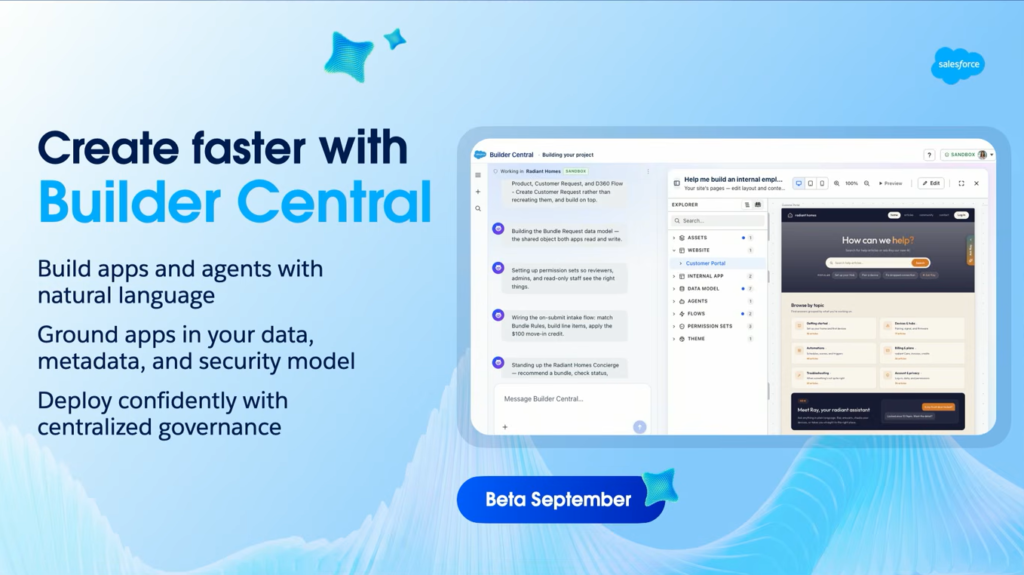
This was showcased as the main demo, and it’s the one most admins should care about. Builder Central is a no-code, AI-powered workspace where you describe what you want in plain language, then refine, troubleshoot, and deploy from a single place. Because it sits on the AIforce foundation, it reads your actual data, metadata, security, and governance instead of working around them.
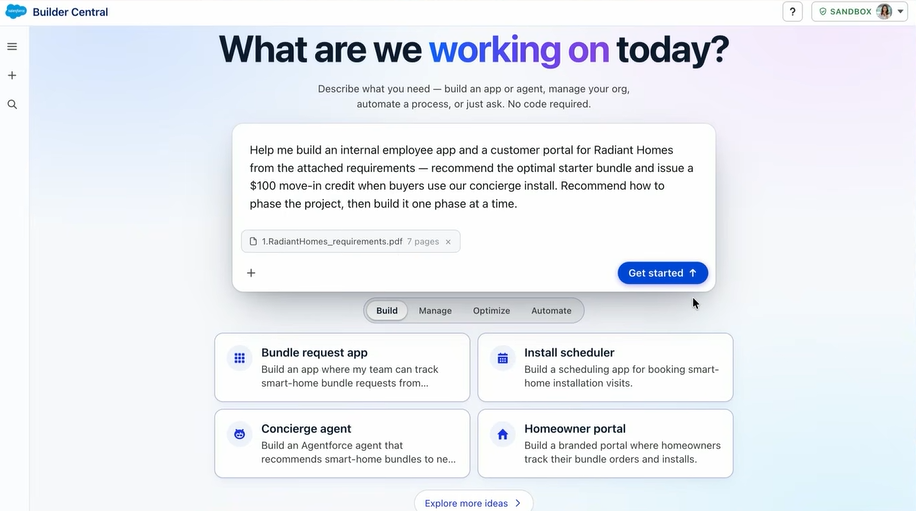
The demo team attached a requirements doc to a prompt, and Builder Central generated an editable project brief with problem statements and proposed features. It then inspected the org to decide what to reuse versus build new, showed the generated metadata in an Explorer view, and let the builder edit everything either directly or by talking to it. That includes node-level Flow edits and a live React portal preview. Nothing landed in the org until it was published, and even then it deployed to a sandbox rather than straight to production.
Credit to the presenters for being upfront about one thing: the build you saw on stage was sped up. In real life, spinning up an app takes about 20 minutes, not the two it looked like. Salesforce backs the whole pitch with its own finding that 88% of IT leaders can’t keep up with demand for custom apps and agents safely.
Availability: Builder Central launches as a beta the week of September 21, 2026, for orgs with Agentforce enabled, and it’s free with reasonable usage limits. Setup is a permission set. There’s already a Builder Central Quick Look on Trailhead if you want to look around.
Quick Pages
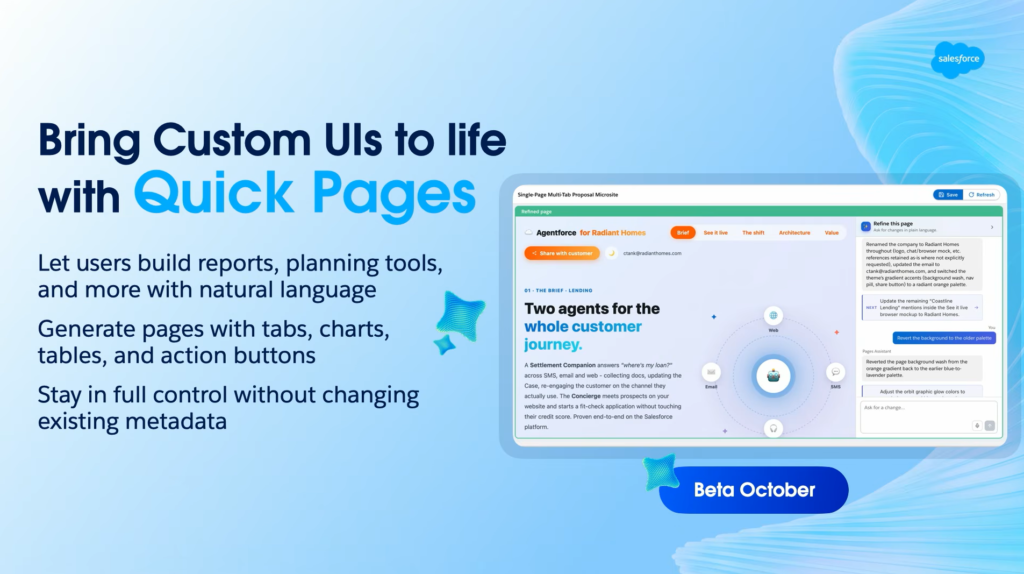
Quick Pages lets admins and trusted power users build single-page React apps directly on top of existing Salesforce data, without risking your org’s metadata. I’ll be straight with you: this got a slide and a promise, not much depth. What’s confirmed is a beta expected in October. Worth watching, not worth planning around yet.
Pillar 2: Deliver Trusted AI Everywhere
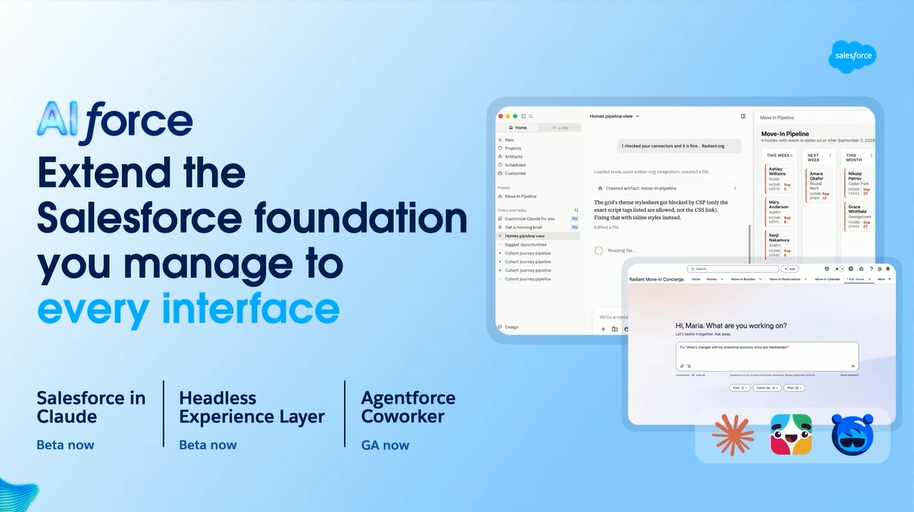
David Green took the “meet users where they are” pillar. His premise: work happens across Lightning, Slack, Teams, and AI chat tools now, and you shouldn’t have to rebuild your foundation for each one. This is the admin-facing side of AIforce, the layer Marc Benioff introduced on Day 1 to carry Salesforce data and logic into whatever tool someone already has open.
Agentforce Coworker
Coworker gives each user an AI teammate that knows the business from day one and can act on their behalf. You enable it in setup, point it at Data 360 sources, and assign access. It then orchestrates across your data, automation, and business logic, and it can call the specialized agents you’ve already built. In the demo, a user asked for a custom pipeline view in conversation instead of building list views by hand.
MCP Support and Salesforce in Claude
This was the quiet standout for me. Salesforce now ships several standard hosted MCP (Model Context Protocol) servers, and admins can build custom ones to expose a specific flow, like an “escalate case” flow, with clicks instead of code. Once exposed, an MCP-aware tool such as Claude or ChatGPT can trigger that flow securely, under your permissions. The demo escalated a real case from inside Claude without ever opening Salesforce.
MCP isn’t Salesforce-only. It’s an open standard Anthropic released in November 2024, now supported across the major cloud vendors. Salesforce’s own hosted MCP servers reached general availability in April 2026, which is why the demo felt production-ready rather than aspirational.
Headless Experience Layer
HXL lets you build interactive, deterministic UI widgets that carry your data and logic into any interface. In the demo, it showed up in Slack, with a Slackbot running a custom skill an admin built. If you want to get your hands on it, the public HXL Playground is live now.
A quick caveat on agent identity: the keynote talked about giving admins scoped control over what agents can do and full traceability for every agent action. I couldn’t verify a standalone product literally named “Agentic Identity” launching that week. The closest official capability is MuleSoft Agent Fabric’s Trusted Agent Identity. The idea is real and worth tracking, but follow the official Agentforce security docs rather than a single-stage moment.
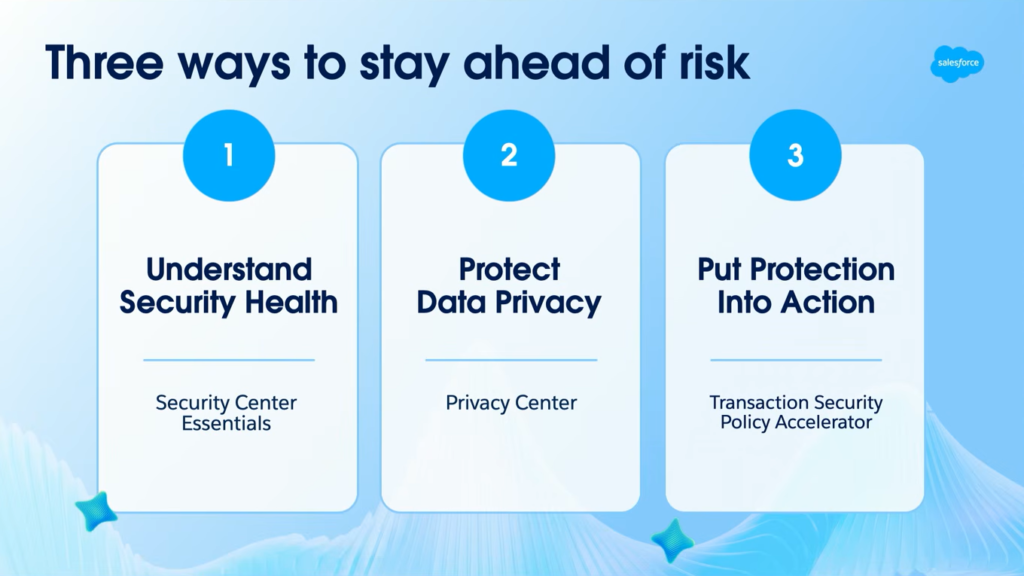
Pillar 3: Govern Trusted AI
Rachel Beard, Field CTO for Security, wrapped up by focusing on the critical factor that matters when agents move beyond just making suggestions and actually execute actions.
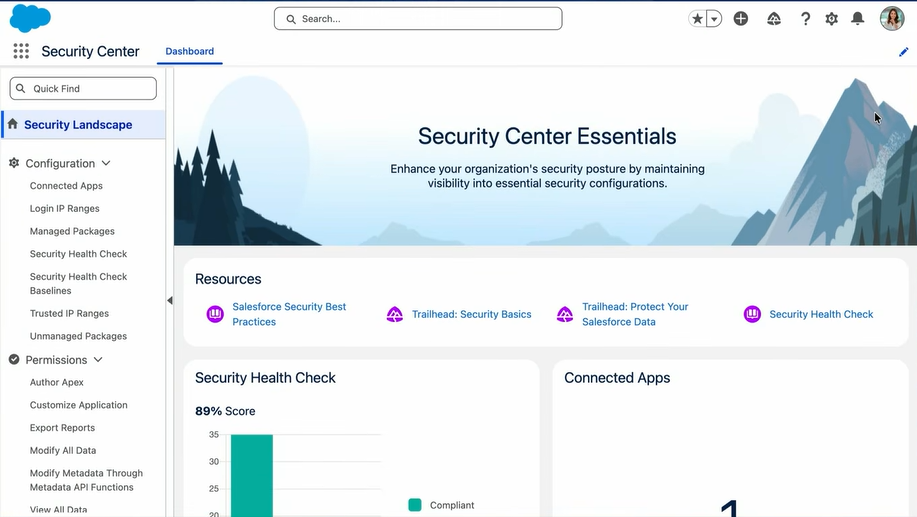
Security Center Essentials
If you grab one free thing from this keynote, make it this. Security Center Essentials is a no-cost dashboard that surfaces your org’s security posture, including your Health Check score with a 30-day trend, package visibility, and trusted IP ranges. You no longer need to click through multiple setup pages to recreate the picture.
Turning it on is simple: assign the View Security Center Pages permission and open it from the App Launcher. It’s included in Enterprise, Unlimited, and Performance editions. Solo admins who never licensed the full paid Security Center finally get real visibility for free.
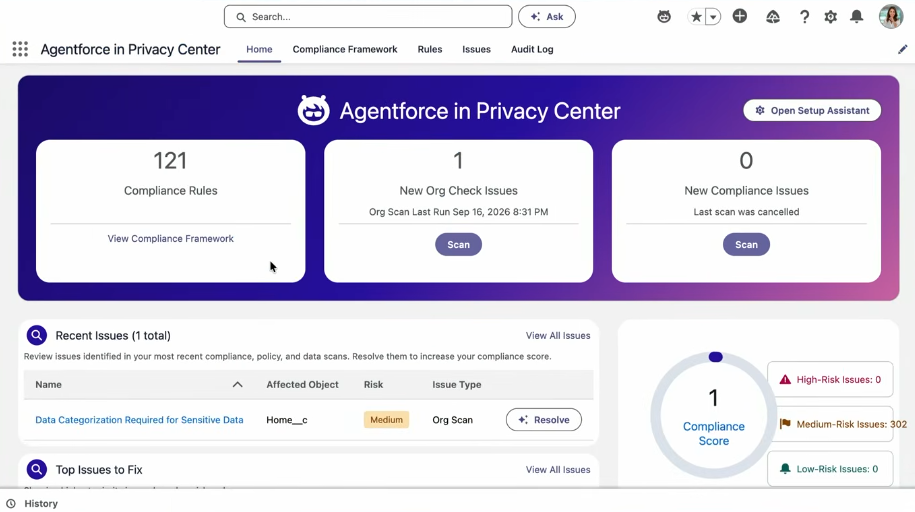
Compliance Agent and DSAR Upgrades in Privacy Center
The Compliance Agent scans your org for privacy risks and sorts them into recent issues, top fixes, and risk. Start a resolution, and it summarizes the problem and recommends steps, like classifying a field as PII, which you can apply on save.
The DSAR (Data Subject Access Request) side got a cleaner UI and easier policy building. The bigger promise, flagged as coming soon, is pulling data from Data 360, Archive, and Backup & Recover into one consolidated output, plus running DAR policies headlessly through Agentforce, API, or Apex. Treat the multi-source and headless pieces as roadmap.
Transaction Security Policy Accelerator
Rachel saved the one you can use today for last. Transaction Security Policies live inside Salesforce Shield’s Event Monitoring and let you block risky activity in real time. Building them used to mean writing Apex or configuring multi-step conditions from scratch.
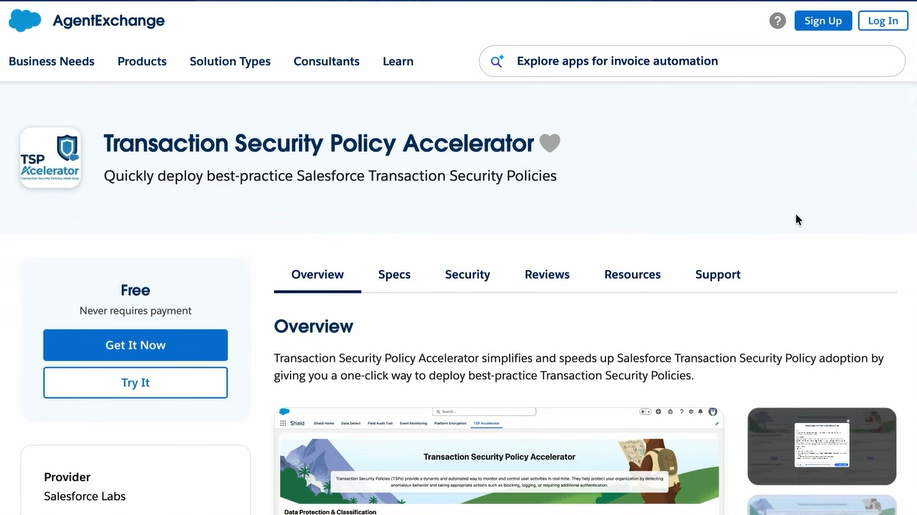
The Accelerator is a free Salesforce Labs app on AppExchange that ships a library of the most-requested policies you can deploy in about a click. The headline example blocks report exports that contain high-risk fields. It’s available to anyone with Shield or Event Monitoring, and it runs in real time.
Final Thoughts
Don’t try to adopt all of this at once. Pick one item from the “available now” column of the table above, put it in a sandbox this week, and get a feel for it. My suggestion: install the Transaction Security Policy Accelerator and run the report-export policy, or turn on Security Center Essentials and screenshot your Health Check score so you have a baseline to measure against next quarter.
For deeper follow-up, Salesforce is running its True to the Core livestream series, including sessions with the Builder Central team, where you can ask the product managers directly. Watch the ones tied to the features you’re piloting.
Gordon Lee had it right. The tools will keep changing. The judgment stays yours.
Frequently Asked Questions
It launched as a beta the week of September 21, 2026, for orgs with Agentforce enabled, and it’s free with reasonable usage limits. Setup is a permission set.
No. It’s included in Enterprise, Unlimited, and Performance editions. Assign the View Security Center Pages permission and open it from the App Launcher. The full multi-org Security Center is still a paid add-on.
Model Context Protocol is an open standard that lets AI tools connect to your systems through one governed interface. For admins, it means exposing a specific flow to a tool like Claude with clicks, while Salesforce enforces permissions.
Yes, if you have Salesforce Shield or Event Monitoring. It’s a free Salesforce Labs app on AppExchange. Deploy to a sandbox first.

Priya Rastogi
Priya is a 3x Salesforce Certified who believes in the power of continuous learning and collaboration. She’s passionate about exploring how Salesforce can simplify work, boost productivity, and create better user experiences. When she’s not experimenting with new features or automating processes, Priya enjoys connecting with fellow Trailblazers and sharing insights to help others grow in their Salesforce journey.
- Priya RastogiSeptember 16, 2026
- Priya Rastogi
- Priya Rastogi
- Priya Rastogi