


Productivity
Every Admin knows that repetitive setup and data management can eat up valuable hours. These tools help you reclaim that time.
Clone This User (CTU)
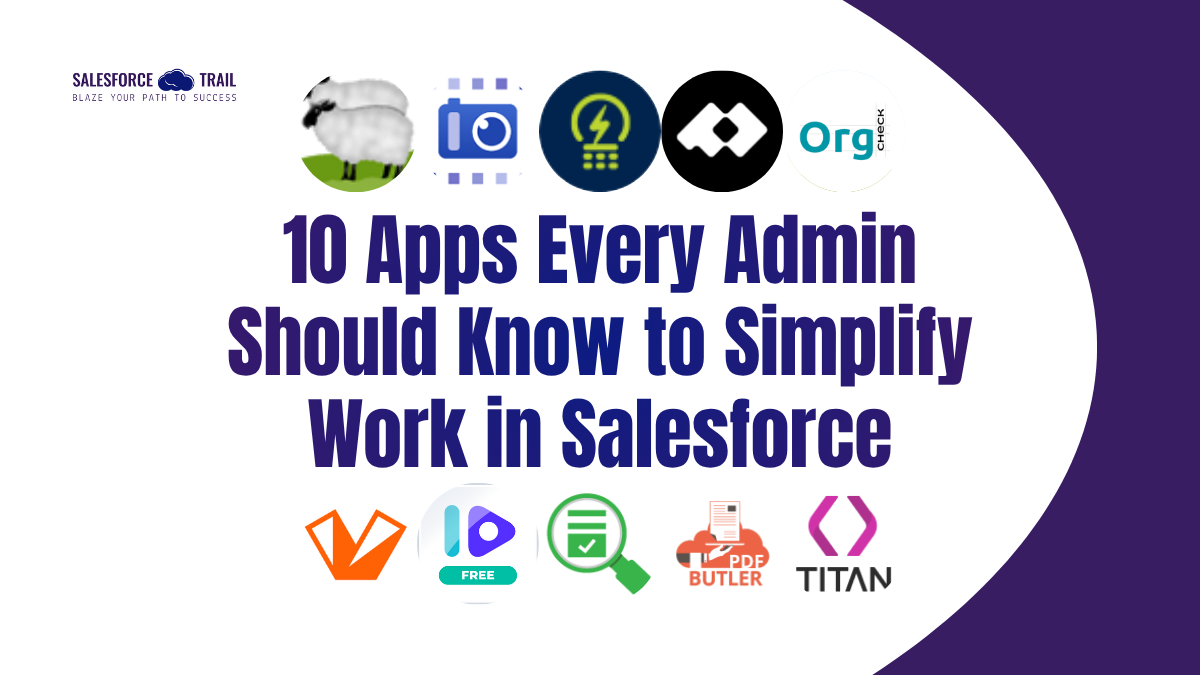
Setting up new users is a time-consuming task. Clone This User makes it effortless by allowing you to duplicate an existing user’s Profile, Permission Sets, and Permission Set Groups with one click. It’s available in Classic, Lightning, and Mobile, saving hours during onboarding and ensuring consistency across the org.
Check out here

SharinPix
If your organization handles a lot of images, SharinPix is a must-have app. It allows users to capture, store, resize, and manage photos directly within Salesforce records. No more juggling external folders or manually renaming files; all data is stored securely and linked properly.
Check out here

GridMate
GridMate turns your Salesforce data into a spreadsheet-like interface. Need to bulk edit records or import data from Excel? Done. With inline editing and mass update features, Admins can manage large data sets directly inside Salesforce —no CSV exports required.
Check out here

Plauti Assign
Routing Leads or Cases manually is a thing of the past. Plauti Assign automates record assignment using logic based on skills, territory, or workload. Perfect for global teams handling multilingual or regional support, it ensures the right record reaches the right person every time — improving both speed and accuracy.
Check out here

Governance & Security
As your Salesforce org grows, so does its complexity. Keeping it clean and secure should always be top of mind.
Org Check (Salesforce Labs)
Org Check is like an X-ray for your Salesforce org. This free Salesforce Labs solution scans your environment, identifying technical debt, unused fields, and misconfigurations. Admins can quickly identify risks and clean up inefficiencies — turning what once took days into hours.
Check out here

Valo.ai
Every Admin knows the importance of trust and visibility. Valo.ai focuses on connected app security and permission management, giving you a clear view of who’s accessing what. It helps you identify risks early and ensures your org stays secure and compliant.
Check out here

Data Management & Collection
Data is the foundation of everything in Salesforce, from automation to AI. The following apps help ensure your data stays clean and meaningful.
Cuneiform
Data clutter can quietly slow down your org. Cuneiform helps Admins identify unused or low-usage fields, offering actionable insights to clean and optimize the data model. A cleaner org not only runs faster but also sets the stage for trustworthy AI and analytics initiatives.
Check out here

Survey Vista
Collecting customer or employee feedback shouldn’t require juggling external survey tools. Survey Vista allows users to create surveys directly within Salesforce. Admins can create customized forms and quizzes using an intuitive no-code interface. The responses automatically map back into Salesforce, turning feedback into actionable insights.
Check out here

Document Management
Documents are an inevitable part of business — quotes, contracts, invoices, forms. These apps help automate those workflows while keeping everything native to Salesforce.
PDF Butler
PDF Butler automates document creation inside Salesforce. You can merge Salesforce data into branded PDF or Word templates to generate quotes, invoices, or agreements. It even supports e-sign workflows, making it an end-to-end document automation solution.
Check out here

Titan – Documents, Forms & Web Studio
Titan empowers Admins to build complex forms, web portals, and document workflows without writing a single line of code. Its drag-and-drop interface makes it easy to create dynamic, pixel-perfect experiences that connect seamlessly with Salesforce.
Check out here





Priya Rastogi
Priya is a 3x Salesforce Certified who believes in the power of continuous learning and collaboration. She’s passionate about exploring how Salesforce can simplify work, boost productivity, and create better user experiences. When she’s not experimenting with new features or automating processes, Priya enjoys connecting with fellow Trailblazers and sharing insights to help others grow in their Salesforce journey.
- Priya Rastogi
- Priya Rastogi
- Priya Rastogi
- Priya Rastogi