

Close Menu

    Subscribe to Updates

    Get the latest creative news from FooBar about art, design and business.

    What's Hot

    How to Document a Salesforce Portfolio That Actually Gets You Hired

    March 30, 2026

    TDX 2026 Must-Attend Sessions for Salesforce Developers

    March 27, 2026

    Salesforce Consultant Career Path: From Junior Consultant to Practice Lead

    March 25, 2026
    Facebook X (Twitter) Instagram
    Facebook Instagram LinkedIn WhatsApp Telegram
    Salesforce TrailSalesforce Trail
    • Home
    • Insights & Trends
    • Salesforce News
    • Specialized Career Content
      • Salesforce
      • Administrator
      • Salesforce AI
      • Developer
      • Consultant
      • Architect
      • Designer
    • About Us
    • Contact Us
    Salesforce TrailSalesforce Trail
    Home - Salesforce Tutorials - How to Document a Salesforce Portfolio That Actually Gets You Hired
    Salesforce Tutorials

    How to Document a Salesforce Portfolio That Actually Gets You Hired

    Priya Rastogi and Salesforce Trail Editorial TeamBy Priya Rastogi and Salesforce Trail Editorial TeamMarch 30, 202614 Mins Read
    Facebook LinkedIn Telegram WhatsApp
    How to Document a Salesforce Portfolio
    Share
    Facebook LinkedIn Email Telegram WhatsApp Copy Link Twitter

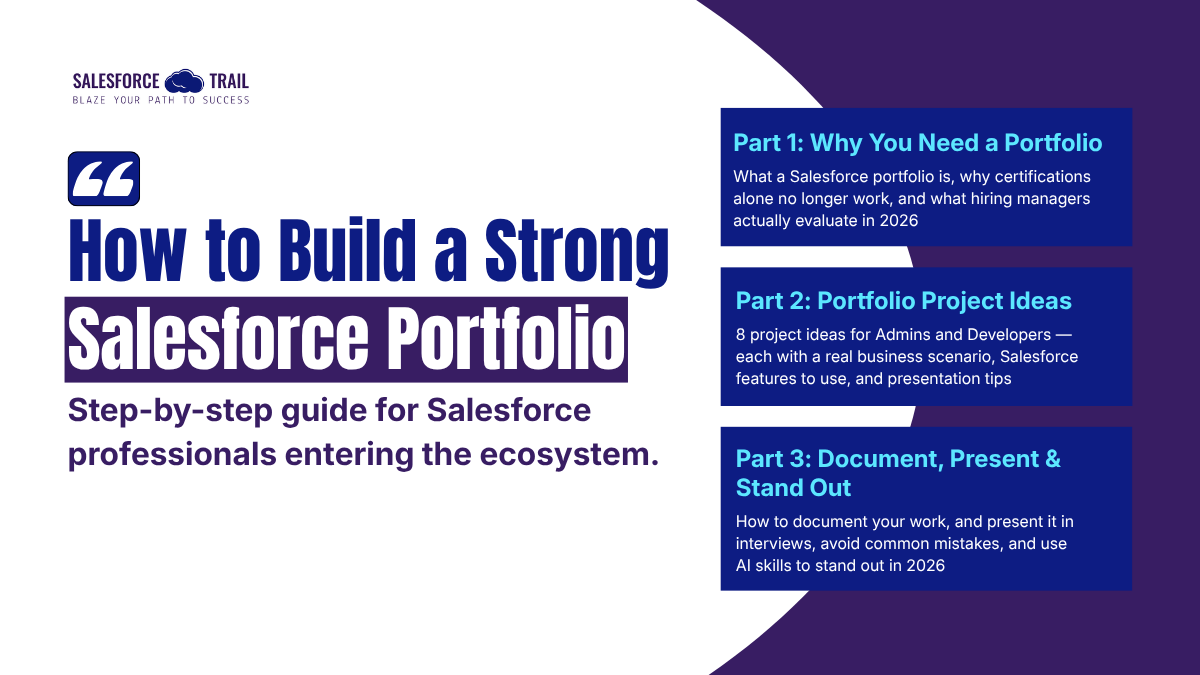
    Parts 1 and 2 covered the theory and the build. Part 1 explained why a Salesforce portfolio matters more than certifications alone in 2026. Part 2 walked through eight specific projects, four for admins, four for developers, with real business scenarios and concrete build lists.

    Now comes the part most people rush for, turning what you built into something a recruiter can actually evaluate.

    A well-built Salesforce project sitting in a dev org with no documentation is worth almost nothing in a job search. The build is evidence. The documentation is the argument. And the interview presentation is where you close. This article covers all three, along with the seven mistakes that quietly eliminate otherwise strong candidates, and a section of standout tips for the 2026 market.

    How to document your Salesforce portfolio projects

    Documentation is the section most candidates skip or write in five minutes at the end. That’s backwards. The documentation is what a hiring manager reads before deciding whether to look at your screenshots. It’s what a recruiter mentions when describing your work to a hiring panel. It’s what you discuss in an interview.

    Get this part right and everything else gets easier.

    How to Document a Salesforce Portfolio (Project Framework)

    The six-part framework that works for every project

    Use this structure for every project in your portfolio, without exception. Consistency itself reads as professionalism; it signals that you’re organized and that you take your work seriously.

    1. Business context. Start with the problem, not the build. Who had this problem? What were they doing before Salesforce solved it? What was it actually costing them in hours, in errors, in missed follow-ups? One short paragraph is enough. But it has to be specific. ‘A sales team was inefficient’ is not a business problem. ‘A three-person customer success team was spending 45 minutes per new customer creating onboarding tasks manually, and things still fell through the cracks about 30% of the time’ is a business problem.
    2. What you built. Two or three plain-language sentences. Describe the solution the way you’d describe it to someone who doesn’t use Salesforce. If they can understand it, you’ve done this right. If you need to explain what a Flow is before you can explain what you built, simplify.
    3. Salesforce features used. Be specific; this is where you demonstrate technical knowledge without being asked. Don’t write ‘used Flow.’ Write ‘a record-triggered Flow with decision elements, two update actions, and a scheduled path that fires at the 30-day mark.’ The specificity signals genuine hands-on experience.
    4. Design decisions. This is the most important section, and the one almost nobody writes. Why did you choose this approach? What else did you consider? What tradeoffs did you make deliberately? A short paragraph here ‘I considered a scheduled Flow here, but a record-triggered Flow fires immediately on close, which was what the business needed’ tells a hiring manager more about how you think than any screenshot.
    5. Outcome or impact. If the project were real, share measurable results. If it were built in a dev org for a fictional scenario, describe what the impact would be based on the scenario you defined. Don’t fabricate numbers; estimate them honestly based on your scenario logic.
    6. Screenshots or a demo video. Show the build. A clear, annotated screenshot is worth more than three paragraphs of description. A three-minute Loom video narrating a live walkthrough is worth more than anything else. Recruiters watch videos. They remember videos.


    🔍 Read More: Why You Need a Salesforce Portfolio And What Hiring Managers Really Look For

    The Best tools for hosting and sharing your Portfolio

    Format matters less than most people think. What matters is that the documentation is clean, easy to navigate, and shareable in under thirty seconds. Here are the tools that work well for Salesforce portfolio presentation in 2026:

    • Notion: Free, clean, shareable by link, and easy to update as you add projects. You can build a polished multi-project portfolio without writing a line of code. The best starting point for most admin candidates.
    • GitHub profile README: For developer candidates, a well-structured GitHub profile README that links each project repo is essentially a free portfolio site, and it signals that you’re comfortable with developer tooling. Each project repo should have its own detailed README.
    • Loom: Record your screen and narrate as you walk through a live org. A three-minute walkthrough is often the most memorable thing a recruiter encounters in a week of screening. The free tier handles everything you need.
    • A simple personal website: A one-page site on Carrd, Webflow, or even Google Sites with your projects, a short bio, and a contact link. A custom domain makes it more memorable. This is optional but worth doing once you have two or three solid projects to show.
    • PDF for applications: Keep a clean PDF version, one project per page, ready to attach to job applications. Use Canva or Google Slides to format it. Consistent fonts, clean layout, no clutter.

    How to Present your Salesforce Portfolio in job Interviews

    Many candidates build a solid portfolio and then fumble it in the room. They open with technical detail before establishing business context. They get defensive when an interviewer pushes back on a design decision. Or they talk so long about one project that they never get to show the others.

    Here’s how to use your portfolio well, before the call, during it, and after.

    Before the interview

    • Prepare a 90-second verbal summary for each of your best projects. Structure it exactly: what was the business problem, what did you build, what happened as a result. Practice it out loud until it doesn’t feel like recitation.
    • Think through the questions an experienced interviewer will ask: Why did you choose that approach? What would you do differently if you were to build it today? How would this hold up at five times the data volume? If you don’t have clear answers, go back to your documentation and write them down.
    • Have your portfolio open before the call starts. Notion tab, PDF downloaded, GitHub profile ready. The moment you have to say, ‘give me a second, I’m finding the link,’ you’ve lost some of the ground you worked to build.
    • Do a quick story check: Can you describe what each project does in two sentences, without opening anything? If not, practice until you can. Some interviewers ask broad questions, and you need to be able to pick the right project to reference without hesitation.

    During the interview

    Start with the business problem, not the build. ‘I built a multi-step approval process’ tells an interviewer very little. ‘The finance team at this fictional company was managing budget requests entirely through email, no audit trail, no visibility, requests getting lost, so I built an approval process in Salesforce that routes requests by amount and locks fields while they’re in-flight’ tells them a lot. The business context is what makes the technical detail land.

    Use the SAR structure when you answer questions about your projects: Situation, Action, Result. It sounds simple because it is simple. It works because it forces you to complete the story, which many candidates fail to do.

    Use Salesforce terminology accurately and naturally. When you say ‘record-triggered Flow,’ ‘Named Credentials,’ or ‘Custom Metadata types for configuration thresholds,’ you’re signaling that you’ve spent real time on the platform. These terms are specific enough to sound credible if you’re using them correctly.

    Be honest about the limits of your build. This is the counterintuitive one. Saying ‘I built this in a Developer Edition org, so I didn’t run it against production-scale data, but here’s how I’d think through governor limits if this were going live’ builds more credibility than pretending the sandbox project is battle-tested. Interviewers know the difference. The ones who appreciate honesty are the ones you want to work for.

    🔍 Read More: Salesforce Portfolio Examples Ideas for Admins and Developers

    7 Salesforce Portfolio mistakes that quietly kill Applications

    These are common patterns that come up repeatedly when hiring managers explain why they pass on otherwise qualified candidates. Read this section before submitting your application.

    Mistake 1: Presenting Trailhead Superbadges as original work

    Superbadges are guided projects. The scenario is defined, the solution path is known, and experienced Salesforce interviewers have seen the same project dozens of times. They’re valuable for learning; include them in your Trailhead section by all means, but they don’t belong in your portfolio as examples of independent problem-solving. The moment you label a Superbadge as a portfolio project, an experienced evaluator moves on.

    Mistake 2: No business context anywhere in the documentation

    ‘I built a Flow that creates tasks’ is not a portfolio entry. It’s a feature description. The business context that needed this, what they were doing before, what it was costing them, is what makes the build meaningful to someone who wasn’t there when you built it. Every project, without exception, needs a problem statement that comes before any mention of what you built.

    Mistake 3: Too many projects, none of them finished properly

    Eight projects, each featuring a bullet list and a screenshot, are less impressive than two projects with clear problem statements, documented design choices, and a Loom walkthrough. Depth shows mastery. A long list of superficial entries feels like padding. If you’re short on time, focus on completing two projects well and skip the rest.

    Mistake 4: No documentation at all

    A Salesforce org build sitting behind a login screen with no written explanation is not a portfolio. It’s a homework assignment. The documentation is what transforms the build into an argument for hiring you. Skip it, and you’ve done most of the hard work for none of the benefit.

    Mistake 5: Mismatching the portfolio to the role

    If you’re applying for a Salesforce admin role, lead with your admin work. If you’re applying for a developer role, lead with code. If you’ve built both, that’s fine, but keep them separated and make it obvious which track you’re presenting for each application. A developer hiring manager who opens your portfolio and sees a reporting suite first will wonder whether you understand the job.

    Mistake 5: Using data that looks real

    Always use clearly fictional data in your dev org: Acme Corp, Test User, placeholder email addresses. Data that resembles real personal information, even if it isn’t, creates discomfort for reviewers and raises immediate questions about your understanding of data privacy. It’s a small thing that carries an outsized negative signal.

    Mistake 6: Never refreshing it

    A portfolio with screenshots from three versions ago, or that lists Process Builder as your automation tool of choice, signals that you’re not keeping pace with the platform. Set a calendar reminder to review your portfolio every six months. Update screenshots when Salesforce refreshes the UI. Remove references to deprecated tools. A stale portfolio is worse than a short one.

    4 things that put Salesforce Portfolio candidates in a different category

    If you’ve applied everything in this series, your portfolio is already stronger than most of what hiring managers see. These four moves are what separate the candidates who get multiple offers from the ones who get a single callback.

    Do real work for a real organization

    Nothing in a portfolio carries more weight than a project built for an actual organization. Salesforce.org connects nonprofits with volunteer Salesforce professionals regularly, and many local charities and community groups run Salesforce with minimal support. Even one real-world project, built for a real stakeholder with a real problem, is more persuasive than the best dev org build. If a nonprofit isn’t the right fit, small local businesses using Salesforce often need exactly the help you can provide. A few hours of configuration work, done with permission to include it in your portfolio, is a trade most small business owners will take.

    Add a ‘what I’d build next’ section to each project

    A short paragraph at the end of each project entry describing what you’d extend or improve signals two things: product thinking and intellectual honesty. Something like ‘if I were to take this further, I’d add a Slack integration so approval notifications reach managers without requiring a Salesforce login’ shows you’re thinking about the full user experience, not just the technical implementation. It also gives you a natural conversation thread to pull in interviews. ‘I’ve actually been thinking about how I’d extend this…’ is a much better way to start a second topic than waiting to be asked.

    Share your work publicly in the Salesforce community

    The Trailblazer Community is genuinely active, and the kind of people who make hiring decisions spend time there. Posting a brief write-up of a project you built, what the problem was, how you approached it, and what you learned doesn’t require a polished article. A few paragraphs and a screenshot are enough. A well-written LinkedIn post about a Salesforce admin portfolio project you completed, or a Flow you built that solved a real problem, can generate recruiter profile views, connection requests, and direct messages from hiring managers who found it through search. The Salesforce community rewards people who share. Use that.

    Build something with Agentforce or Data 360 —Even a basic proof of concept

    The Salesforce professionals moving fastest in the 2026 job market have hands-on experience with the platform’s new capabilities: Agentforce, Flow Builder, and Data 360 integrations. You don’t need a production-ready implementation. A working Prompt Template demo in a Developer Edition org, with a clear README explaining what you built and why, is enough to generate real interest, because the candidate pool who has done even that is still small. This gap will close eventually. Candidates who build this experience now have a window that won’t stay open indefinitely.

    Salesforce Trail

    Start with one project and make it count

    Here’s the honest reality about Salesforce portfolios: the only way to have one is to build one. Not plan one. Not outline one. Build it.

    Pick one project from Part 2 of this series, the one that maps closest to the kind of Salesforce work you actually want to do. Set up a Developer Edition org today. Define a business scenario that feels real enough to write about clearly. Build the solution. Document it using the six-part framework above. Record a three-minute Loom walkthrough when it’s done.

    That’s one portfolio project. Do it again, and you have two. Do it one more time, and you have a portfolio that puts you ahead of most of the candidates applying for the same jobs you are.

    Not because you’ve studied more. Because you built something real and you can prove it.

    Frequently Asked Questions

    Do I need a Salesforce portfolio if I already have certifications?

    Yes, Certifications get you into the pile, but your portfolio is what gets you the call. In a market where most applicants are certified, one well-documented project creates more separation than a second certification does.

    How do I build a Salesforce portfolio with no work experience?

    Sign up for a free Developer Edition org and build the projects from Part 2 of this series, no paid license needed. Volunteering through Salesforce.org is another fast route to real-world experience.

    Can I include Trailhead Superbadges in my Salesforce portfolio?

    List them in a ‘learning’ section, not as portfolio projects; experienced interviewers recognize the standard scenarios immediately. If you want a Superbadge to count, extend the scenario beyond what the badge required; that original extension is the portfolio entry.

    How many projects should a Salesforce portfolio have?

    Two or three, fully documented. One strong project with a clear problem statement, documented design decisions, and a video walkthrough will outperform five shallow entries every time.

    What should a Salesforce admin portfolio include?

    CRM configuration, Flow automation, reporting and dashboards, and at least one process governance project, such as an approval process, each with a problem statement, build summary, and a screenshot or Loom video.

    What should a Salesforce developer's portfolio include?

    Clean Apex using a TriggerHandler pattern, at least one Lightning Web Component, an API integration with Named Credentials, mocked test classes, and ideally one Agentforce or Einstein AI project, all on GitHub with a detailed README.

    Should my Salesforce portfolio be a website, a PDF, or a GitHub profile?

    Admins: Start with Notion and keep a PDF ready for applications. Developers: Prioritize GitHub. Whatever format you choose, make sure it’s shareable in under thirty seconds; if someone has to wait for a link, the moment is gone.

    Priya Rastogi
    Priya Rastogi
    priya@salesforcetrail.com

    Priya is a Salesforce Admin who believes in the power of continuous learning and collaboration. She’s passionate about exploring how Salesforce can simplify work, boost productivity, and create better user experiences. When she’s not experimenting with new features or automating processes, Priya enjoys connecting with fellow Trailblazers and sharing insights to help others grow in their Salesforce journey.

    03cfc652b72977437f4a155fae658300
    Salesforce Trail Editorial Team

    Salesforce Trail Editorial Team is a group of Salesforce professionals and content specialists dedicated to creating high-quality, practical, and easy-to-understand content for the Salesforce community. The team focuses on refining insights, ensuring clarity, and delivering value-driven content that helps professionals learn, grow, and stay ahead in the ecosystem.

    • Salesforce Trail Editorial Team
      #molongui-disabled-link
      How to Document a Salesforce Portfolio
      March 30, 2026
      How to Document a Salesforce Portfolio That Actually Gets You Hired
    • Salesforce Trail Editorial Team
      #molongui-disabled-link
      Salesforce Portfolio Examples Ideas for Admins and Developers
      March 23, 2026
      Salesforce Portfolio Examples Ideas for Admins and Developers
    document a Salesforce portfolio how to document a Salesforce portfolio How to present your Salesforce portfolio salesforce salesforce admin portfolio examples Salesforce Portfolio salesforce portfolio projects
    Share. Facebook LinkedIn Email Telegram WhatsApp Copy Link

    Related Posts

    TDX 2026 Must-Attend Sessions for Salesforce Developers

    March 27, 2026

    Salesforce Portfolio Examples Ideas for Admins and Developers

    March 23, 2026

    Creating a Field in Salesforce Isn’t Simple Here’s Why Every Admin and Architect Should Think Twice

    March 20, 2026
    Add A Comment
    Leave A Reply Cancel Reply

    Advertise with Salesforce Trail
    Connect with Salesforce Trail Community
    Latest Post

    Salesforce Consultant Career Path: From Junior Consultant to Practice Lead

    March 25, 2026

    How to Hire Salesforce Consultants: Practical Tips Every Business Should Know

    February 19, 2026

    6 Proven Principles to Drive Faster Salesforce CRM Adoption

    November 3, 2025

    Driving Revenue Efficiency with Sales Cloud in Product Companies

    October 30, 2025
    Top Review
    Designer

    Customizing Salesforce: Tailor the CRM to Fit Your Business Needs

    By adminAugust 6, 20240

    Salesforce is an adaptable, powerful customer relationship management (CRM) software that businesses can customize, and…

    Sales Professional

    Unlock 10 Powerful Sales Pitches to Boost Your Revenue by 30X

    By Mayank SahuJuly 4, 20240

    Sales is a very competitive arena, and it is followed by one must have a…

    Salesforce Trail
    Facebook X (Twitter) Instagram LinkedIn WhatsApp Telegram
    • Home
    • About Us
    • Write For Us
    • Privacy Policy
    • Advertise With Us
    • Contact Us
    © 2026 SalesforceTrail.com All Right Reserved by SalesforceTrail

    Type above and press Enter to search. Press Esc to cancel.