

Starting a Data 360 implementation is easy. The connectors are ready to go; you can have data flowing in within an hour, and it feels like real progress. That’s exactly where teams get into trouble.
The problems show up later, usually a few sprints in. You find duplicate customer profiles. Two dashboards disagree on how many “active customers” you have. Credits get spent on data nobody ends up using. And fixing any of these issues takes longer time than it originally took to create them.
So before you connect a single source to Data 360 (the platform Salesforce renamed from Data Cloud in October 2025), work through these five decisions. Each one comes with plain questions to ask your stakeholders. Think of it as a checklist to run before kickoff — whether you’re an architect, an admin, or a consultant.
Table of Contents
Why the cheapest time to fix Data 360 is before kickoff
Rework hurts more here than in a typical Salesforce project, for two reasons.
First, the cost model quietly rewards restraint. Under the current Data 360 pricing, ingesting data is free — but storing it, querying it, unifying it, and running transformations on it all draw down credits or profile capacity. So every source you pull in “just in case” keeps billing you long after everyone’s forgotten why it’s there.
Second, your data model is an architectural commitment, not a setting you flip later. Identity-resolution rules, the objects you map, the shape of a unified profile — these decide what’s possible and affordable for a long time. Change them after go-live, and you’re usually reprocessing everything downstream.
Put those together, and the pattern is obvious. A wrong decision made in week one doesn’t stay small. It compounds into duplicate profiles, metrics that disagree, and credits burned on data nobody activates. Furthermore, the platform becomes unable to demonstrate the actual results it has delivered. The solution isn’t particularly glamorous or exciting, but it is essential: pause and think things through before you begin.
Decision 1: Which use cases go first — and how you’ll measure them
Resist the urge to “get all the data in and figure out the rest later.” That instinct is the single most expensive habit in data platform work.
Salesforce’s own guidance is refreshingly clear here: focus on quality over quantity, because the real value usually sits in a focused subset of your data. Their internal team summed up the lesson as “start small, win big” — target a couple of high-impact use cases, prove them, and build momentum from there.
Picking use cases is the part most teams do. Measuring them is the part they skip, and it’s where projects quietly die. If you can’t name the metric a use case moves and its baseline today, you can’t prove the platform worked — and an unprovable platform is the first thing a steering committee cuts when budgets tighten.
So be specific. Hot-account scoring for your SDRs? The metric is conversion on prioritized accounts. Churn-risk segments for retention? It’s the save rate. Case deflection through Agentforce? It’s the deflection percentage against the number you start with.
Ask your stakeholders:
- What’s the one workflow that’s painful today and worth fixing first?
- What metric does it move, and what’s that number right now?
- Who signs off that this use case actually worked?
- What does “done” look like for the first sprint?
Decision 2: What each use case actually needs — and what to leave out
Once you’ve named your first use cases, one rule keeps the whole project honest: every source, and ideally every field, should trace back to a use case that needs it. If it doesn’t, leave it out.
This sounds obvious. Yet, the moment someone in a kickoff meeting suggests, “Let’s just bring everything in now and decide what we actually need later,” the entire plan falls apart. More than any technical glitch, this single sentiment has been the biggest cause of budget waste in ‘Data 360’ initiatives. People often overlook a crucial distinction: adding a new field in a later sprint is both cheap and fast, whereas carrying two hundred unnecessary fields for two years is a standing storage-and-processing bill that never switches off.
There is a genuine tension here, and I won’t pretend otherwise. Sometimes, you truly don’t know whether a field will be needed until a specific ‘use case’ becomes entirely clear. That’s fine. It doesn’t mean “never add any data”—rather, it means “don’t include data based merely on guesswork.” Apply filtering at the source: include only the events you intend to model, and bring in only the historical window you actually plan to query. Add other elements only when a clear need for them arises.
Ask your stakeholders:
- For each source and field, which use case consumes it?
- What breaks if we don’t bring this in now?
- Can we add it cheaply in a later sprint if we turn out to be wrong?
- Are we filtering at the source, or hauling everything and discarding the rest?
Decision 3: How you’ll define and govern shared business terms
Ask three teams what an “active customer” is, and you’ll often get three answers. Marketing defines an “active customer” as someone who opened an email. Finance defines it as someone with a paid subscription. Operations defines it as anyone with an open account. None of them is wrong. They’re just not describing the same people.
Data 360 doesn’t resolve that conflict. It propagates it — faster, and now into Agentforce, where a vague definition becomes a confident, wrong answer handed straight to a rep or a customer. That’s a worse failure than a stale dashboard, because people tend to trust what an agent tells them.
This is where Tableau Semantics comes into play. It is a governed semantic layer built into Data 360, designed to provide the organization with a shared business language, where metrics and definitions are established centrally once, and then reused everywhere, from dashboards to agents. The model, as described by Salesforce, is “metrics as code“: a term like “revenue” is given a single, version-controlled definition, rather than existing across dozens of different dashboard formulas and prompt snippets.
You don’t need the tooling to start, though. You need owners. A definition with no human accountable for it drifts within a quarter.
Ask your stakeholders:
- What are our ten most-used business terms, and do any two teams define them differently?
- Who owns each definition?
- Where does the canonical version live?
- How does a definition get changed, and who approves it?
Decision 4: When to federate with Zero Copy instead of ingesting
This is the architect’s decision, and it deserves more than a default. The question for every source is simple: do you need to govern and unify this data inside Data 360, or query it where it already lives?
Ingestion copies data in and builds governed, canonical models — the right call for identity resolution, core unification, and anything you need tight control over. Zero Copy federation queries external warehouses like Snowflake or BigQuery in real time without duplicating anything, which makes it strong for freshness, large external datasets, and fast source onboarding without building a pipeline. Three flavors are worth knowing: Live Query, Cached Acceleration, and File Federation.
Now the parts people learn the hard way. Zero Copy is live-only — lose the connection to the source and the federated data is simply gone, with no failed ingestion job to warn you. Joins between data you’ve ingested and data you’re federating can drag performance badly. And federation shifts cost to query time, so a popular federated dashboard getting hit all day can quietly cost more than ingesting the data would have.
For most real implementations, the answer is a hybrid: ingest the critical, governed core and federate the rest. Salesforce’s own decision guide lands in the same place.
Ask your stakeholders:
- Does this source need to be governed and unified inside Data 360, or just queried in place?
- How fresh does it genuinely need to be?
- How often will we query it, and by how many users or agents?
- Have we modeled the query cost on both sides — Salesforce and the external warehouse?
Decision 5: Who owns data quality after go-live
Every implementation has a honeymoon. The partner is engaged, the data looks clean at launch, dedup ran, profiles matched. Then the partner rolls off, the data model stops being anyone’s full-time job, and quality erodes one unmatched record at a time.
The trap is treating data quality as a build-time task when it’s really a run-time role. Launch-day cleanup answers “are these records good today?” It says nothing about who fixes the broken ones next quarter, or who decides which system wins when two of them disagree about a customer’s email address.
So assign it before go-live, not after something breaks. Name a steward for each data domain. Define an escalation path for bad records and a rough SLA for fixing them. And put someone on the hook for watching consumption — Salesforce’s Digital Wallet gives near real-time visibility into credit usage, which is exactly the kind of thing that drifts when nobody’s accountable. Trust in the platform comes from people knowing who’s responsible when something goes wrong, which is also the heart of a real governance framework.
Ask your stakeholders:
- Who owns the accuracy of each customer attribute?
- What’s our SLA for fixing a bad record?
- Who reviews credit consumption each month?
- What’s the escalation path when a definition or a source breaks?
Your pre-kickoff worksheet
Five decisions, and not one of them requires touching the platform:
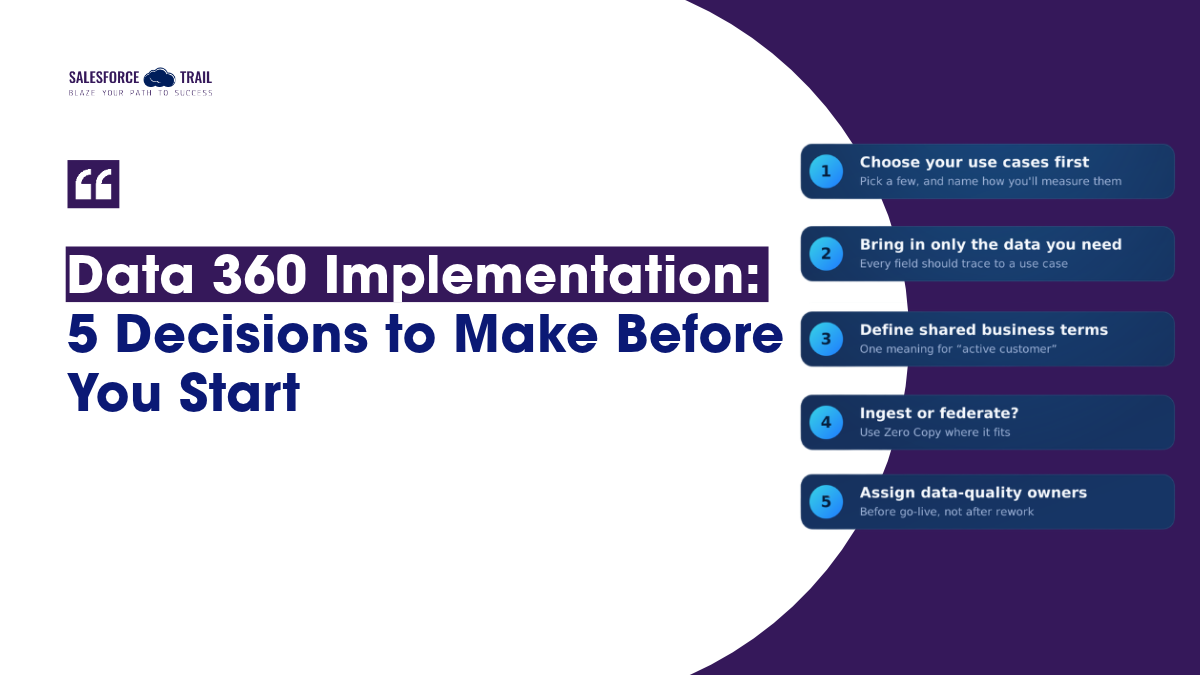
- Use cases first. Pick a couple with high impact, and name the metric each one moves.
- Data on purpose. Every field traces to a use case, or it stays out.
- Shared language. Define terms like “active customer” once, with an owner.
- Ingest or federate. Govern the core, Zero Copy the rest, model the cost both ways.
- Quality has an owner. Assign stewardship and monitoring before go-live.
Get these right, and Data 360 becomes what it’s meant to be — trusted context feeding Agentforce and your analytics. Get them wrong, and it becomes another layer of technical debt with a monthly invoice attached.
Final Thoughts
Don’t book a ‘kickoff’ (initial meeting) just yet. Instead, hold a 90-minute session with your stakeholders, specifically the data owners (not just the project team), to address four key questions related to each decision, and document their answers. The questions you can’t answer are, in fact, where your real work begins. The connector that went live before lunch was never the difficult part; the true challenge lies in these five decisions.
Frequently Asked Questions
Yes. Salesforce renamed Data Cloud to Data 360 in October 2025, as part of Agentforce 360. The name changed; the functionality didn’t. You’ll still see “Data Cloud” in some documentation during the transition.
Ingestion copies data into Data 360 and builds governed, unified models. Zero Copy federation queries data where it already lives — in Snowflake, BigQuery, and similar — without moving it. Ingest for governance and identity; federate for freshness and large external datasets. Most teams use both.
Data 360 is consumption-based. Under the current models, ingestion is free, but querying, unification, and transformations draw down credits or profile capacity, and the rates change over time. Check the official pricing page and model your own usage rather than relying on numbers from an old blog post.
Something painful today, high-impact, and measurable. Salesforce’s own advice is to start small and prove value fast instead of trying to boil the ocean.
A named steward for each data domain — assigned before go-live, not after the first bad record shows up. Pair that with monthly monitoring of credit consumption.

- Akanksha Shukla

- Akanksha Shukla