

The first time a client handed me a tidy list of exactly what they want, I built it. Every field, every automation, all of it. Within a month, the team had drifted back to their spreadsheets, and I finally understood something that no certification had taught me: the requirement someone says out loud is rarely the one they actually have.
That gap is expensive. Discovery is where projects are quietly won or lost, and it’s the one phase nobody really teaches. You pick it up after a few burned projects, or you don’t.
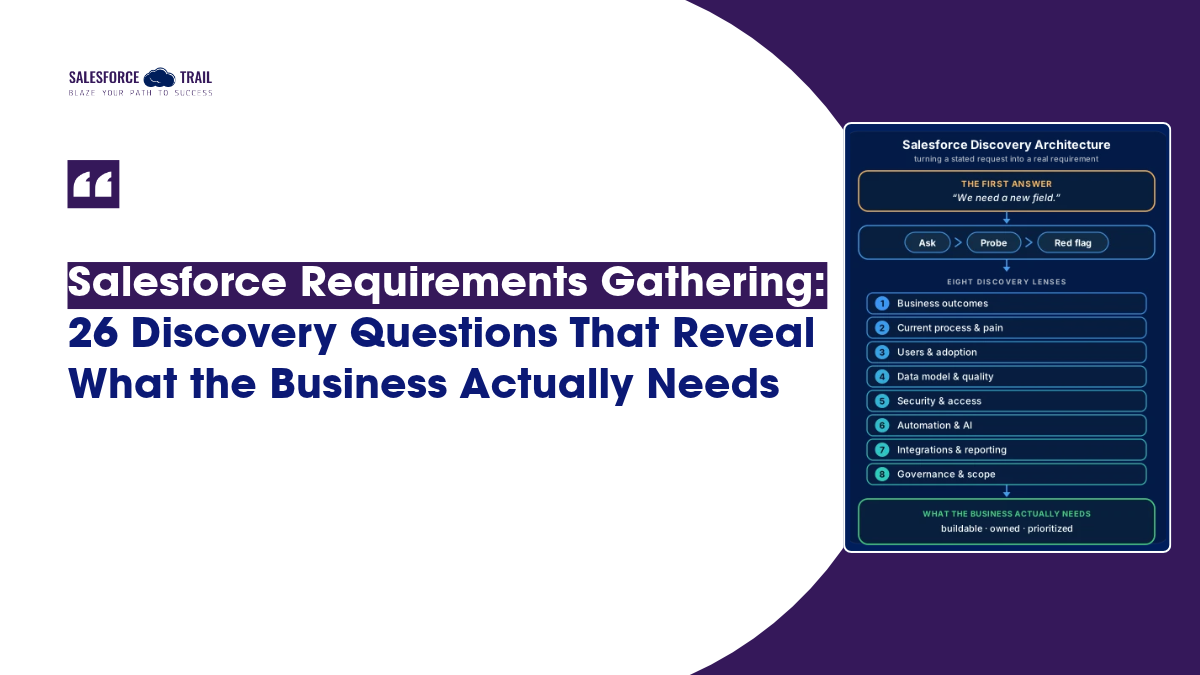
So here’s what I wish someone had handed me years ago: 26 Salesforce requirements gathering questions, grouped by what they’re designed to uncover. Not a flat checklist. Each one includes the follow-up that gets past the first answer and the red flag that tells you something’s off.
Table of Contents
Why the first answer is never the real requirement
Think about what’s actually happening when a stakeholder says “we need a new field” or “build us a dashboard.” They’ve already done a translation in their head. They took a messy, real problem, such as reps can’t tell which deals are stalling, and converted it into the solution they imagine fixes it. By the time it reaches you, the problem is gone, and only the guess remains.
Your whole job in discovery is to run that translation backward. One principle does most of the heavy lifting: ask about the work, not the feature. When someone requests a field, ask what decision that field helps them make. When they ask for an approval process, ask what goes wrong today when approvals don’t happen. You’re not being difficult. You’re finding the thing they’d have told you first if they’d known it mattered.
The techniques behind this aren’t complicated. Keep asking “why” until you hit something that sounds like a business outcome rather than a feature. Lead with open questions, then use closed ones to confirm what you heard. And wherever you can, watch the work happen instead of taking someone’s word for it — people genuinely forget the workarounds they do on autopilot every day.
How to read a bad answer
Every question below has three parts, because asking a question is the easy part. The first part is the question itself; the second is the deeper exploration that follows the answer; and the third is the ‘red flag ‘- the subtle signal that a weak answer might be sending you.
This is how it’s actually implemented. You ask, “What data do you want to migrate?” They reply, “All of it.” You then dig deeper to see which records they have actually accessed over the past year. Alarm bells should ring if no one in the room can identify the ‘system of record’ (the primary source of data)—because it means you are about to migrate disorganized, messy data. All that chaos will now become your problem. One question, three levels. That’s the entire approach.
The 26 discovery questions, grouped by what they uncover
These are organized based on the intended insight to be gained from each question, rather than based on the person you are speaking with. Select the appropriate questions for the specific project at hand—for instance, setting up a new ‘Sales Cloud’ requires a different focus compared to cleaning up a disorganized ‘org.’ Read the three columns together: the first column initiates the conversation, the middle column facilitates the core discussion, and the final column highlights potential issues or challenges.
Business outcomes and success
Start here, always. If you can’t tie the project to a number someone cares about, you’re decorating, not solving.
| Ask this | Then dig into | A weak answer tells you |
|---|---|---|
| What business problem made this urgent now, and what happens if we do nothing? | The cost of staying exactly as they are, in money, hours, or lost deals | Leadership wants Salesforce" — nobody has named an actual problem |
| Which single number should move, and by how much? | Ask two or three leaders separately and compare | You get three different numbers, which means there's no shared goal yet |
| What's today's baseline for that number, and who measures it? | Where the number lives right now and how often it's checked | No baseline exists, so success can never be proven later |
| What's genuinely limiting growth or service right now? | Whether CRM can even touch that constraint | The real limit is headcount, supply, or pricing — not something Salesforce fixes |
Current process and real pain
This is where “show me, don’t tell me” earns its keep. People describe the process they think they follow, not the one they actually do.
| Ask this | Then dig into | A weak answer tells you |
|---|---|---|
| Walk me through the last real deal or case, start to finish. | The clicks, tabs, and tools they open on screen | A clean story that never quite matches what you watch them do |
| Where does work sit and wait, or bounce back and forth? | The handoffs between teams and who owns the gaps | Nobody owns the space between steps, so things fall through it |
| What spreadsheets or side tools live outside the system, and why? | What those shadow tools do that the current system can't | The real process is running in Excel, and the CRM is just for show |
| What happens when the process goes wrong? | Exceptions, escalations, refunds, reversals, angry customers | They only ever describe the happy path |
Users and adoption
The best-designed org dies if the people entering data get nothing back. Adoption is a discovery problem long before it’s a training problem.
| Ask this | Then dig into | A weak answer tells you |
|---|---|---|
| Who enters this data every day, and what do they get back for it? | Whether the person doing the typing ever benefits | Data entry serves managers only, and reps will quietly resist it |
| Who quietly loses something if this changes? | The person whose spreadsheet, access, or gatekeeping role disappears | A stakeholder who's gone silent in the meetings |
| What would make someone abandon this after go-live? | The one extra click, the slow page, the duplicate entry | They'll use it because we'll tell them to |
Data model and data quality
Get this wrong, and everything downstream inherits the damage. Map the business to standard objects before you reach for custom ones.
| Ask this | Then dig into | A weak answer tells you |
|---|---|---|
| What real-world things do you track, and how do they relate? | Whether these map cleanly to standard objects | Everything is being crammed into one giant object |
| Where does each key piece of data originate, and which system wins in a conflict? | The system of record for each object | No one can name it, so no one can trust the data |
| How clean is the data you want to bring over? | Duplicates, missing owners, fields nobody has touched in years | Just migrate everything |
Security, compliance, and access
Two questions here save you from the two most awkward go-live conversations: the one where the wrong person saw something, and the one with the auditor.
| Ask this | Then dig into | A weak answer tells you |
|---|---|---|
| Who must never see this data, and who needs to edit specific fields, not whole records? | The difference between record-level and field-level access | Everyone should just see everything |
| What retention, audit, or regulatory rules apply? | Their industry, the regions they operate in, and data they're legally required to keep or delete | Compliance is being treated as a bolt-on for later |
Automation and AI
This is the category that’s changed most. Automation and agents don’t fix a vague process — they run it faster and break it at scale. Discovery is your only real safeguard.
| Ask this | Then dig into | A weak answer tells you |
|---|---|---|
| Which decisions follow fixed rules, and which need human judgment? | What belongs in a Flow, what could suit an agent, and what should stay with a person | They want to automate a decision no one can actually define |
| What automations already run in this org, and does the process each one serves still exist? | Legacy Workflow Rules and Process Builder nobody has looked at in years | Nobody knows what's running, or why |
| What work should take five minutes but doesn't today? | The slow, repetitive, copy-paste tasks people dread | Silence — they've genuinely never measured it |
| If automation or an agent gets it wrong, what's the cost, and when should it hand off to a human? | The escalation threshold and who owns the fallout | Let's just let AI handle it |
| For any agent or automation, what volume do you expect, and who owns the running cost? | Usage-based pricing (Agentforce credits, API limits) at real-world scale, not the demo | Cost hasn’t come up, so the pilot feels cheap because nobody has modeled what full volume does to the bill |
Integrations and reporting
Integrations are where scope quietly doubles, and reports are where people ask for everything and use almost none of it.
| Ask this | Then dig into | A weak answer tells you |
|---|---|---|
| Which systems need to exchange data, in which direction, and how fresh must it be? | Whether it truly needs to be real-time or a nightly sync is fine | Everything should sync instantly," with no reason behind it |
| What happens to the business when that integration goes down? | The manual fallback and who notices the outage | There's no fallback and no monitoring |
| Which decision does each report or dashboard drive, and who makes it? | The action that happens after someone reads the chart | We want all the reports |
Governance and scope
The unglamorous questions that decide whether phase two ever happens, or whether the project drowns in “just one more thing.”
| Ask this | Then dig into | A weak answer tells you |
|---|---|---|
| Who has the authority to say no to a requirement? | The real sign-off chain, not the org chart | Nobody on their side can evaluate your design, so you're marking your own homework |
| What's explicitly out of scope for phase one, and how do new requests get handled? | The change process before the requests start arriving | Everything is a "must-have" |
Why discovery matters more in 2026, not less
The instinct right now is to skip discovery and start building, because the tools make building feel so easy. That instinct is backwards, and three things happening this year are why.
First, Automation is now a Flow conversation whether you like it or not. Salesforce ended support for Workflow Rules and Process Builder on December 31, 2025. Existing automations still run, but every new “when X happens, do Y” requirement is a Flow design decision. On any established org, that makes question 18 — what’s already running, and does the process still exist? — a real part of discovery, not a nice-to-have.
Second, Agents raise the blast radius of a bad requirement. Salesforce reported that Agentforce annual recurring revenue passed $1.5 billion in its Q2 FY27 results (August 26, 2026), so teams are deploying fast. An agent acts on whatever data and rules you hand it. Hand it a fuzzy process, and it won’t hesitate the way a human would — it’ll make the wrong call confidently, over and over.
Third, the Failure data is already arriving. Gartner predicts that more than 40% of agentic AI projects will be canceled by the end of 2027, citing escalating costs, unclear business value, and inadequate risk controls (Gartner, June 2025). Read that list again. Every one of those is a discovery failure wearing a technology costume. Automation amplifies whatever discovery handed it — good or bad.
Turning answers into requirements you can build
Great answers are worthless if they stay as meeting notes. A few habits turn what you heard into something a builder can actually work from.
Write each requirement as a full sentence: who does what, triggered by what, under which rule, with what expected result. “Sales reps can’t see renewal dates” isn’t buildable. “When an opportunity closes won, create a renewal task for the account owner 11 months out” is.
Keep the business need separate from the solution they asked for. Note both, but never let “add a field” overwrite “reps can’t spot stalled deals” — one of those survives a design review, and the other doesn’t.
Attach a baseline and an owner to every requirement tied to a goal, prioritize ruthlessly with MoSCoW (must, should, could, won’t), and translate the client’s language into Salesforce objects as you go, so “customer” and “job” don’t turn into three contradictory custom objects later. It’s messier than it sounds in practice — requirements shift as people see early screens — but a written, owned, prioritized list gives you something firm to shift from.
Final Thoughts
Discovery is the most impactful practice throughout the delivery lifecycle; it is not a fixed script, but a reflection of your understanding and decision-making ability. These 26 questions provide a starting point. The true skill- which comes only from the experience of working on multiple projects lies in your ability to grasp the underlying meaning behind the answers you receive, and to discern which incomplete or weak responses warrant deeper, follow-up questioning.
So, here’s a concrete step: before your next discovery session, add these 25 points to a shared document. Remove any that aren’t relevant to the specific project. Then, in a third column, define your own ‘red flag’ for each point. Think of a specific, concerning response you’ve encountered in past projects that truly troubled you. By customizing the list this way, you transform someone else’s framework into your own intuitive guide. Bring this to your next workshop, and pay close attention to the questions that go unanswered. Often, these are the questions that matter most.
Frequently Asked Questions
Start with the business outcome (what number should move and why), then map the current process by watching it happen, then cover users and adoption, the data model, security, automation, integrations, reporting, and scope. The 25 above are grouped exactly that way so you can lift them straight into a workshop.
Discovery is the broader exploration — understanding the business, its processes, and its goals. Requirements gathering is turning what you learn into specific, buildable statements. In practice, they overlap constantly; discovery feeds requirements, and a good requirement often sends you back for more discovery.
Get the right people in the room (someone who owns the outcome, people who do the daily work, and whoever controls the data), prepare your questions by category, and spend more time listening than presenting. Map the process live on a whiteboard, confirm what you heard before you leave, and write up requirements while it’s fresh.
Focus on which decisions follow clear rules versus need human judgment, what work is slow and repetitive today, how clean the underlying data is, and — critically — what it costs when the agent gets something wrong and when it should hand off to a person. An agent is only as good as the process you define for it.
Stop asking what they want and start asking what they do. Shadow their actual work, ask them to walk you through the last real case, and look for the workarounds and spreadsheets. People who can’t describe a solution can almost always show you a problem.
Yes — this question set works as one on its own. Drop the 25 questions into a shared doc with columns for the answer, the follow-up, the owner, and the priority, and you’ve got a reusable requirements gathering template you can bring to every discovery session.

Priya Rastogi
Priya is a 3x Salesforce Certified who believes in the power of continuous learning and collaboration. She’s passionate about exploring how Salesforce can simplify work, boost productivity, and create better user experiences. When she’s not experimenting with new features or automating processes, Priya enjoys connecting with fellow Trailblazers and sharing insights to help others grow in their Salesforce journey.
- Priya Rastogi

- Priya Rastogi