


Ask ten Salesforce admins whether documentation matters, and ten will say yes. Then open their org. You’ll find a flow called “Flow 7,” field descriptions sitting blank, a validation rule nobody can explain, and a change log that lives entirely inside one person’s head.
Documentation is the thing everyone agrees on, and almost nobody does well. That gap is exactly where juniors and seniors split.
And when I grasped the reality of the situation, I was surprised: the difference usually doesn’t lie in hard work, and certainly not in intelligence. Senior professionals have weathered a great deal. They have encountered organizations where no one could explain why a particular ‘validation rule’ existed. They have spent entire days reverse-engineering automation systems that failed in production at the worst possible moment. They’ve watched a good colleague resign and walk out the door with half the institutional knowledge in their head. Those scars are what turn documentation from a chore into a reflex.
This article is about turning the vague advice “document your work” into something you can actually do — a set of habits you can watch a senior admin perform. None of them are hard. That’s what makes this such a rare, high-leverage skill: it costs almost nothing to learn, it compounds every month, and it’s visible to the exact people who decide promotions.
Table of Contents
The Real Difference isn’t knowing – it’s the “why”
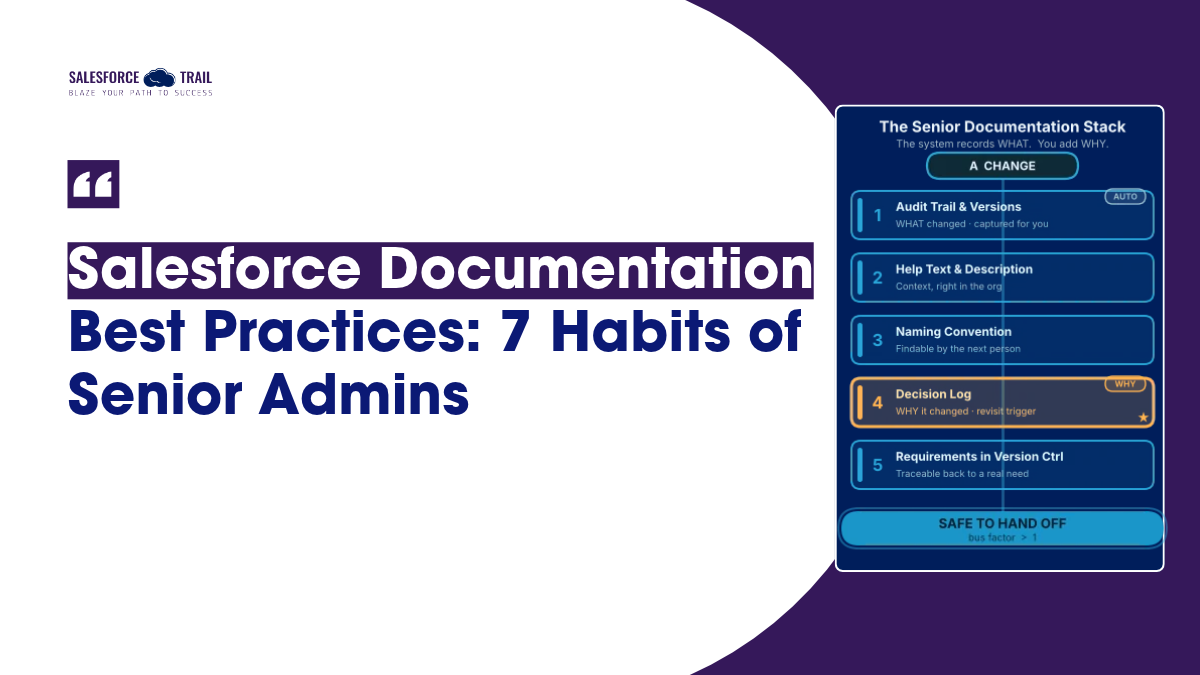
Setup Audit Trail tells you a field was edited and when. Flow version history shows you that version 4 replaced version 3. Both answer what happened. Neither one tells you why someone made that call in the first place, what they were trying to fix, or what they deliberately chose not to do.
That missing “why” is where orgs go to die slowly. And the data backs it up. In Salesforce Ben’s 2026 Admin Survey of more than 1,100 admins, 44% of advanced admins said they feel fully confident identifying and addressing technical debt, but only 13% of entry-level admins said the same. That’s not a knowledge gap about features. It’s a gap in the habits that keep a system explainable.
The situation becomes even riskier when you look at who is actually managing these organizations. The same survey found that roughly one in five individuals works as a sole administrator, and a significant portion belongs to teams consisting exclusively of administrators – meaning there is no colleague to cross-check their work. When one of these individuals leaves, the knowledge and understanding related to the work leave with them.
Salesforce’s own Well-Architected Framework addressed this. Its Operational Excellence guidance talks about turning “tribal knowledge” into something any team member can easily learn. It also talks about keeping your “bus factor above one.” That’s a simple test: how many people could leave before nobody’s left who understands the system? If the answer is one, you’re in trouble. Good documentation is how you raise that number.
One thing worth clearing up before the list: a blank Confluence page with a hopeful title is not documentation. A half-finished spec nobody updated in eight months is arguably worse than nothing, because people trust it. Real documentation is the short, honest note attached to the thing itself, written while the context is still in your head.
Habit 1: Treat Description and Help Text as two different jobs
Every custom field gives you two text boxes, and most juniors treat them as the same box twice or leave both empty. Seniors know they do completely different jobs.
Help Text is for your users. It’s the little info bubble they see on the record. Keep it plain and task-focused: what is this field for, and what should I type in it? You get up to 510 characters. One real caution: on objects exposed in Experience Cloud, help text is visible to site members, including partners and customers. So keep anything sensitive out of it.
Description is for you and the next admin. It never shows up on the record — Salesforce Help calls it text “for administration purposes only.” This is where the real documentation goes: which teams rely on this field, which automations read or write to it, and why it exists at all. Salesforce’s own blog notes you get around 1,000 characters here, so there’s room to be useful.
Here’s the difference in practice on a field called Renewal_Risk__c:
- Weak (junior): Description blank. Help Text: “Renewal Risk.”
- Strong (senior): Help Text: “How likely this account is to churn at renewal. Set by the CS team during QBRs.” Description: “Populated by the ‘Account Health Rollup’ flow nightly. Read by the Renewal Dashboard and the ‘At-Risk Account’ email alert. Added Q3 2026 after CS asked for an early-warning signal — see decision log.”
The second one takes ninety seconds. It also means that eighteen months from now, nobody has to guess.
Habit 2: Write the naming convention down before you build
Juniors name things in the moment. You need a checkbox, you call it Checkbox2__c, you move on. Multiply that by two years, and you get an org where nobody can find anything and half the API names are lies.
Seniors decide the convention first, write it down somewhere the whole team can see it, and then stick to it. Salesforce’s Well-Architected guidance actually recommends this — it points teams toward a documented set of design standards that spells out how every customization gets named.
The community has settled on patterns worth borrowing. For flows, Automation Champion recommends phrasing Decision elements as a question (“Ready to Close the Deal?”) and Assignment elements as the action they perform (“Set Stage to Closed Won”), so the canvas reads like plain English. A lot of teams also use a zDEP_ prefix on anything deprecated, which sorts dead metadata to the bottom of every list and flags it as safe to ignore.
You don’t need a fifty-page standard. You need one shared page that answers: how do we name objects, fields, flows, and permission sets, and what prefix marks something as retired. Keep it short enough that people actually follow it. A convention nobody reads is just more undocumented knowledge.
Habit 3: Make your flows readable by the next person
This is the “Flow 7” problem, and it’s the one that costs the most on a bad day. An unnamed, uncharacterized flow that breaks in production is a scavenger hunt at the worst possible moment.
Seniors build flows that explain themselves. That means a meaningful name, a filled-in flow Description that says what the flow does, which objects it touches, and where it’s triggered from — advice straight from the Salesforce Admins Flow best-practices guide. It also means descriptions on the individual elements, so the person debugging at 4 p.m. doesn’t have to open every single node to work out the logic.
Salesforce keeps making this easier, which is worth knowing about:
- Element groups (Winter ’27) let you bundle related elements under a named, described group. Genuinely handy when you’re handing a flow off.
- Flow Edit History (Winter ’27) gives you a full timeline of every save — the kind of traceability that makes long-term maintenance manageable.
- Einstein flow summaries (generally available since Spring ’25) can draft a description of what a flow does and drop it straight into the Description field.
That last one deserves a caveat. AI can now write the what of a flow for you, and it does a decent job. It cannot write the why. It doesn’t know that you built this flow instead of a simpler one because the simpler one hit a governor limit in testing, or that Finance specifically asked for this edge case. The summary is a great starting point. The reasoning is still yours to add.
Habit 4: Keep a lightweight “why” log for every non-trivial change
If you take one habit from this whole list, take this one. It’s the clearest line between a junior and a senior, and almost nobody does it well.
A decision log is a running record of the choices you made and the reasons behind them. Not a heavyweight architecture document — a few honest lines, captured when you make the call. Salesforce’s own architectural guidance states this clearly: the core purpose of an architectural decision record is to document the “why” behind a choice. Without it, you end up relitigating the same debate every six months because nobody remembers how it was settled the first time.
Here’s a format you can copy. Drop it in a Confluence page, a Google Doc, a dedicated Salesforce object — wherever your team already looks:
					Date: 2026-11-14

What we decided: Used a record-triggered flow instead of an Apex trigger for Opportunity stage automation.

Why: Team is admin-heavy; no dev capacity to maintain Apex long-term. Logic is simple enough for Flow.

Trade-off / revisit if: If volume exceeds ~50k records/day or logic gets complex, reconsider Apex.
That final line, the “trigger for re-evaluation,” is the hallmark of an experienced person. It informs your future self not only of what was decided, but also of the precise conditions under which that decision should be revisited. Most logs record only the decision itself; good logs also specify how long that decision remains valid.
And yes, it’s one more thing to do while you’re busy. The argument that wins me over every time: it is far cheaper to write two sentences now, while the reasoning is fresh, than to spend an afternoon six months from now reconstructing a decision from clues.
Habit 5: Check “Where is this used?” before you touch anything
Juniors see a field that looks unused and delete it. Seniors assume everything is wired to something they can’t see yet, and they check first.
Salesforce’s built-in “Where is this used?” button for custom fields is the fastest way to determine where a field is being utilized before you modify or delete it. The scope of this feature is expanding, starting with the ‘Spring ’26’ release; you will also be able to identify where a ‘flow’ is being used, specifically which other flows or orchestrations it is incorporated into.
I’ll be honest about the limit: this coverage is still partial. It won’t catch everything — a hard-coded reference in Apex, a field pulled into an external integration, a report filter buried three folders deep, which is exactly why the earlier habits matter so much. When your tooling cannot reveal what a particular item depends on, a clear ‘Description’ field and a ‘Decision Log’ can prove invaluable. The native check is your first line of defense, not your only one.
Habit 6: Capture requirements as user stories, in a home that survives
This one is squarely for the BAs, though admins doing their own discovery should steal it too.
Juniors keep requirements in the places where they were spoken: a Slack thread, a hallway conversation, three replies deep in an email chain. Those evaporate. Six weeks later, you’re building against your memory of what someone wanted, and memory is a terrible source of truth.
Seniors write requirements as proper user stories — who needs it, what they need, and why — with clear acceptance criteria that define “done.” Then they keep them somewhere durable. This isn’t just good manners; it’s baked into the profession. The Salesforce Certified Business Analyst exam repeatedly expects you to keep processes, requirements, and user stories in a version-controlled repository to manage scope. A version-controlled home means you can always see what was agreed, when, and what changed since.
The payoff connects back to the whole theme of this article: when a requirement is documented with its reasoning intact, the “why” behind every field and flow you build stays traceable to a real business need. That’s the difference between an org that tells its own story and one that’s just a pile of config.
Habit 7: Date it, and give it an expiry
Undated documentation rots quietly. You read a doc, you assume it’s current, you act on it, and it was last true in 2023. That’s how good documentation turns into a trap.
The fix is small. Seniors stamp every doc with the date it was written and a review-by date. The Awesome Admin community’s documentation advice recommends exactly this: note when a doc was created and when it should expire or be reviewed. A review date is a promise that someone will check whether this is still true.
One more small thing that pays off: write in neutral third person rather than “I set this up because…”. The doc should still make sense after you’ve left the company and your name means nothing to whoever’s reading it.
How to document without drowning in it
The objection I hear most: “I don’t have time to document everything.” Fair. And you shouldn’t try to.
The trick isn’t documenting more. It’s documenting at the right moment, in the right place, at the right depth.
- At the moment of change, not later. The context is already in your head when you build the thing. Capturing it then takes seconds. Reconstructing it in a quarterly catch-up marathon takes hours and gets half of it wrong.
- In the org, over a wiki, where you can. A Description field lives next to the field it describes and travels with it. An external wiki drifts the moment someone forgets to update it — and someone always forgets.
- Sized to the risk. A one-off validation rule gets a sentence. A gnarly integration that three teams depend on gets a real page. Don’t spend equal effort on both.
Salesforce Ben’s documentation guidance sums up the quality bar nicely: keep it concise, contextualized, consistent, and connected. If a note is short, says why, matches your other docs, and links to what it relates to, you’re already doing better than most orgs out there.
Mistakes to avoid
A few traps that catch even experienced admins:
- Documenting the what and skipping the why. The audit trail already has the what. Your two sentences of reasoning are the only part that’s actually irreplaceable.
- The big catch-up project. “I’ll document the whole org next sprint” never happens, and if it does, it’s stale by the time you finish. Document as you go.
- Writing for yourself today. The real reader is a stranger inheriting your org in two years. If a note only makes sense to someone who already knows the context, it isn’t doing its job.
- Trusting a doc you never dated. An undated, unreviewed doc is a confident lie waiting to happen. Stamp it and give it a review date.
- Treating a blank template as done. A Confluence page with headings and no content isn’t a head start. It’s a signal to everyone that documentation here is theater.
Final Thoughts
Don’t try to fix your whole org this week. Pick one habit — I’d start with Habit 4, the decision log — and apply it to the very next change you make. One note, written while the reasoning is fresh. Then do it again on the next change. That’s the whole trick. The scars that made the seniors you admire do this? You get to skip them, and just build the habit instead.
Frequently Asked Questions
At minimum: what a field or automation does, why it exists, what depends on it, and when it was last reviewed. The “why” is the part people skip and the part that matters most — the audit trail already records the what.
Help Text is user-facing — it shows in the info bubble on the record and holds up to 510 characters. Description is admin-only, never shown to users, and holds around 1,000 characters. Use Help Text to tell users what to enter; use Description to tell the next admin how the field works and why it’s there.
Give it a meaningful name, fill in the flow Description (what it does, which objects it touches, where it’s triggered), and add descriptions to individual elements. Einstein can draft a summary of what the flow does, but you still need to add why you built it this way.
No — match the effort to the risk. A one-off validation rule gets a sentence; a complex integration gets a page. The one thing worth doing every time is capturing the reason behind any non-trivial decision, because that’s the part you can’t recover later.
Keep a simple decision log with four things per entry: the date, what you decided, why, and the condition that would make you revisit it. Store it wherever your team already looks, and update it at the moment of change rather than in a later catch-up.
They document the reasoning, not just the action, and they do it as they work rather than afterward. They use native fields like Description, keep a decision log, follow an agreed naming convention, and date everything with a review-by date so nothing silently goes stale.

Priya Rastogi
Priya is a 3x Salesforce Certified who believes in the power of continuous learning and collaboration. She’s passionate about exploring how Salesforce can simplify work, boost productivity, and create better user experiences. When she’s not experimenting with new features or automating processes, Priya enjoys connecting with fellow Trailblazers and sharing insights to help others grow in their Salesforce journey.
- Priya Rastogi

- Priya Rastogi
- Priya Rastogi