Leadership watched the keynote. Now they want agents live in the next few weeks. And you’re the one who knows what’s actually sitting in the org: the duplicate contacts, the Flow nobody’s touched since 2023, the permission set that somehow grants way more than it should.
I always tell teams this: Agentforce doesn’t come with a team to clean up your data. It reasons over the data you already have and acts through the automation you already built. So that duplicate contact isn’t just a reporting annoyance anymore — it’s a fact the agent reads, trusts, and acts on. The same applies to complex ‘Flows’: when an agent runs one, whatever action the Flow performs is considered the agent’s own action.
This isn’t just another article offering basic advice like “remove duplicate data from your records.” This is a ‘readiness audit’ that covers an often-overlooked aspect: your automation. I’ll explain what it truly means to be “ready,” discuss the technical challenges that can arise during a pilot run, and provide a 10-step checklist you can use before deploying any agent to interact with real users.
Table of Contents
What “Agentforce-Ready” Actually Means
Enabling Agentforce in Setup takes about a minute. Being ready is a different question entirely. Readiness is the state of what an agent reaches into — and Salesforce has a concrete list of prerequisites that need to be in place before any of that works reliably.
| Prerequisite | Why it matters |
|---|---|
| Lightning Experience | Agentforce doesn't run in Classic |
| Data Cloud / Data 360 provisioned | Grounding and Data Libraries depend on it |
| Einstein Generative AI | The underlying model access must be on |
| Einstein Trust Layer | Masking, audit, and toxicity filtering |
| Manage AI Agents permission | Required to build and manage agents |
Salesforce’s Service Agent readiness guide recommends a specific enablement order: Data 360 (Formerly Data Cloud), then Einstein Generative AI, then the Trust Layer, then Agentforce, and notes that provisioning can take anywhere from 15 to 60 minutes. The detail worth sitting with: if a prerequisite is missing, setup can partially succeed and then fail at runtime. That’s the worst kind of failure in a pilot, because it looks like it worked right up until an agent gives a user a confidently wrong answer.
A Quick Note on Names: Topics Are Now “Subagents”
If you’re reading older docs and getting confused, you’re not alone. As of April 2026, what used to be called agent topics are now subagents, and the Topic Selector is the Agent Router. The functionality didn’t change, just the labels. We cover the broader pattern of Salesforce renaming things faster than anyone can keep up in our Renameforce guide.
How Agentforce Actually Uses Your Org
Under the hood, Agentforce runs on the Atlas Reasoning Engine. It works like this: the agent takes a request, reasons about which subagent and action fit, acts, observes the result, and loops until it’s done. Actions are the agent’s hands — they’re your Flows, your invocable Apex, your prompt templates.
Two things about that loop matter for hygiene. First, Atlas picks actions largely from their descriptions. Vague or overlapping action descriptions mean the agent grabs the wrong tool. Second, it grounds every response in live records retrieved through those actions. So when the data underneath is wrong, the reasoning on top is wrong too, and now it’s wrong in a way that triggers a real update instead of just a bad dashboard.
That’s the whole case for cleanup in one sentence. The agent is only as reliable as the data and automation it stands on.
Data Readiness — Scoped, Not Boil-the-Ocean
The data presented here underpins funding for a ‘cleanup project,’ so I will address it first. According to Salesforce’s ‘State of Data and Analytics‘ report (November 2025), 84% of leaders in the data and analytics field believe that a complete overhaul of their data strategy is necessary to achieve their AI-related goals. Among teams that have already implemented AI, 89% have encountered incorrect or misleading results. Leaders estimate that approximately one-quarter of their organization’s data is unreliable.
Gartner is blunter. It predicts that through 2026, organizations will abandon 60% of AI projects that aren’t supported by AI-ready data.
Now the part that goes against the usual advice: you don’t need to clean everything first. Trying to get the entire org to 99% completeness before launching anything is how pilots die. The Salesforce Admins team makes the case for context over perfection: scope your cleanup to the objects and fields your first use case actually touches.
So the practical move is small on purpose:
- Pick one agent use case.
- Map the exact objects and fields it reads and writes.
- Dedupe and validate those, and leave the rest for later.
An agent that handles order status doesn’t care whether your Lead source picklist is a mess. Clean what it touches. Expand as you add use cases.
The Automation Audit Everyone Skips
This is where most readiness checklists wave their hands and say “audit your automation,” then move on. It’s also where pilots quietly go wrong, so we’re going to slow down.
The core problem is this: a perfectly scoped agent user means nothing if the action it calls runs in system context. You can lock the agent down beautifully and still have it execute automation that ignores every guardrail you set.
Legacy Automation Is Still Firing
Workflow Rules and Process Builder reached end of support on December 31, 2025. Per Salesforce’s own notice, they still run — you get no support and no bug fixes. That matters for agents because any action that updates a record can trip whatever Workflow Rule or Process Builder automation is sitting on that object. Your first job is to find it and migrate it to Flow. You don’t want an unsupported, undocumented process executing on the back of an agent’s write.
Run Context Is the Real Security Boundary
This is the detail I wish more people knew. According to Salesforce’s Flow run context documentation, a flow called by Apex ignores object and field-level security entirely. A user-context flow called from a system-context caller runs in system context too. The caller wins.
Apex shifted here recently. At API version 67.0 (Summer ’26), SOQL, DML, and Database methods default to user mode instead of system mode, but only for classes compiled at 67.0 or later. Is that older invocable Apex behind your agent action? It keeps its system-mode behavior until someone upgrades it.
So for every action your agent can call, write down two things: the run context and the API version. If you can’t answer those, you don’t actually know what your agent is allowed to do.
Trace Every Dependency Before You Expose It
You can’t govern what you can’t see. A few tools make this tractable:
- Flow Trigger Explorer shows every record-triggered flow on an object, split by timing so that you can see what fires and in what order.
- The Usage tab (Spring ’26) surfaces flow-to-flow dependencies — which versions call a flow and what each version calls. It has known gaps on the downstream view, so treat it as a strong start, not the final word.
- “Where is this used?” on fields and the Dependency API fill in the rest.
I follow this rule: an agent’s action should not trigger any automation that I cannot fully trace. If I cannot understand its process from start to finish, it is not ready to be entrusted to the agent.
Give the Agent Its Own User — and Nothing Extra
Salesforce creates the agent user with minimal access, secure by default. Good start. But the wizard’s defaults and what your specific agent needs aren’t the same thing, and the gap usually runs toward too much.
One rule keeps you out of trouble: one agent, one agent user, one purpose-built permission set. The moment you reuse a broad permission set across multiple agents, every agent inherits the combined access of all of them. That’s how a customer-facing order-status agent quietly ends up able to read records it was never meant to see. Field-level security is your real masking layer here, so treat it as part of the build, not an afterthought. If you’re doing this repeatedly, Summer ‘26 sf org create agent-user CLI command makes it reproducible.
Why Messy Orgs Now Cost Real Money
There’s a budget argument hiding in the pricing model, and it’s worth making to leadership directly.
Agentforce moved from $2 per conversation to per-action billing through Flex Credits, at roughly $0.10 per standard action. The Core, Advanced, and Max editions that launched in September 2026 bundle credit pools on top of that.
Follow the logic. If an agent needs five actions to work around inconsistent data and redundant Flows when a clean org would’ve needed two, you’re burning more than double the credits — on every single run, indefinitely. (That’s my read of the rate card, not an official Salesforce claim, but the arithmetic isn’t subtle.) Cleanup stops being a nice-to-have and becomes a line item that pays for itself. This is the paragraph to screenshot for the funding conversation.
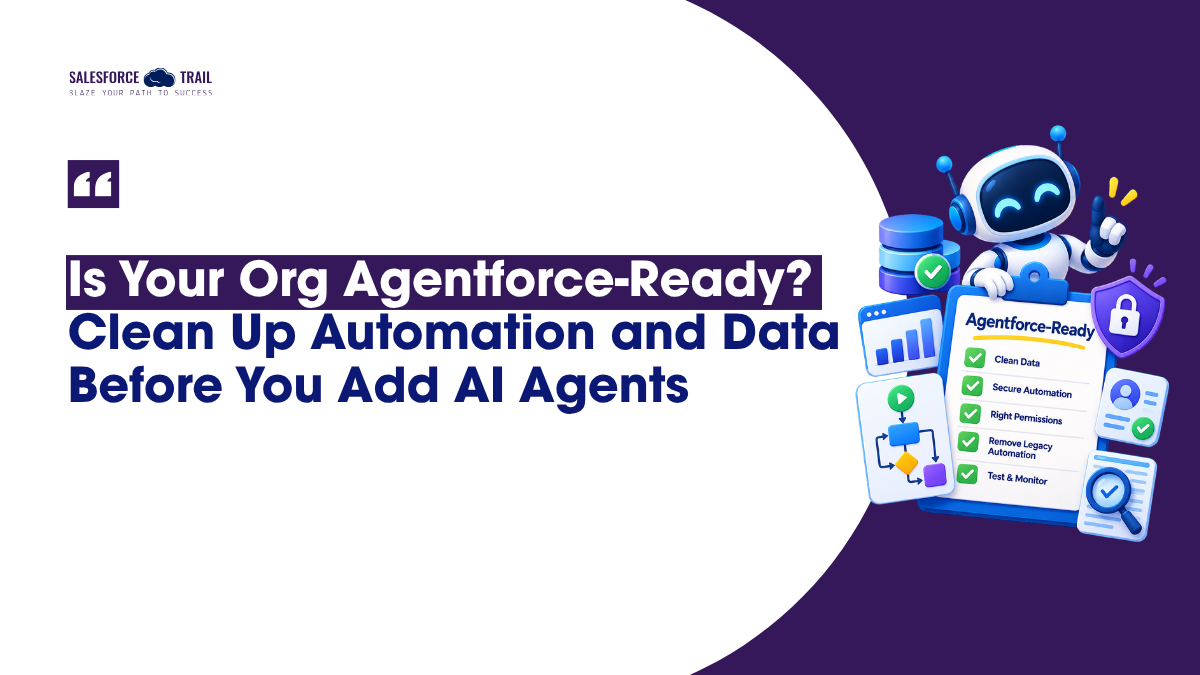
Your 10-Step Agentforce Readiness Checklist
Run this before any agent meets a real user:
- Pick one agent use case to start.
- Map every object and field it reads and writes.
- Dedupe and validate those objects.
- Inventory all automation living on them.
- Migrate off Workflow Rules and Process Builder.
- Order your record-triggered Flows with Trigger Explorer.
- Trace each agent action to its Flow or Apex — record run context and API version.
- Build a dedicated agent user with a purpose-built permission set.
- Confirm prerequisites: Data Cloud, Einstein Generative AI, Trust Layer.
- Test in a sandbox, then monitor with agent analytics once live.
Start Here, Not With the Agent
The teams that win with Agentforce in 2026 won’t be the ones who deployed fastest. They’ll be the ones whose orgs were trustworthy underneath — where the data was clean enough, the automation was traceable, and the permissions were tight before an agent ever logged in.
Readiness isn’t a gate you clear once and forget. It’s the new baseline hygiene for running Salesforce in an AI era. So don’t start by building the agent. Start by picking one use case and running steps one through three this week. Map it, clean what it touches, trace its automation. The agent is the easy part — the org underneath is the work.
Frequently Asked Questions
For grounding and Data Libraries, yes — Data Cloud (now Data 360) needs to be provisioned, and the exact requirements vary by agent type. It’s on the official prerequisite list, so sort it out before you build.
Same thing, different name. Salesforce renamed agent topics to subagents in April 2026, and the Topic Selector became the Agent Router. No functional change — just updated labels in the UI and docs.
Yes, Flows are a supported action type. The catch is run context: a Flow called by Apex or running in system context can bypass the access limits you set on the agent user. Audit the context before you wire a Flow up as an agent action.
It shifted from the original $2-per-conversation model to per-action Flex Credits, at about $0.10 per standard action. The newer Core, Advanced, and Max editions include bundled credit pools.
Run the 10-step checklist above. If you can trace every piece of automation your agent touches, trust the data underneath it, and scope the agent user to exactly what it needs, you’re ready. If any of those is a question mark, start there.
Only what its single use case requires. Salesforce provisions it with minimal access by default — keep it that way, assign a purpose-built permission set, and never share a broad set across multiple agents.

Priya Rastogi
Priya is a 3x Salesforce Certified who believes in the power of continuous learning and collaboration. She’s passionate about exploring how Salesforce can simplify work, boost productivity, and create better user experiences. When she’s not experimenting with new features or automating processes, Priya enjoys connecting with fellow Trailblazers and sharing insights to help others grow in their Salesforce journey.
- Priya Rastogi

- Priya Rastogi
- Priya Rastogi
- Priya Rastogi