


Every team that builds its first Salesforce agent runs into the same choice. Either they build it themselves with the tools Salesforce keeps rolling out. Or grab a ready-made one from AgentExchange and have it running by the end of the next week?
It may look like a money question, but it really isn’t.
I once watched a team spend close to two months rebuilding a document-lookup action that was already available in the marketplace, finished and tested. Another team grabbed a cheap agent off the shelf, then found it couldn’t handle the way they actually price their deals — so they ended up building their own anyway. Both lost the same thing: weeks they never got back.
So here’s how I decide now. Not “well, it depends.” Just the handful of questions that actually point you one way or the other.
Table of Contents
Why “Build vs Buy” is the Wrong Way to Ask the Question
Most build-vs-buy advice assumes you’re picking between two finished products. On Salesforce, you rarely are.
An agent isn’t one thing you buy off a shelf. It is composed of various smaller components: actions, subagents, topics, and now MCP servers — and AgentExchange sells those pieces. So the real choice happens at the piece level, not the whole-agent level. You might build the one subagent that holds your pricing rules, then buy the e-signature action and the storage connector that sit around it. This isn’t about finding an easy way out or shirking responsibility; rather, for many teams, it is the most effective solution.
Now the part that quietly ruins the usual “buying is cheaper” argument. Buying doesn’t get you out of Agentforce running costs. A bought agent uses the same Flex Credits as one you built — Salesforce charges $500 for every 100,000 credits, which works out to about $0.10 USD for a standard action. If the listing has a licence fee, that sits on top. So buying saves you less than people expect.
If price and the platform aren’t what decide it, what does? Three things: who owns the logic, who keeps it running, and where your data ends up. The five questions below get you to all three.
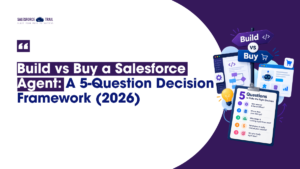
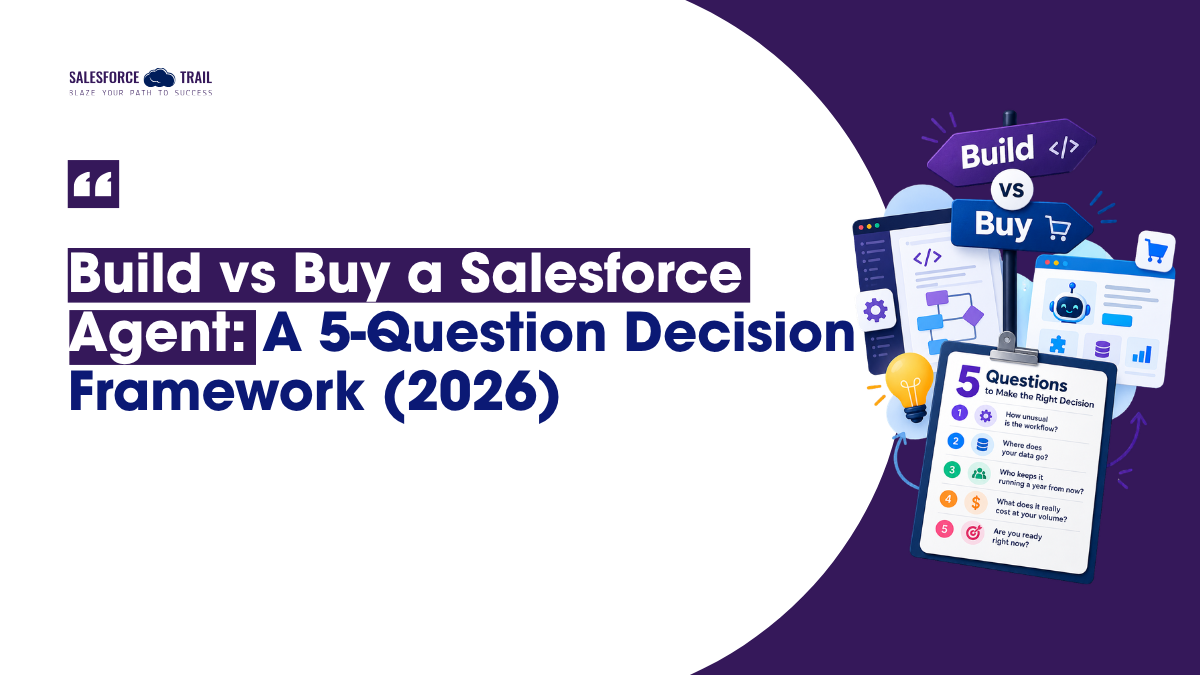
The 5 Questions
Run any agent idea through these, in order. The first one that gives you a clear answer usually ends the debate.
How unusual is the workflow?
Start here, because it sorts out most cases fast.
Common jobs like sending a document for signature, pulling a file, booking a meeting, checking a shipment are everyday stuff. Someone has already built and tested them. Buy those, and don’t feel bad about it. But the moment the job involves your pricing rules, your eligibility checks, your approval steps, or a compliance rule specific to your field, you’ve hit your own know-how. Build that part.
The test I keep coming back to: if a competitor could run the same agent without changing a thing, buy it. If it only makes sense inside your company, build it. And you can do both: build the tricky subagent, buy the connectors that feed it.
Where does your data go?
This is the question people skip, and it’s the one that bites later.
The Einstein Trust Layer means the AI models don’t keep your data, but only while that data stays inside Salesforce. A bought piece that calls the vendor’s own cloud sends your CRM data outside that fence, and Salesforce’s promises stop at the fence. Salesforce’s security review checks the package. It does not check how you set it up, and it can’t speak for what happens on a vendor’s servers.
One thing worth knowing: Salesforce’s own docs say data masking in the Trust Layer is switched off for agents. So an agent sees more of your raw data than you might assume, which makes it matter even more who you let it talk to.
Three questions for any vendor before you install: Where does the data go? Which model do you use? What do you keep? If the answers are fuzzy, that’s your answer.
Who keeps it running a year from now?
Salesforce moves quickly. Several major Agentforce releases have dropped in just over a year, along with a wave of renaming across the product. Great for new features. Hard on anything you’ve built by hand.
A custom agent means you own the logic, the tests, and the cleanup after every release. If you don’t have an admin or developer with time for that, buying is the safer bet — bought packages get updated on the vendor’s schedule, not yours. The catch is right there in the same sentence: the vendor’s schedule, not yours. And when something breaks mid-incident, you can’t fully open up managed-package code to fix it. You’re trading control for maintenance. Decide which one you can actually live without.
What does it really cost at your volume?
Do this math with real numbers, not the price on the page.
For buying, the total cost is: license fee (if any) + actions × about $0.10 + Data 360 usage + any future charges for registered external agents. Salesforce has said that calls from registered external agents will start costing Flex Credits around late 2026, so if your plan relies on them, factor that in now. For building, the cost is developer and admin hours, followed by ongoing upkeep of the tests and logic.
A handy rule of thumb: Agentforce first launched at $2 per conversation and $0.10 per action, so $2 covers about 20 actions. Below that, pay-as-you-go usually wins. You’ll also see “$150K to $400K” build estimates floating around — those are vendor guesses, not real benchmarks, so don’t rely on them. Work out your own first-year volume instead.
Is it ready to be trusted?
Last check, and it cuts both ways.
For something you’re buying: how long has the listing been around, how many installs does it have, and is the vendor a known name or a listing that showed up last week? Plenty of products get the “agent” label on them when they’re thin, so be sure to investigate thoroughly.
For something you’re building: is this a real production need, or a quick experiment riding the hype? Gartner said in June 2025 that more than 40% of agent projects would be scrapped by the end of 2027, mostly over unclear value and cost. So readiness isn’t just about the tool. It’s about whether the job itself is ready.
Below is the whole thing on one screen:
| Question | Lean Buy if… | Lean Build if… |
|---|---|---|
| How unusual | A competitor could use it as-is | It only makes sense in your org |
| Where data goes | It stays on-platform, or vendor terms are fine | It sends CRM data somewhere you can’t accept |
| Who maintains it | You have no time for upkeep | You have someone to own it after releases |
| Cost at volume | Low, steady action counts | High volume where per-action adds up |
| Readiness | Known vendor, proven listing | Clear production need, not a test |
Why Buying First Makes Sense — Even If You Love Building
If your gut says build everything, sit with this for a second.
MIT’s ‘2025 State of AI in Business’ report, covered by Fortune, found that AI tools that were purchased or developed through partnerships were significantly more successful than those developed in-house, with a success rate of approximately 1/3 for in-house tools, compared to about 2/3 for tools that were purchased or created with partners. The researcher leading this work stated it clearly: wherever they went, companies were almost everywhere trying to build their own tools, whereas those that purchased tools ended up with a reliable solution.
This is about AI in general, not specifically about Salesforce Agents; therefore, do not take it as absolute fact. But the point carries. “Buy first” doesn’t mean buy everything. It means buy the ordinary stuff, prove it works fast, and save your build time for the logic only you have. Building is a tool for special cases. It’s a poor default.
When the Honest Answer Is “Not Yet”
Sometimes the right move is not to build an agent this quarter. Three signs tell me to hold off.
You can’t name the number it’s supposed to improve. If nobody can say what “working” looks like, you’ve got a demo, not a real use case. Your data isn’t ready — if a lot of your data lives outside Data 360, the agent won’t have much to work with and will feel clumsy no matter how you build it. Or nobody owns it after launch. An agent with no owner is a problem waiting to happen, whether you bought it or built it.
This is where a lot of pilots quietly stall. Plenty of teams are testing Agentforce; far fewer have pushed it into real daily use, and skipping these questions is usually why. Sometimes the smartest agent decision is a tidy data model and a clear goal. Not exciting. Still right.
My Take: Where to Start
Buy the ordinary parts. Build the parts that make you different. Check where the data goes on anything you buy before it touches real work.
Since both paths pay the same running costs, the choice comes down to ownership and trust, not price. Get those two right and the cost mostly sorts itself out. Get them wrong, and no licence fee or sprint plan will rescue you.
Your next step isn’t to pick a side. Open AgentExchange, find the closest thing to what you need, install it to a sandbox with Try It, and run your own workflow through it. Within an hour, you’ll know whether it fits the way your business actually works — and that one test will settle the build-or-buy question faster than any spreadsheet.
Frequently Asked Questions
Not always. A bought agent still uses Flex Credits for every action, and a licence fee can sit on top of that. Below about 20 actions per conversation, pay-as-you-go is usually cheaper. Above that, it shifts. Work out your first-year volume instead of trusting the sticker price.
It depends on the listing — free, freemium, paid, or paid add-on — plus your own Flex Credit use (around $0.10 per standard action) and any Data 360 usage. There’s no single price, so check each listing and confirm your credits in your contract.
Up to a point. You can connect its actions to your own topics and agents, but bought packages often can’t be fully edited. If the workflow has to match your exact rules, that’s a good sign to build that piece yourself.
Not always. Agentforce Builder lets admins put agents together with Flow and prompt templates, no code required. You’ll want developer tools like Apex and Agentforce DX once the logic gets complicated or the testing needs to be thorough.
It can be, if you’re careful. Agents follow your Salesforce permissions, but a piece that calls the vendor’s own cloud sends data outside the Einstein Trust Layer. Ask every vendor where the data goes, which model they use, and what they keep — and always install to a sandbox first.
An action is a single task, like sending a document or looking up an order. A subagent groups related actions around one job. An agent manages subagents to reach a goal. AgentExchange sells all three, plus MCP servers that connect to outside systems.

Priya Rastogi
Priya is a 3x Salesforce Certified who believes in the power of continuous learning and collaboration. She’s passionate about exploring how Salesforce can simplify work, boost productivity, and create better user experiences. When she’s not experimenting with new features or automating processes, Priya enjoys connecting with fellow Trailblazers and sharing insights to help others grow in their Salesforce journey.
- Priya Rastogi
- Priya Rastogi

- Priya Rastogi
- Priya Rastogi