



Business logic in Salesforce rarely stays still. As products evolve, SLAs change, and customer expectations rise, organizations often find themselves updating rules every few weeks. For many teams, maintaining this logic through Apex, Custom Metadata Types, or even Flow quickly becomes difficult and expensive.

This is where the Salesforce Business Rules Engine (BRE) brings real value.

BRE provides teams with a configurable, versioned, and declarative rules execution framework to handle complex decisions without requiring developer-heavy deployments. For mid- to large-scale organizations where rules change quickly, BRE offers a powerful solution.

Logic as Configuration — not code.

In this guide, we’ll walk through what BRE is, how it compares to Custom Metadata, when it should be used, and a real Service Cloud scenario that demonstrates its value.

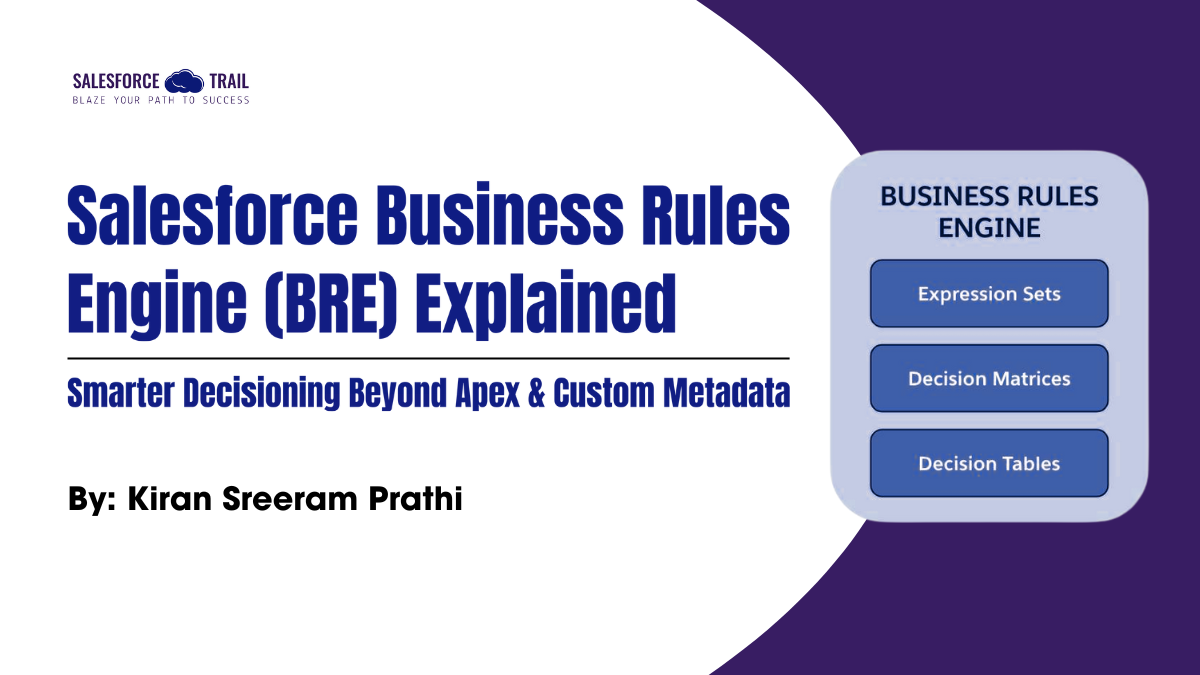
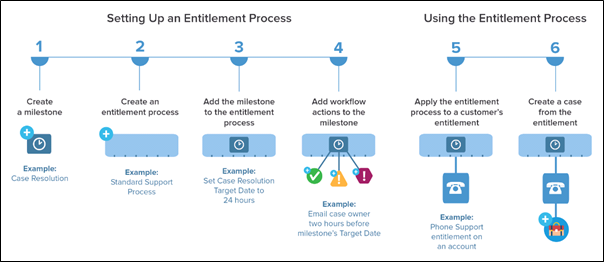
Salesforce BRE
Source: Salesforce

What is Salesforce Business Rules Engine?

The Business Rules Engine is Salesforce’s decision management framework designed for administrators, analysts, and architects. Instead of hard-coding logic, you can define rules, conditions, and outcomes using a clean, guided UI.

With BRE, teams can:

  • Create and update logic without deployments
  • Maintain multiple rule versions
  • Visualize complex logic through decision tables
  • Execute rules from Flow, Apex, OmniStudio, and Digital Engagement
  • Empower business teams to own and update decisions

In simple terms:

BRE = A centralized, admin-friendly engine to automate decisions at scale.

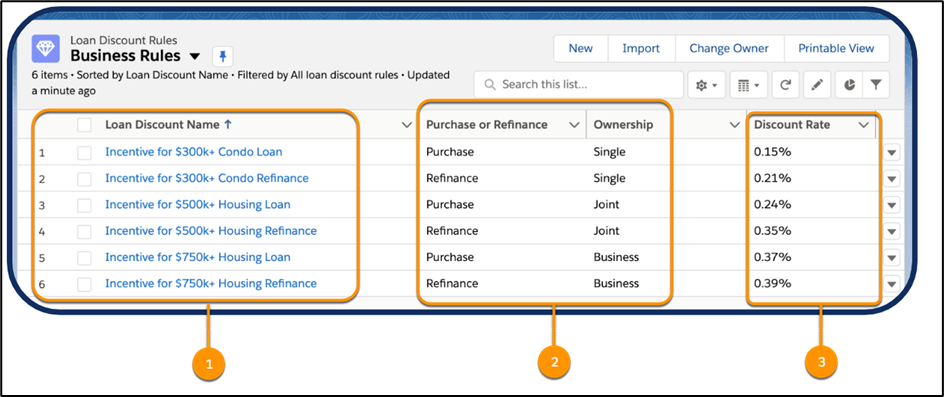
Business Rules
Source: Salesforce
FeatureBRECustom Metadata (CMDT)
StorageRules + DecisionsOnly data
Decision EngineBuilt-inRequires Apex/Flow
VersioningYesNo
Change DeploymentNot requiredRequired
Complex RulesGreatHard
VisualizationUI + Decision TablesNone
Ideal ForEligibility, recommendations, policy logicSimple config

Salesforce BRE Limitations (You Should Know This Before Adopting It)

Even though BRE is powerful, it has limitations:

  • Requires Additional Licenses: Usually included with Omnistudio / Salesforce Industries; otherwise, an add-on.
  • Not Ideal for Tiny Rules: Small rules are simpler in Flow or CMDT.
  • Learning Curve: Rule Sets, Decision Tables, and Inputs/Outputs require training.
  • Debugging is not as Straightforward as Apex: Tracing exact execution is harder.

Scenario: “Entitlement-Based Troubleshooting Recommendations Engine”

Support agents struggle because:

  • Different products have different troubleshooting steps
  • SLAs affect which solutions can be offered
  • Some resolutions require approvals
  • Other steps depend on warranty, subscription type, customer tier, etc.
  • The business team frequently changes the rules

Apex + Custom Metadata becomes difficult because the combinations explode.

This is where BRE shines.

The Goal

When an agent opens a Case, Salesforce should automatically recommend:

  • Which “Resolution Path” to follow
  • Whether a replacement is allowed
  • Whether technician dispatch is allowed
  • Whether escalation is needed
  • Whether the free service is applicable

All based on a combination of:

  • Product Type
  • Issue Category
  • Warranty Status
  • Customer Tier
  • Active Entitlements
  • SLA

How Salesforce Business Rules Engine Solves This Problem

Salesforce BRE
Source: Salesforce
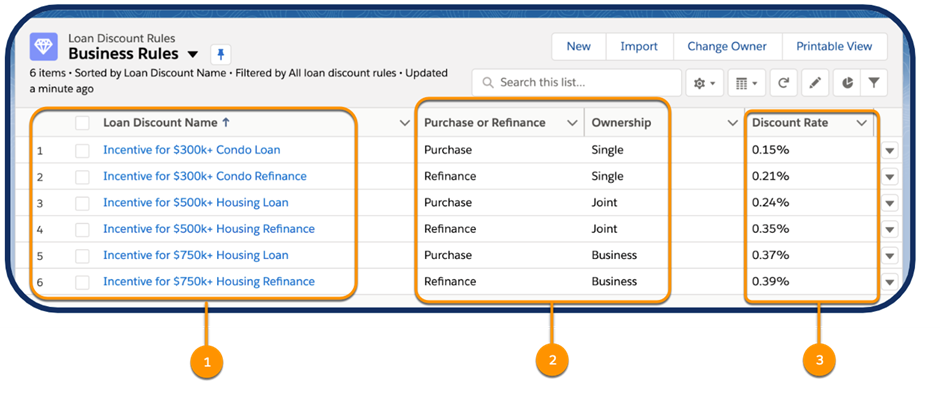
BRE Framework
Source: Salesforce
  1. Create a Rule Set

Name: TroubleshootingRecommendationRuleSet

This rule set contains all the logic for product recommendations.

  1. Define Inputs (From Case + Entitlement)

Input VariableExample Value
ProductType“Mobile Router”
IssueCategory“Connectivity”
WarrantyStatus“Valid / Expired”
CustomerTier“Gold/Silver/Bronze”
SLAType“4-Hour
  1. Create a Decision Table

Decision Table Example

Product TypeIssue CategoryWarranty StatusCustomer TierRecommendationTechnician DispatchFree Replacement
RouterConnectivity IssueValidGoldGuided Troubleshooting Path AYesYes
RouterHardware DamageExpiredSilverPaid Replacement ProcessNoNo
CameraApp Sync IssueValidBronzeSelf-Help Article BNoYes
Server ApplianceOverheatingValidGoldTechnician DispatchYesNo

Business teams can update this table directly — no deployment required.

  1. Define Outputs

  • RecommendedAction (text)
  • RecommendedFlowAPIName (text)
  • DispatchEnabled (boolean)
  • FreeReplacementAllowed (boolean)
  • EscalateToTier2 (boolean)
  1. Invoke BRE from Flow

A Record-Triggered Flow on Case:

  1. Fetch Case + Entitlement fields
  2. Pass them as inputs to BRE
  3. Receive outputs into variables
  4. Update the case with the recommendations
  5. Show dynamic actions to agents in UI (Lightning Highlights Panel / FlexCard / Screen Flow)

Why Salesforce BRE is Better Than Custom Metadata Here

  • Multi-condition logic is complex: CMDT + Apex becomes spaghetti code.
  • Rules change often: Product and warranty policies change monthly — BRE allows instant updates.
  • Versioning matters: Support teams can test new versions, then publish them.
  • Visualization is critical: A decision table provides business teams with a clear, Excel-style view.
  • Governance-friendly: No deployments → no DevOps overhead → fewer release conflicts.

Expanded Realistic Flow

Here’s more detail on how the troubleshooting recommendation works at runtime:

  1. Agent opens Case
  2. Case Lightning Page triggers a Screen Flow or OmniScript step
  3. Flow invokes BRE
  4. BRE returns a recommended troubleshooting flow
  5. The agent follows the guided resolution
  6. The case is updated automatically with the steps taken
  7. BRE also informs whether dispatch/replacement is permissible

This improves AHT (Average Handle Time), First Call Resolution, and Customer Satisfaction.

When NOT to Use Salesforce BRE in This Scenario

  • Rules are static
  • Only 2–3 fields determine logic
  • The business team will never update rules
  • You need extremely high performance inside triggers
  • You prefer pure Apex-based decision-making

Conclusion

Salesforce Business Rules Engine (BRE) is ideal when:

  • Rules change frequently
  • Logic involves many variables
  • You need admin-friendly decision management
  • Versioning and governance matter

In Service Cloud, BRE is especially valuable for:

  • Entitlement-based recommendations
  • Warranty logic
  • Eligibility checks
  • Complex “If Product X + Issue Y + SLA Z → do ABC” flows

It’s more powerful than Custom Metadata for dynamic, multi-input decision logic — but comes with licensing and performance considerations.

Kiran Sreeram Prathi
Sr. Salesforce Developer  kiransreeram8@live.com

I’m Kiran Sreeram Prathi, a Salesforce Developer dedicated to building scalable, intelligent, and user-focused CRM solutions. Over the past five years, I’ve delivered Salesforce implementations across healthcare, finance, and service industries—focusing on both technical precision and user experience. My expertise spans Lightning Web Components (LWC), Apex, OmniStudio, and Experience Cloud, along with CI/CD automation using GitHub Actions and integrations with platforms such as DocuSign, Conga, and Zpaper. I take pride in transforming complex workflows into seamless digital journeys and implementing clean DevOps strategies that reduce downtime and accelerate delivery. Recognized by organizations like Novartis, WILCO, and Deloitte, I enjoy solving problems that make Salesforce work smarter and scale better. I’m always open to connecting with professionals who are passionate about process transformation, architecture design, and continuous innovation in the Salesforce ecosystem.
Share.
Leave A Reply

Exit mobile version