





Salesforce deployments are no longer just about “moving metadata from sandbox to production.” As orgs grow, teams scale, and release cycles shorten, structured deployment strategies become critical. Two core approaches dominate modern Salesforce delivery:

  • Salesforce Packaging
  • CI/CD (Continuous Integration & Continuous Deployment)

This blog explains what they are, how they differ, when to use each, and how to implement them in a real Salesforce ecosystem -with practical guidance for developers, architects, and DevOps teams.

Table of Contents

What Is Salesforce Deployment?

Salesforce deployment is the process of transferring metadata and code (such as Apex, LWC, Flows, Objects, and Profiles) from one environment to another.

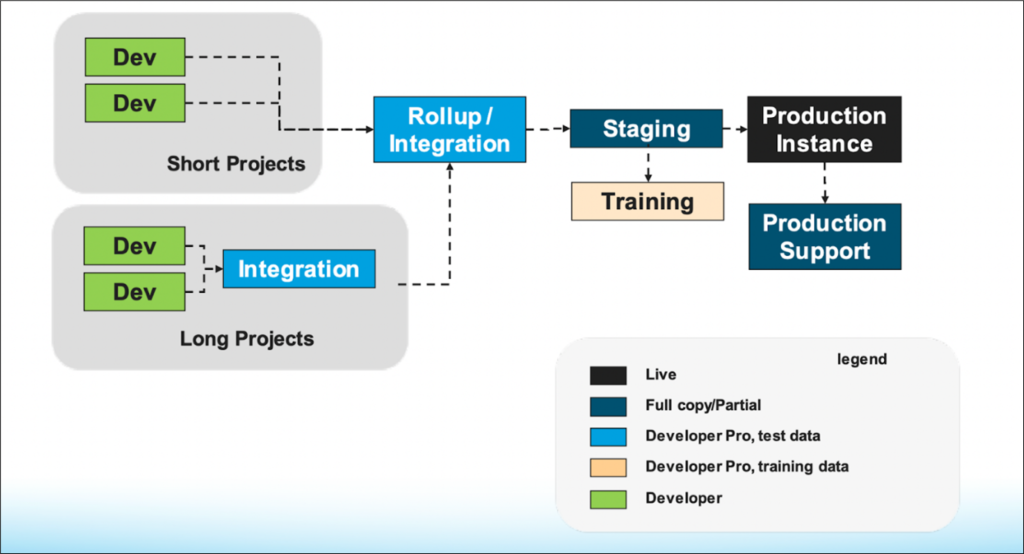
A typical lifecycle looks like this:

  • Developer Sandbox → QA
  • QA → UAT
  • UAT → Production

Traditional tools include:

  • Change Sets
  • Salesforce CLI
  • Metadata API

But modern Salesforce delivery relies on automation, version control, and repeatability.

What Is Salesforce Packaging?

Salesforce Packaging is a method of bundling metadata and functionality into a versioned, installable unit. Instead of deploying individual components, you deploy a package with a known structure and version history.

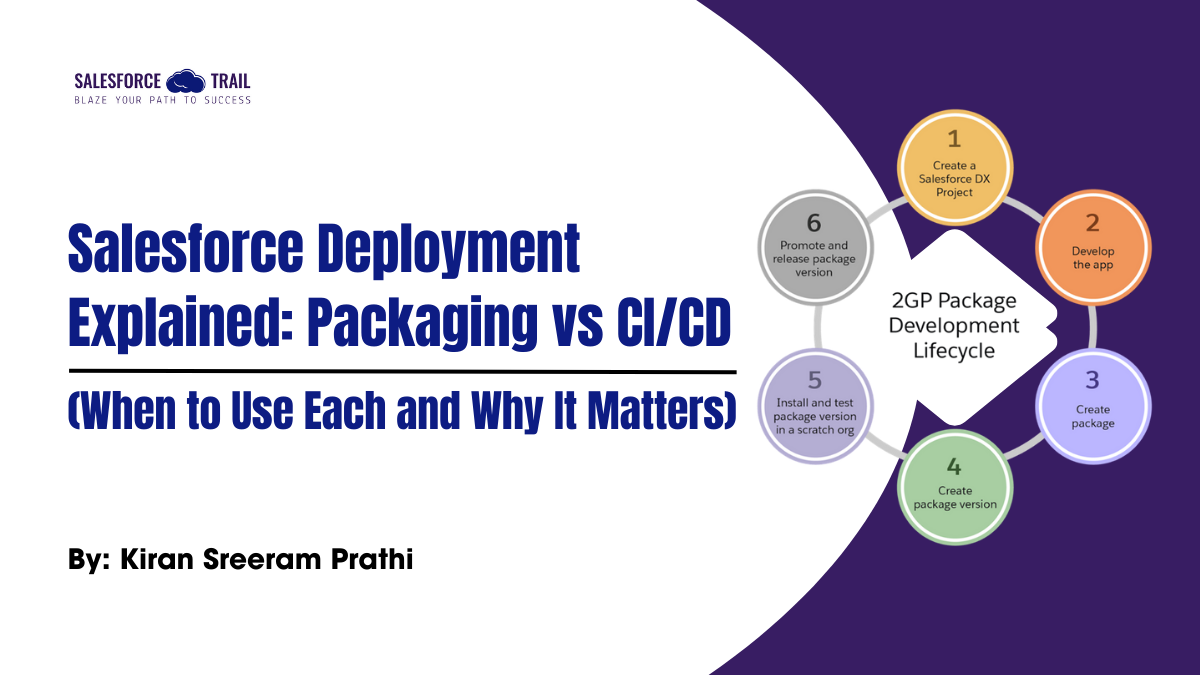
Package Development
Source: Salesforce

Types of Packages:

Package TypeDescriptionUse Case
Unlocked PackageMetadata container without namespaceInternal teams
Managed PackageVersioned, namespace-protectedISVs / AppExchange
Org-Dependent Unlocked PackageTightly coupled to one orgLarge enterprises

Key Characteristics of Packaging

  • Versioned and traceable
  • Installable across orgs
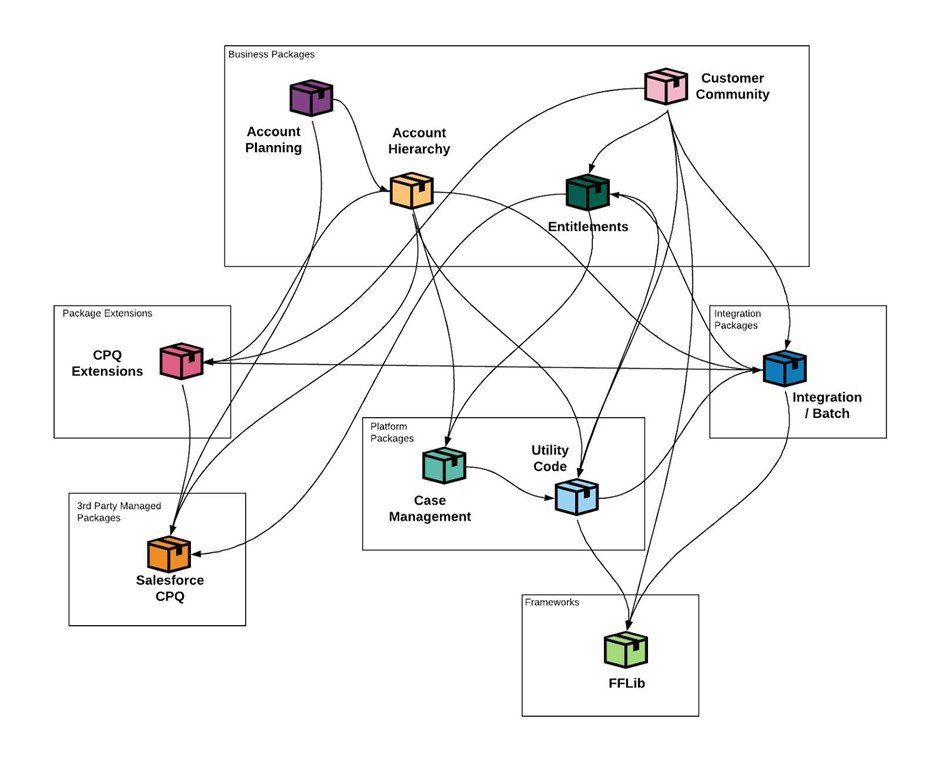
  • Clear dependency management
  • Promotes modular architecture
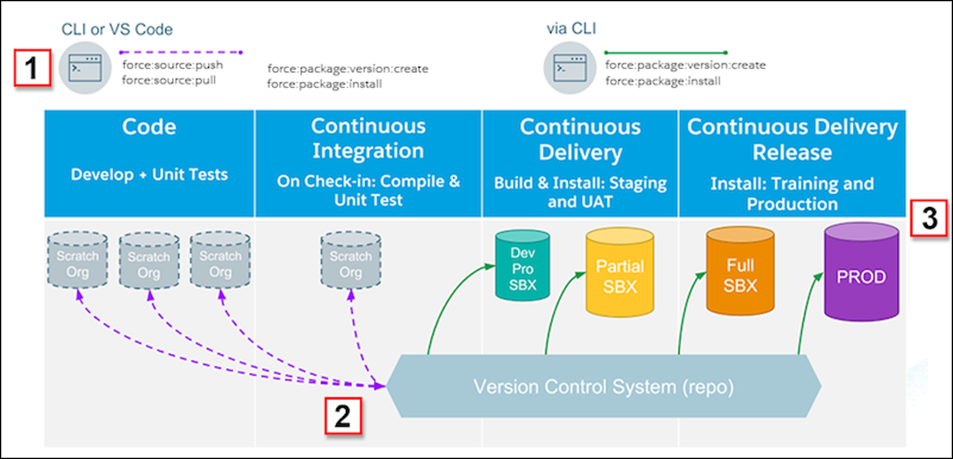
Salesforce Packaging
Source: Salesforce

What Is CI/CD in Salesforce?

CI/CD automates the process of building, testing, and deploying Salesforce changes using pipelines.

CI/CD Stands For:

  • Continuous Integration – Automatically validate changes on every commit
  • Continuous Deployment/Delivery – Automatically deploy validated changes

Core Components

  • Git (Version Control)
  • Salesforce CLI
  • CI Tool (GitHub Actions, Jenkins, Azure DevOps)
  • Automated Tests & Validation

In practice, CI/CD ensures that every change follows the same process, reducing human error and increasing release confidence.

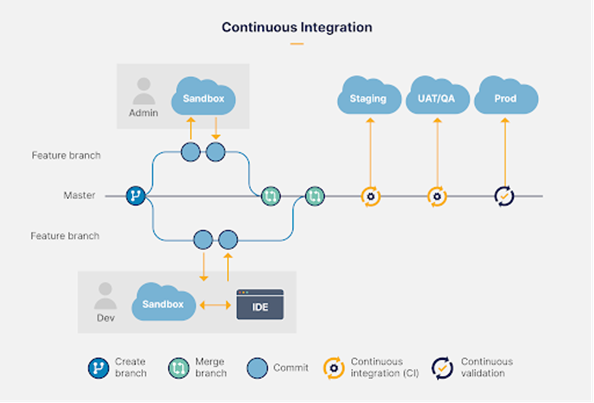
CI/CD Pipeline
Source: Salesforce
Continuous Deployment
Source: Salesforce

Packaging vs CI/CD: The Core Differences

AspectPackagingCI/CD
Primary GoalDistribution & versioningAutomation & reliability
Version ControlBuilt-inGit-based
Deployment StyleInstall packageDeploy metadata
Best ForProducts, modular appsEnterprise org delivery
RollbackInstall older versionGit revert + redeploy
AppExchange ReadyYesNo

Important Insight:
Packaging and CI/CD are not competitors; they complement each other.

When Should You Use Packaging?

Use Packaging when:

  • You are building a reusable module
  • You want a clear version history
  • You plan to distribute functionality across multiple orgs
  • You are building:
    ৹ Internal shared frameworks
    ৹ Industry accelerators
    ৹ AppExchange products

Example Use Case

A healthcare org creates a Patient Intake Engine used across multiple Salesforce orgs. Packaging ensures controlled upgrades and dependency safety.

When Should You Use CI/CD?

Use CI/CD when:

  • Multiple developers work in parallel
  • You want frequent, safe releases
  • You need automated testing & validation
  • You want to eliminate manual change sets

Example Use Case

An enterprise Sales Cloud org with weekly releases and multiple teams committing changes daily.

The Best Practice: Packaging + CI/CD Together

Ideal Enterprise Architecture

  1. Develop features inside unlocked packages
  2. Store package source in Git
  3. Use CI/CD to build, test, and deploy packages
  4. Promote packages across environments

This approach delivers:

  • Modular design
  • Safe deployments
  • Scalable DevOps

How to Implement Packaging in Salesforce

Step 1: Enable Dev Hub

				
					sfdx force:config:set target-dev-hub=true


Step 2: Create an Unlocked Package

				
					sfdx force:package:create \
--name Core_Utilities \
--package-type Unlocked \
--path force-app/core \
--target-dev-hub myDevHub


Step 3: Version the Package

				
					sfdx force:package:version:create \
--package Core_Utilities \
--installationkeybypass \
--wait 10


How to Implement CI/CD in Salesforce

Typical CI/CD Flow

  1. Developer pushes code to Git
  2. CI pipeline triggers
  3. Validate deployment with tests
  4. Deploy to target org

Sample GitHub Actions Workflow

				
					name: Salesforce CI

on: [push]

jobs:
  deploy:
    runs-on: ubuntu-latest
    steps:
      - uses: actions/checkout@v3
      - uses: salesforcecli/sfdx-actions/setup@v1
      - run: sfdx auth:jwt:grant --clientid ${{ secrets.CONSUMER_KEY }}
      - run: sfdx force:source:deploy -p force-app --testlevel RunLocalTests


Tooling Ecosystem for Salesforce CI/CD

ToolPurpose
GitHub ActionsCI pipelines
JenkinsEnterprise CI
Azure DevOpsMicrosoft stack
CopadoSalesforce-native DevOps
FlosumMetadata + compliance

Common Mistakes to Avoid

  • Using change sets for large teams
  • No version control
  • Deploying directly to production
  • Skipping automated tests
  • Mixing packaging and non-packaged code randomly

Final Thoughts

  • Packaging brings structure, versioning, and modularity
  • CI/CD brings automation, speed, and reliability
  • Together, they form the foundation of modern Salesforce DevOps

If you are serious about scalable Salesforce delivery, change sets are no longer enough.

Kiran Sreeram Prathi
Sr. Salesforce Developer  kiransreeram8@live.com

I’m Kiran Sreeram Prathi, a Salesforce Developer dedicated to building scalable, intelligent, and user-focused CRM solutions. Over the past five years, I’ve delivered Salesforce implementations across healthcare, finance, and service industries—focusing on both technical precision and user experience. My expertise spans Lightning Web Components (LWC), Apex, OmniStudio, and Experience Cloud, along with CI/CD automation using GitHub Actions and integrations with platforms such as DocuSign, Conga, and Zpaper. I take pride in transforming complex workflows into seamless digital journeys and implementing clean DevOps strategies that reduce downtime and accelerate delivery. Recognized by organizations like Novartis, WILCO, and Deloitte, I enjoy solving problems that make Salesforce work smarter and scale better. I’m always open to connecting with professionals who are passionate about process transformation, architecture design, and continuous innovation in the Salesforce ecosystem.
Share.
Leave A Reply

Exit mobile version