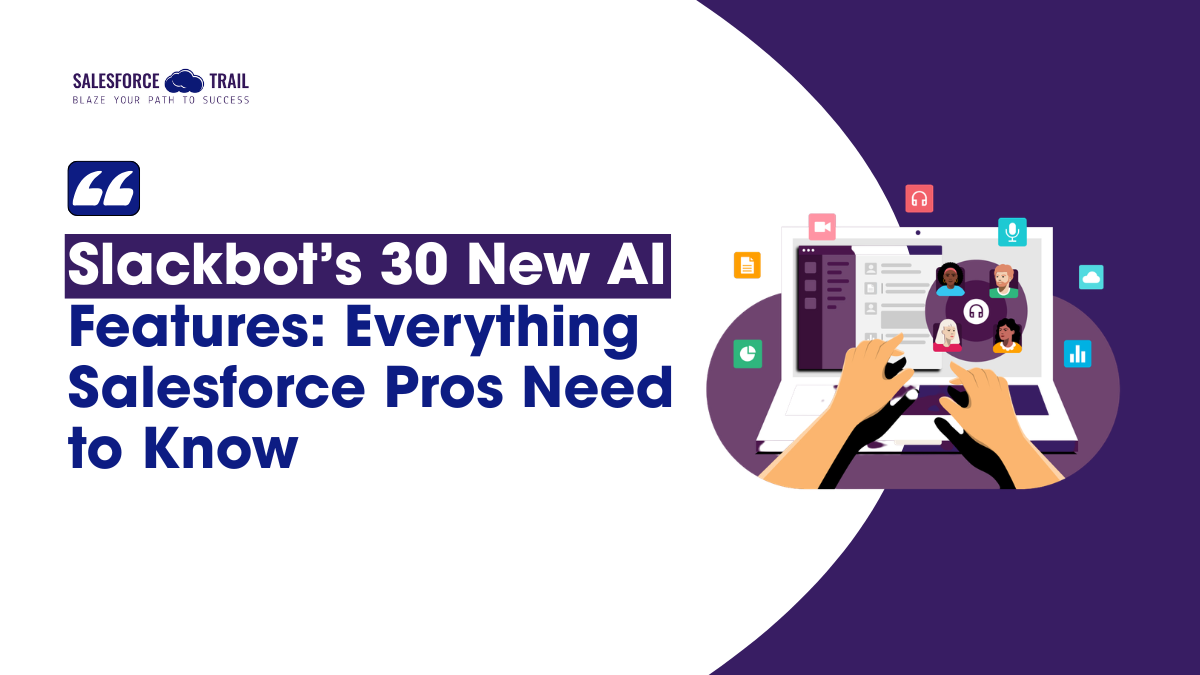
If you are involved with the Salesforce ecosystem, you may already know what happened on March 31, 2026. At a press and customers gathering in San Francisco, CEO Marc Benioff unveiled 30 new AI-powered capabilities for Slackbot, the most sweeping Slack overhaul since Salesforce acquired the platform for $27.7 billion back in 2021. And unlike many product announcements that sound exciting but don’t change your day-to-day work, this one genuinely does. If you’re a Salesforce admin, consultant, or anyone who spends time inside Slack and Salesforce simultaneously, here’s what you actually need to know about the latest Slackbot AI features in 2026.
Table of Contents
Five years on: Why Salesforce chose now to transform Slack
A bit of quick context. Slackbot became generally available to Business+ and Enterprise+ subscribers on January 13, 2026, starting with some useful but fairly basic agentic capabilities, such as drafting emails, scheduling meetings, and searching your inbox. The March 31 launch goes considerably further. Salesforce is making a deliberate architectural argument: the chat interface, not the CRM dashboard, is the future command center of enterprise work.
Salesforce Co-founder Parker Harris asked at the event: “Why should you ever log into Salesforce CRM again?“ That one line tells you everything about where this is heading.
Feature 1: Reusable AI skills — your team’s playbooks, finally automated
This is the headline feature, and for good reason. Reusable AI skills let you define a workflow once the inputs, the steps, and the output format are defined. Save it as a named skill, and then trigger it with a simple command any time you need it again. No rebuilding it from scratch. No re-explaining what you want.
Think about how often your team repeats the same tasks in Slack. Summarizing a week’s opportunity updates from your sales channel. Pulling together context before a QBR. Generating a brief from the latest Data 360 (formerly Data Cloud) segment activity. With reusable skills, you define that once. Slackbot learns to recognize when you’re attempting it and offers to run the skill automatically.
Slackbot ships with a built-in library of common skills, but you can build custom ones tailored to your specific Salesforce workflows. That said, if you’re an admin, this is your cue to think about governance before your team starts creating skills in every direction. Setting early standards, such as identifying existing skills, defining who can create them, and determining what data they can access, will prevent a cleanup headache later.
Feature 2: Slackbot is now an MCP client — and that changes everything
This one needs a quick explanation for those who haven’t come across MCP yet. The Model Context Protocol (MCP) is essentially a standard that lets AI agents connect to and work with external tools and systems. Think of it like a universal connector for AI: instead of building custom integrations for every app, MCP gives AI agents a standardized way to talk to thousands of tools at once.
Here’s why that matters for your Salesforce org. Slackbot is now an MCP client, which means it can route a user’s request directly to your Agentforce agents or to any of the 2,600+ apps in the Slack Marketplace, plus the 6,000+ apps built for the Salesforce AppExchange, without the user needing to know which system is handling it. Someone asks Slackbot to pull up a client’s latest case history. Slackbot finds the right path, runs the request, and returns the answer. No app switching. No logins.
Rob Seaman, Slack’s CEO, was direct about the commitment: “We’re going all in on MCP for Slackbot.” For those of us building on the Salesforce platform, the Slack Agentforce integration via MCP is arguably the most significant architectural shift in this entire announcement, and it’s worth understanding properly, not just skimming past.
Feature 3: Meeting intelligence — the follow-up that does itself
If you’ve ever come out of a client call and spent 20 minutes writing up notes that should have taken five, this one will get your attention. Slackbot can now transcribe meetings across any video platform, Zoom, Google Meet, Teams, or Slack Huddles by listening through the desktop app. No extra software. No third-party tool.
The moment the call ends, you get a structured summary in Slack: decisions made, action items assigned, next steps captured. But here’s the part that makes this genuinely useful for Salesforce teams: because Slackbot is natively connected to Salesforce, those notes don’t stop at Slack. Actions get logged. Opportunities get updated. The follow-through is already done before you’ve even opened your CRM.
All of this is opt-in and user-initiated, which is the right call. Your team will ask about privacy, and the answer is that they control it.
Feature 4: Desktop agent — Slackbot follows you outside of Slack
Slackbot can now operate outside the Slack window entirely. It monitors your desktop activity, your deals, open documents, calendar, ongoing conversations, and proactively surfaces suggestions or drafts responses based on what it sees.
One honest note: the fully autonomous version of this is still rolling out. Right now, it requires users to manually share screenshots in some cases. The seamless, always-watching desktop companion is more on the roadmap than a reality today. That said, it’s worth knowing it exists and planning for it.
If you’re an admin at an enterprise with strict data governance policies, make sure you review user permissions carefully before enabling this one broadly. Slackbot memory also stores behavioral preferences over time, which are useful for personalization but something your security team will want to know about.
Feature 5: Native CRM built into Slackbot
Slackbot can now read your Slack channels, identify when deals or new contacts come up in conversation, and update records automatically without anyone opening Salesforce. Does someone promise a follow-up on a call? Slackbot logs it and reminds you later.
This is primarily aimed at smaller businesses that don’t yet have a formal Salesforce org. It’s Salesforce’s “start simple, scale up” strategy, and it’s smart. Companies manage their pipeline in Slack, and when they’re ready to move to full Salesforce, they migrate without rebuilding anything.
The strategic angle that should be on every admin’s radar: starting Summer 2026, every new Salesforce customer receives Slack automatically provisioned and AI-enabled from day one. That means this native CRM feature becomes the first Salesforce experience millions of new customers will ever have.
What this means for your org right now
Here’s the practical breakdown:
Who has access: Business+ and Enterprise+ subscribers get the MCP client and most live features now. Free and Pro plan users get limited Slackbot access starting April 2026.
What to enable first: Meeting intelligence with Salesforce CRM auto-logging is the lowest-friction, highest-value starting point for most sales and service teams. Enable it for a small group, validate the CRM logging behavior, then roll it out wider.
What to watch: The majority of the 30+ announced features will roll out through mid-2026. This is a roadmap as much as a launch. Keep an eye on the monthly release notes rather than expecting everything to appear at once.
One more detail worth knowing: Slackbot runs on Anthropic’s Claude model under the hood. For those who care about the AI infrastructure powering their enterprise tools, that’s not a small footnote.

The bigger picture: Slack as the new interface for Salesforce
Salesforce is making a clear bet. If Slackbot can handle CRM updates, surface Agentforce actions, transcribe your meetings, and connect to your entire enterprise app stack all through a single conversation, then the traditional CRM dashboard becomes optional for many users. That’s a significant shift in how we think about Salesforce adoption and training.

Priya Rastogi
Priya is a Salesforce Admin who believes in the power of continuous learning and collaboration. She’s passionate about exploring how Salesforce can simplify work, boost productivity, and create better user experiences. When she’s not experimenting with new features or automating processes, Priya enjoys connecting with fellow Trailblazers and sharing insights to help others grow in their Salesforce journey.
- Priya Rastogi#molongui-disabled-link

- Priya Rastogi#molongui-disabled-link
- Priya Rastogi#molongui-disabled-link
- Priya Rastogi#molongui-disabled-linkMarch 27, 2026