You open your laptop, and there are fifteen “quick” requests waiting in your inbox and DMs. Three of them have “URGENT” in the subject line. None of them tell you enough to actually do anything: no steps, no context, no reason. A report “suddenly broke.” Someone needs a new field by the end of the day. A user can’t log in. And that project you were actually hired to lead? It doesn’t get a single minute today either.
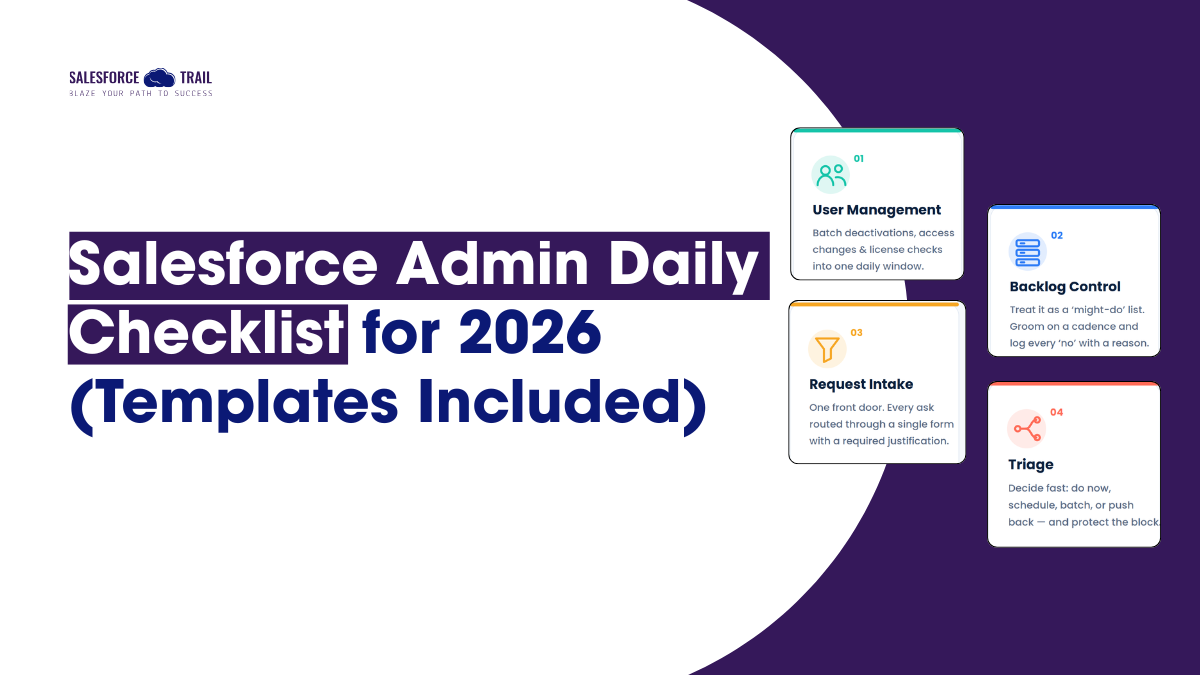
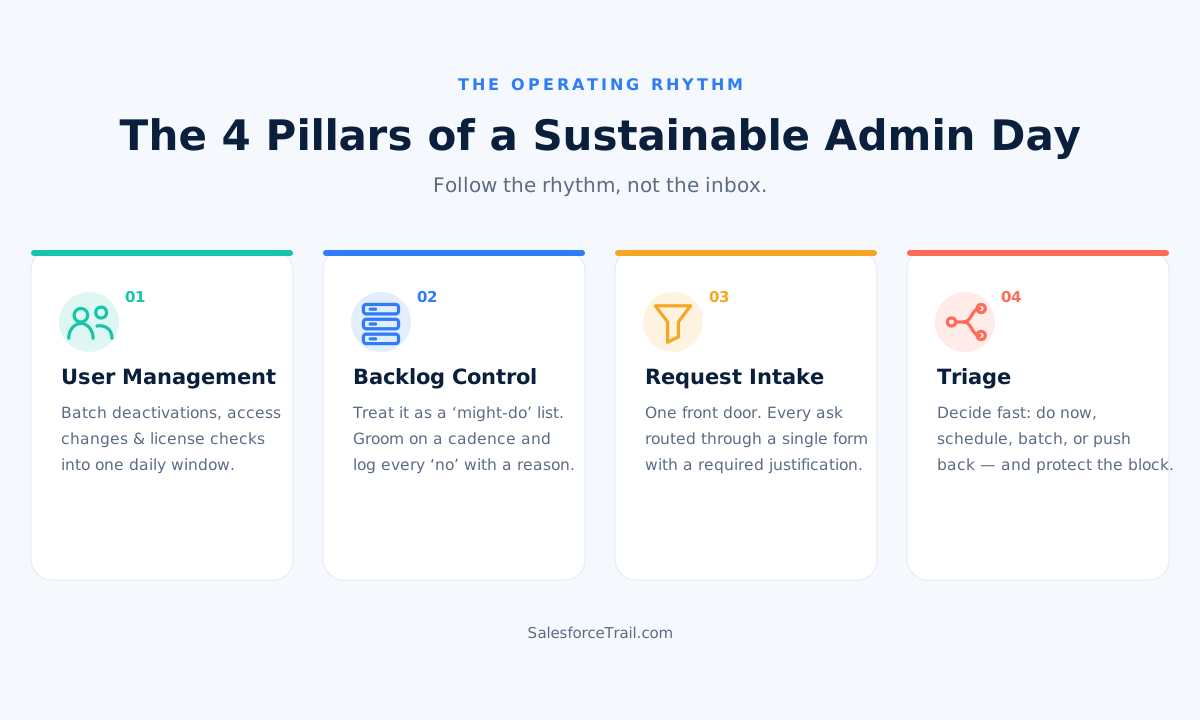
If that morning sounds familiar, this is for you. The fix isn’t grinding harder or clicking faster. It’s a repeatable daily rhythm that decides for you what gets done now, what gets scheduled, and what gets a polite “not yet.” Below is the exact system I use, built on four pillars: user management, backlog, request intake, and triage. Each one comes with a template you can copy and adapt today.
Table of Contents
Key takeaways
- Follow the rhythm, not the inbox. A fixed daily cadence beats reacting to whatever pings loudest.
- Batch user management. Freeze first, deactivate second, and run a quarterly license audit before renewal.
- One front door. Route every request through a single intake form, with business justification and repro steps.
- Triage honestly. Urgent is not the same as important. Score impact even under pressure.
- Protect the block. Guard one daily window for project work like it’s a hard meeting.
What does a Salesforce admin actually do every day?
A working Salesforce admin’s day should follow a fixed rhythm, not the inbox. Triage new requests in the morning, batch user-management tasks (deactivations, access changes, license checks) into one window, protect a daily block for project work, and route every incoming ask through a single intake form. Hence, nothing lands as a random Slack message.
That’s the whole thing in four sentences. The rest of this article is how you make it real.
Why your day feels like whack-a-mole
Let’s name what’s actually happening. Most admins aren’t overwhelmed by hard work. They’re overwhelmed by scattered work. A field change here, a password reset there, a duplicate merge that takes forty minutes you’ll never account for. Individually, each task is trivial. Together, they shred your attention into confetti.
Two forces make 2026 worse than it used to be. First, teams are leaner than the workload assumes, and many admins are running solo or without developer support, which means every request stops at your desk. Second, orgs keep getting more complex with each release, and technical debt piles up faster than anyone clears it. Salesforce ships three seasonal releases a year, and each one brings not just shiny features but required work, like security changes you can’t skip.
So the reactive tickets aren’t the problem, exactly. The problem is that there is no system or framework in place to handle them. It all comes down to this framework.
Pillar 1: Batch your user management
User management is where the day quietly bleeds out. Every access request feels small, so you handle it the second it arrives, and each interruption costs you the thread of whatever you were doing. Stop doing that. Collect these tasks and run them in one window.
Freeze first, deactivate second
When someone leaves, resist the urge to hit deactivate immediately. Do it in order.
First, freeze the user. This immediately locks them out, which is essential for security. Then, before deactivating, work through the dependency checklist: transfer record ownership to someone else, update associated lead and case assignment rules, review approval processes, remove them from workflow email alerts, and ensure they aren’t hidden as a default or integration user in any automation. Only then should you deactivate the user.
People often get confused about this. Freezing a license does not stop the billing. Deactivating does. So if you freeze someone and move on, you’re still paying for that seat. Freeze for safety, deactivate to reclaim.
License hygiene on a quarterly clock
Once a quarter, run a report on Last Login Date and pull everyone who hasn’t logged in for 60 to 90 days, plus anyone who’s never logged in at all. Those are your reclamation candidates. Time this audit 60 to 90 days before your renewal so whatever you find actually feeds the negotiation instead of sitting in a tab.
For the access changes themselves, work permission-set-led. Set your baseline with the Minimum Access profile and grant everything through permission set groups built around job personas. It’s cleaner to reason about, and it makes the “why can this person see this?” question answerable.
Where Setup with Agentforce actually helps
This is the 2026 part. Setup with Agentforce is generally available and can genuinely absorb some of this grind. You can ask it, in plain English, to compare object and record access for two users to explain why one can edit and the other can’t. It’ll draft a custom object with fields, fix a broken formula, and summarize a flow you inherited and don’t understand.
What it won’t do is decide whether any of that should exist. It proposes; you validate. Treat it like a sharp junior admin who’s fast but needs a second set of eyes on everything. The speed is real. The judgment is still yours.
Pillar 2: Tame the backlog before it tames you
Every admin has a backlog. Most of them are graveyards.
The reframe that helped me: a backlog is a “might-do” list, not a “must-do” list. The moment something lands there, the pressure to do it now is gone. That’s the point. Capture ideas as verbs so future-you knows what was meant: “automate the renewal reminder email,” not “reporting is a mess.” Keep it somewhere your stakeholders can see, whether that’s a custom object in the org or a shared board.
Then two habits. Groom it on a schedule; monthly is fine, and kill duplicates ruthlessly. And write down the things you decided not to do, with a one-line reason. When someone asks in six months why their idea never happened, you’ll have the answer instead of a shrug.
When you’re deciding what’s worth building, Salesforce’s own admin team makes a point I’d underline: prioritize by value, not by whoever shouted loudest. Use MoSCoW (Must, Should, Could, Won’t) when you’re planning the next couple of weeks, and something like RICE scoring when you’ve got a long list and need a defensible ranking to show your manager.
Pillar 3: Build one front door for requests
You know the pattern. A request starts as an email, continues in Slack, gets a follow-up question in a hallway, and by the time you sit down to do it, half the context has evaporated. Nothing’s tracked. You can’t prove how much work you’re carrying because none of it is written down anywhere.
Fix it with a single front door. Pick one channel, a screen-flow intake form, a case queue, or a custom object, and route everything through it. No exceptions, said kindly but firmly. The payoff is threefold, and each part is real: you get metrics on your actual workload, you can set expectations because everything has a status, and there’s one source of truth per request instead of five half-conversations.
Bake a Level of Effort field into the form and set an escalation rule: anything you estimate over five hours needs sign-off from a lead before it goes on your plate. That one field quietly ends a lot of scope creep.
The Intake form template (copy and adapt)
| Field | Why it's there |
|---|---|
| Requester and department | Ownership and routing |
| Request title (start with a verb) | Scannable in the backlog |
| Type: Bug / Enhancement / New build / Access / Report | Routing and metrics |
| Business justification | The why: what problem, tied to a goal |
| Steps to reproduce (for bugs) | What you did, what happened, what you expected, plus a screenshot |
| Affected users / reach | Feeds prioritization |
| Desired date, and hard deadline if any | Feeds urgency |
| Requester's stated priority | Compare against your own triage |
| Level of Effort (you fill this in) | Triggers the escalation threshold |
| Status: New / Triaged / Scheduled / In progress / Done / Won't do | The single source of truth |
The two fields doing the heavy lifting are business justification and steps to reproduce. Make them required. Half the low-value tickets never reach you because the person can’t articulate a reason once they’re forced to type one.
Pillar 4: Triage — now, scheduled, or pushed back
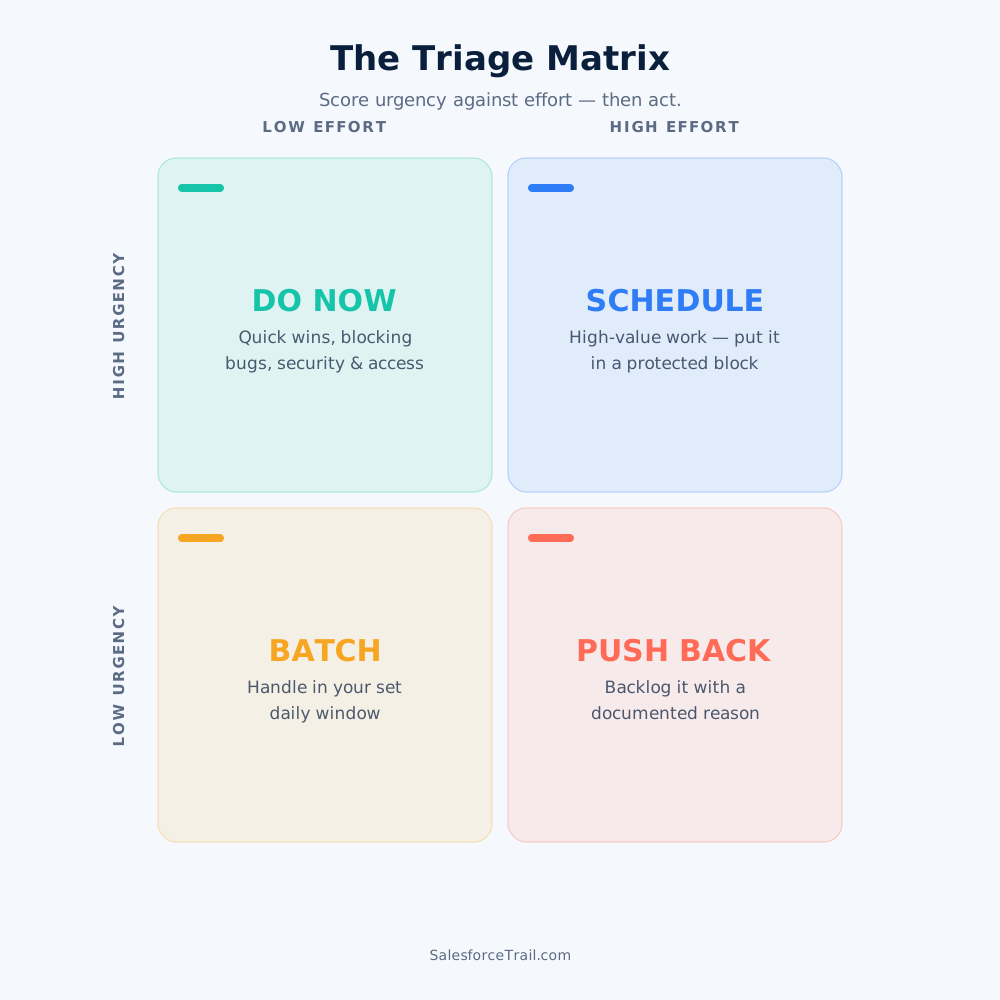
Intake gets requests into one place. Triage decides what happens to them. For the daily sort, an urgency-versus-effort grid is fast enough to run in a couple of minutes.
The Urgency vs. Effort Matrix
| Low effort (under ~2 hrs) | High effort (half day or more) | |
|---|---|---|
| High urgency / high impact | Do now — quick wins, blocking bugs, security and access issues | Schedule — put it in a protected project block, break it into steps |
| Low urgency / low impact | Batch — handle it in your set daily window, not the second it arrives | Push back / park — backlog it with a documented "not now, because…" |
The trap most admins fall into is treating everything urgent as high impact. A stakeholder’s panic is not the same as a business priority. Score impact honestly, even when someone’s breathing down your neck.
How to push back professionally
This is the skill nobody teaches, and everybody needs. Saying no isn’t rude; done well, it builds trust, because you’re protecting the org’s health, not just dodging work. Salesforce’s admin team frames it exactly this way in their writing on stakeholder trust. Here are four scripts I actually use. Steal them.
- Not now, but captured: “Great idea, I’ve logged it in the backlog so it won’t get lost. Right now I’m committed to [X], which is blocking [N] people. Can we look at this at our next prioritization?”
- Trade-off framing: “I can start this today, but it’ll push [current priority] back a few days. Which do you want me to prioritize?”
- Clarify before committing: “Help me understand the outcome you’re after. There might be a faster way to get there without a custom build.”
- The strategic no: “I’d actually recommend against this one, because it duplicates something we already have and adds maintenance cost. Here’s an alternative that gets you the same result.”
That last one is the whole 2026 job in a sentence.
Your daily and weekly cadence
Here’s the rhythm all four pillars snap into. Screenshot this part.
The daily rhythm
- Morning (30–45 min): Triage the intake queue. Sort each item: do now, schedule, batch, or push back. Clear the quick wins and any blocking access or security issues.
- Midday batch (30 min): Run your user-management window. Deactivations, access changes, license spot-checks. Let Agentforce speed the diagnosis; you approve the result.
- Protected block (90 min+): One high-impact backlog item. Put it on your calendar as busy and defend it like a meeting with your CEO.
- End of day (15 min): Update every request’s status so the queue stays honest.
The weekly rhythm
- Groom the backlog and archive the “won’t do” items with reasons.
- Send a short stakeholder update: what shipped, what’s next, what’s blocked.
- Run an org-health scan: Set up Audit Trail, Health Check, storage and API limits, failed automations.
- Review inactive users and licenses.
- If a release is close, get into a sandbox and test.
The Real 2026 Superpower: Knowing What not to Build
I keep coming back to this point. As AI increasingly handles tasks like clicking, configuration, and boilerplate code, your value is defined by the things a model cannot do for you, such as prioritizing tasks, understanding the context, or telling a VP that their desired approach could lead to trouble in eighteen months and then being proven right.
Every field you don’t build is technical debt you don’t inherit. Every “not yet” is a future afternoon you get back. The admins who thrive in 2026 aren’t the ones who do the most tickets. They’re the ones who’ve made their judgment the point.
Final Thoughts
Don’t try to install all four pillars this week. Pick one. If your days feel most out of control, start with the intake form, because a single front door changes everything downstream. Build it, route your next request through it, and watch how much calmer the following Monday feels. Then add the next pillar. Control comes back one habit at a time.
Frequently Asked Questions (FAQ)
Triage new requests first thing, batch user-management tasks into one window, protect a block for project work, and keep every request status current. The goal is a fixed rhythm so reactive tickets don’t consume the whole day.
Set up a single intake form and route everything through it, including Slack and email asks. Make business justification and steps to reproduce required fields. Most low-value requests disappear once people have to explain them.
Use an urgency-versus-effort grid for the daily sort: do the high-impact quick wins now, schedule the big high-value work, batch the small stuff, and push back on low-value, high-effort requests. For longer planning, MoSCoW or RICE gives you a defensible ranking.
Freeze first to lock them out immediately, then reassign their records and automations, then deactivate to free the license. Freezing alone keeps the seat billed, so always deactivate once dependencies are cleared.
Setup with Agentforce can draft objects and fields, fix formulas, summarize flows, and troubleshoot access questions in plain English. It proposes changes, but you validate and approve them. It speeds routine config; it doesn’t replace your judgment.
Acknowledge the idea, log it in a visible backlog, and explain your current commitment or the trade-off. Framing a “no” as protecting the org’s health and offering an alternative usually earns trust instead of friction.

Priya Rastogi
Priya is a 3x Salesforce Certified who believes in the power of continuous learning and collaboration. She’s passionate about exploring how Salesforce can simplify work, boost productivity, and create better user experiences. When she’s not experimenting with new features or automating processes, Priya enjoys connecting with fellow Trailblazers and sharing insights to help others grow in their Salesforce journey.
- Priya Rastogi

- Priya Rastogi
- Priya Rastogi
- Priya Rastogi